
 Sign in to Mod The Sims
 Tritone House
 Tritone House


Screenshot-002.jpg - width=1280 height=798
Screenshot-212.jpg - width=1280 height=798
Screenshot-213.jpg - width=1280 height=798
Screenshot-214.jpg - width=1280 height=798
Screenshot-215.jpg - width=1280 height=798
Screenshot-218.jpg - width=1280 height=798
Screenshot-219.jpg - width=1280 height=798
Screenshot-222.jpg - width=1280 height=798
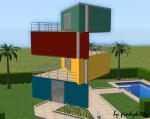
Tritone house is a colourful, modern home made out of cubes and uses primary colors: red blue and yellow which are also repeated troughout the house.
It has a large backyard with a pool, 2 bedrooms, 2 bathrooms, a kitchen/dining/living area, its affordable and perfect for a small family yet a lovely addition to the neighborhood.
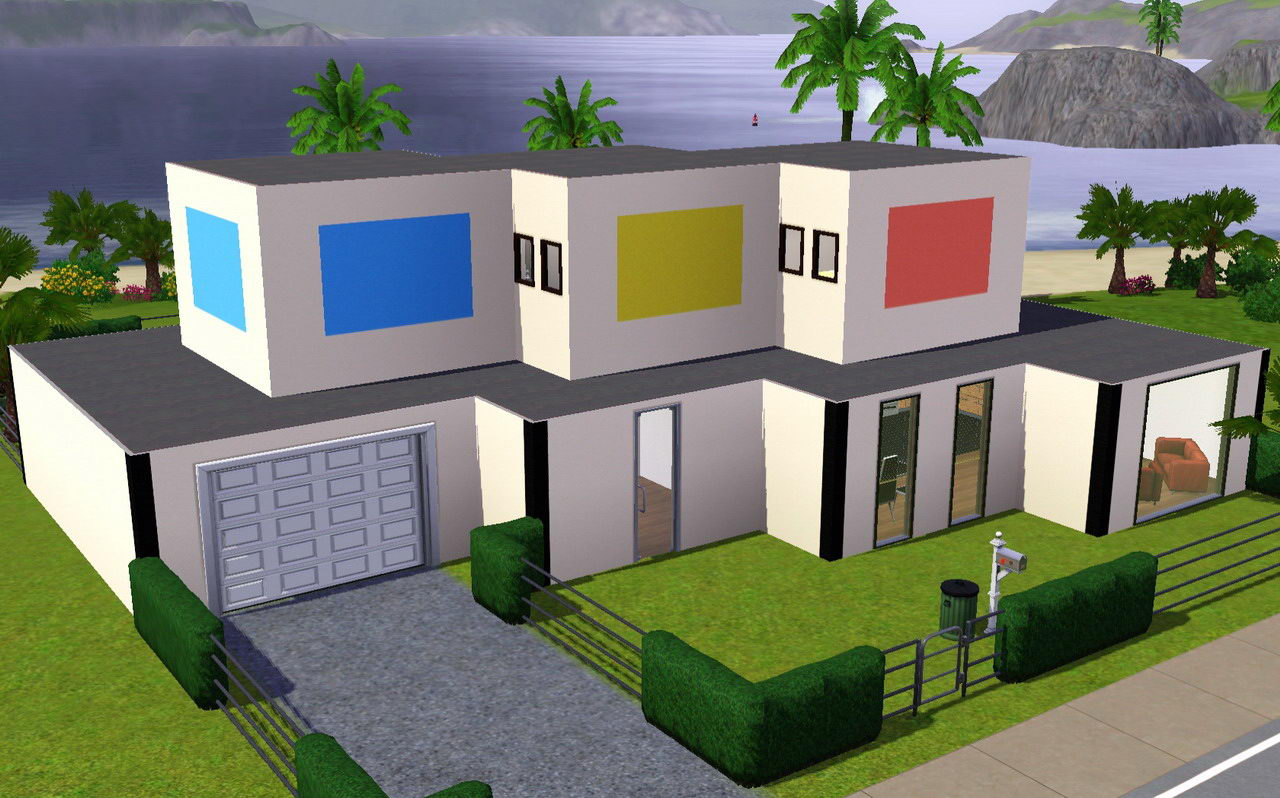
It fits best on 30x30 lot and costs:
furnished: 69427
unfurnished:57112
Bye! Hope you like it!
Lot Size: 3x3
Lot Price: 57112/69427
|
Tritone House.rar
Download
Uploaded: 4th Aug 2009, 1,020.0 KB.
534 downloads.
|
||||||||
| For a detailed look at individual files, see the Information tab. | ||||||||
Install Instructions
1. Click the filename or the download button to download the file to your computer.
2. Extract the zip, rar, or 7z file.
2. Select the .sims3pack file you got from extracting.
3. Cut and paste it into your Documents\Electronic Arts\The Sims 3\Downloads folder. If you do not have this folder yet, it is recommended that you open the game and then close it again so that this folder will be automatically created. Then you can place the .sims3pack into your Downloads folder.
5. Load the game's Launcher, and click on the Downloads tab. Select the house icon, find the lot in the list, and tick the box next to it. Then press the Install button below the list.
6. Wait for the installer to load, and it will install the lot to the game. You will get a message letting you know when it's done.
7. Run the game, and find your lot in Edit Town, in the premade lots bin.
Extracting from RAR, ZIP, or 7z: You will need a special program for this. For Windows, we recommend 7-Zip and for Mac OSX, we recommend Keka. Both are free and safe to use.
Need more help?
If you need more info, see Game Help:Installing TS3 Packswiki for a full, detailed step-by-step guide!
Loading comments, please wait...

Uploaded: 4th Aug 2009 at 1:26 AM
Updated: 10th Aug 2009 at 9:16 AM
#modern, #home, #pool, #backyard, #the sims 2, #modern art, #art, #primary colours, #colourful, #2 bedrooms, #pinkykitty
-
by Jcasjr 12th Jun 2009 at 8:46pm
 20
44.8k
47
20
44.8k
47
-
by pinkykitty 23rd Jun 2009 at 6:42pm
11
92.1k
32
-
by Jcasjr 25th Jun 2009 at 2:27am
7
45.2k
28
-
by lotra91 15th Jul 2009 at 11:36pm
9
15.7k
15
-
-
-
-
-
-


-

by pinkykitty 31st Dec 2009 at 7:55pm
Hello! more...
-


by pinkykitty 30th Dec 2009 at 7:37pm
Hello! more...
-
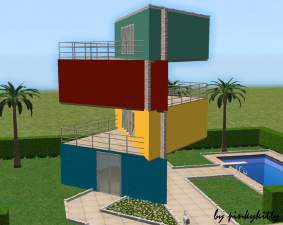
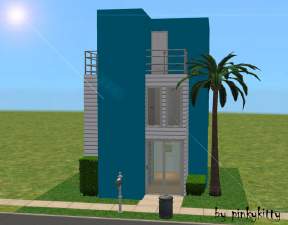
Crazy and colourful - Triangle house
by pinkykitty 26th Mar 2009 at 4:08pm
For my 10. upload I decided to make a unrealistic, modern, colourful house. more...
 37
30.4k
10
37
30.4k
10
-

by pinkykitty 24th Jan 2010 at 11:08pm
Hello! I made some cat eyes for your sims! more...
-
-
-
by pinkykitty 24th Feb 2009 at 3:22pm
This time i bring you 1 Birchwood street. more...
+1 packs
8 19.9k 10 Nightlife
-
by pinkykitty 15th Oct 2009 at 8:29pm
This is a affordable 3 bedroom house with a large garden and a beautiful pond, perfect for a 6 member more...
2
9.7k
5
-

by pinkykitty 4th May 2010 at 7:53pm
Hello, people who still love the Sims 2! more...
-



About Me
* Y o u m a y
~ Use my creations in screenshots, stories, movies...
~ Include my creations in full sims (credit and a link back would be nice)
*Y o u m a y n o t
~ Reupload and redistribute my creations on any other sites
~ Claim my work as you own
Thanks~!!
You can find more of my Sims Custom Content on Mother Freakin Sims
If you're interested in my drawings chekck out my deviantART ^u^