
 Sign in to Mod The Sims
 Private Graveyard
 Private Graveyard


Screenshot-5.jpg - width=1024 height=768
Screenshot-6.jpg - width=779 height=734
Screenshot-7.jpg - width=1024 height=768
Screenshot-8.jpg - width=1024 height=586
Screenshot-9.jpg - width=1024 height=768
Screenshot-10.jpg - width=733 height=708
Screenshot-11.jpg - width=1024 height=768
views.jpg - width=1024 height=768

My Private Graveyard is built on a 40x40 lot on the Pinochle point.
There is a small chappel, which is surrounded with colourfull flowerbeds, and grave areas.
I used buydebug to place the graves shown in the pictures. They can be replaced by you with the gravestones of your dead sims.
No CC used, you need WA cause of those gravestones, benches and some flowers.
Lot prize is 53284, though it doesn't make any difference in your sims lives since they don't have to buy it.
You need a 40x40 community lot for this lot. if you don't have one available in your town, you can go to edit town, select any 40x40 lot and press change type. Then select graveyard.
Have fun!!
Lot Size: 4x4
Lot Price: 53284
Additional Credits:
Thank you Weeeze for the request

|
Private Graveyard.rar
Download
Uploaded: 2nd May 2010, 2.79 MB.
2,860 downloads.
|
||||||||
| For a detailed look at individual files, see the Information tab. | ||||||||
Install Instructions
1. Click the filename or the download button to download the file to your computer.
2. Extract the zip, rar, or 7z file.
2. Select the .sims3pack file you got from extracting.
3. Cut and paste it into your Documents\Electronic Arts\The Sims 3\Downloads folder. If you do not have this folder yet, it is recommended that you open the game and then close it again so that this folder will be automatically created. Then you can place the .sims3pack into your Downloads folder.
5. Load the game's Launcher, and click on the Downloads tab. Select the house icon, find the lot in the list, and tick the box next to it. Then press the Install button below the list.
6. Wait for the installer to load, and it will install the lot to the game. You will get a message letting you know when it's done.
7. Run the game, and find your lot in Edit Town, in the premade lots bin.
Extracting from RAR, ZIP, or 7z: You will need a special program for this. For Windows, we recommend 7-Zip and for Mac OSX, we recommend Keka. Both are free and safe to use.
Need more help?
If you need more info, see Game Help:Installing TS3 Packswiki for a full, detailed step-by-step guide!
Loading comments, please wait...



 View with Names
Uploaded: 2nd May 2010 at 3:44 PM
-
by Deontai 21st Jan 2010 at 8:11pm
 12
61.1k
61
12
61.1k
61
-
by Johnny_Bravo 4th Aug 2010 at 7:30pm
21
27.9k
59
-
-
Japanese style tourist spot "Hydroelectric power station"
by Masaharu777 19th Oct 2011 at 2:33pm
+4 packs
5 15.7k 16 World Adventures
 Ambitions
 Late Night
 Generations
-
by simsgal2227 4th Jan 2015 at 4:00am
+2 packs
6 16.8k 23 Late Night
 Into the Future
-
by simsgal2227 6th Dec 2015 at 4:25am
+4 packs
2 14.7k 24 Late Night
 Showtime
 University Life
Into the Future
University Life
Into the Future
-
by RagdollVioletNeko 26th Feb 2018 at 8:56am
+3 packs
2 11.9k 29 World Adventures
 Pets
Pets
 Supernatural
-
by tunafishfish 17th Feb 2018 at 11:29pm
+1 packs
3 10.7k 16 Pets
-
-
by RubyRed2021 31st Oct 2021 at 11:20am
+16 packs
1 4.1k 7 World Adventures
 High-End Loft Stuff
Ambitions
High-End Loft Stuff
Ambitions
 Fast Lane Stuff
Late Night
Fast Lane Stuff
Late Night
 Outdoor Living Stuff
Generations
Outdoor Living Stuff
Generations
 Town Life Stuff
 Master Suite Stuff
Pets
Showtime
Supernatural
Master Suite Stuff
Pets
Showtime
Supernatural
 Seasons
University Life
Seasons
University Life
 Island Paradise
Into the Future
Island Paradise
Into the Future


-
-
-
-
-
-
Finnington - an empty world for your simmies
by armiel updated 12th May 2011 at 2:08pm
A new lovely world for your simmies with 73 empty lots! more...
+3 packs
253 299.3k 373 World Adventures
Ambitions
Late Night
Miscellaneous » Neighborhoods & CAS Screens » Neighbourhoods and Worlds
-

-
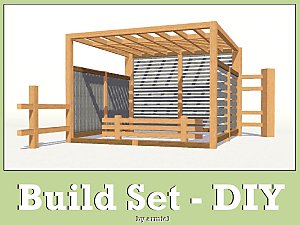
Build Set - DIY UPDATED 10th Sept. 2012!
by armiel updated 10th Sep 2012 at 1:19pm
30 new build objects for your Sims 3 game! more...
153
480k
783
-

by armiel 16th Sep 2011 at 9:53am
Lovely new island for your sims to live in! more...
+4 packs
194 373.4k 226 World Adventures
Ambitions
Late Night
Generations
Miscellaneous » Neighborhoods & CAS Screens » Neighbourhoods and Worlds
-
Packs Needed
| Expansion Pack | |
|---|---|
| World Adventures |
About Me
I have retired from simming. This means I won't be supporting my uploads anymore.
Please take this into consideration:
My uploads have a date when they have been uploaded. If I have fixed something later, I have stated so in the post. If something is currently broken, it stays that way, unless you bother on fixing it yourself. :)
Policy regarding my uploads:
You may rip off, tear apart, re-use and destroy my content in any way you feel necessary. You have been given a permission right here and now.
Please do not however re-upload my content as is, and claim it as your own.
Please also notice, that my content is made to be free - do not include it in uploads that require submission, or paysites in general, thanks.
If you do use my work, a credit would be nice, but sure is not required. :)
Thanks for your time for reading this, for possibly using my creations, and for being generally awesome!
~armiel