Sign in to Mod The Sims
 EA Rickety Stone Pattern Fix: Proper Textures
 EA Rickety Stone Pattern Fix: Proper Textures


RegularCompare.jpg - width=1150 height=780
Comparison using default EA colours
ChannelsCompare.jpg - width=1150 height=780
Comparison showing recolourable channels
GreyCompare.jpg - width=642 height=321
Comparison in sexy grey
CASt.jpg - width=220 height=238

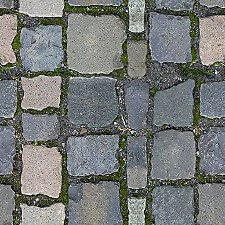
The pattern looks alright in its default colours, but try changing those to anything even slightly different, and a monster is born - the pattern's horribly sloppy CASt channels bisect bricks, bleed from one stone into the next, and generally look like they were made for a completely different pattern, by a mongoose.
Since I love this pattern so much *cough*, and since I'm always forgetting it's broken until after I've decided to use it and built an entire room around it, I decided it was time it was fixed.
Doesn't it look sexy now? The most noticeable changes I've made are to the shapes of the channels - no more bricks with one end a different colour from the rest, or with a band of a random colour through the middle. I've also evened out the distribution of the channels a little, so your colours are spread more evenly over the pattern; and I've tidied up all the edge bleeding.
I've also fixed the three or four bricks which were two different colours thanks to them being on a seam, and EA being on drugs.
This is not a new pattern, but a fix of an EA pattern; therefore it has four channels and shows up under Rock & Stone, just like the original.
You can see the default colours, as well as a nice eye-hurty lego design to illustrate the old and new channels, below.
Installation:
Once you've installed this fix, existing items which use this pattern won't be automatically fixed - you'll have to CASt them, either to change the pattern to something else and back, or to change one of the colours etc. Even just changing the pattern/colour of another part of the item should update the stone pattern. If you remove the fix, all items will (as far as I can see) automatically revert to EA brokenness.
Additional Credits:
Huge thanks to Delphy, without whose help I'd have got irreparably stuck rather early on in the process.
|
Stacked Stone Pattern Fix.rar
Download
Uploaded: 5th Jul 2010, 19.9 KB.
5,603 downloads.
|
||||||||
| For a detailed look at individual files, see the Information tab. | ||||||||
Install Instructions
1. Click the download button, or the filename, to download the file to your computer.
2. Extract the zip, rar, or 7z file. Now you will have either a .package or a .sims3pack file.
For Package files:
1. Cut and paste the file into your Documents\Electronic Arts\The Sims 3\Mods\Packages folder. If you do not already have this folder, you should read the full guide to Package files first: Sims 3:Installing Package Fileswiki, so you can make sure your game is fully patched and you have the correct Resource.cfg file.
2. Run the game, and find your content where the creator said it would be (build mode, buy mode, Create-a-Sim, etc.).
For Sims3Pack files:
1. Cut and paste it into your Documents\Electronic Arts\The Sims 3\Downloads folder. If you do not have this folder yet, it is recommended that you open the game and then close it again so that this folder will be automatically created. Then you can place the .sims3pack into your Downloads folder.
2. Load the game's Launcher, and click on the Downloads tab. Find the item in the list and tick the box beside it. Then press the Install button below the list.
3. Wait for the installer to load, and it will install the content to the game. You will get a message letting you know when it's done.
4. Run the game, and find your content where the creator said it would be (build mode, buy mode, Create-a-Sim, etc.).
Extracting from RAR, ZIP, or 7z: You will need a special program for this. For Windows, we recommend 7-Zip and for Mac OSX, we recommend Keka. Both are free and safe to use.
Need more help?
If you need more info, see:
- For package files: Sims 3:Installing Package Fileswiki
- For Sims3pack files: Game Help:Installing TS3 Packswiki
Loading comments, please wait...


Uploaded: 5th Jul 2010 at 5:39 AM
-
-
-
-
-
4 Medieval Patterns suitable for Nobility or Commonoers
by joninmobile 8th Apr 2010 at 12:20am
 5
23.6k
43
5
23.6k
43
-
-
-
-
-

-
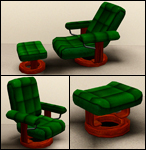
Gravitarse: Functional Recliner, with Matching Armchair and Footstool
by Nysha 29th Jun 2012 at 12:01pm
Gravitarse, n.: Weighty dignity; reverend seriousness; serious or solemn conduct. Rest your gravitarse on this Gravitarse; after all, it's weighty! more...
37
57.3k
178
-
-

Paranormal Major, as per request
by Nysha 17th Jul 2007 at 7:47pm
As requested by kopple36 (www.modthesims2.com/member/kopple36), I bring you, the Paranormal major! more...
 +1 packs
15 28.2k 24
+1 packs
15 28.2k 24 University
-
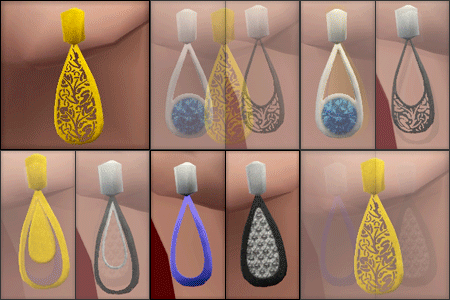
Grace Earrings: Simple and Elegant for Ladies with Class
by Nysha 3rd May 2012 at 11:29am
...and not six inches long, nor fluorescent, nor so heavy that your earlobes stretch. You know those are seedpods, right? more...
21
44.7k
148
-

Aspiration Collection Part 6 - yes, they're back! - PLEASURE!!
by Nysha updated 28th Dec 2005 at 7:45am
First off, sorry for the delay! more...
+1 packs
11 33.2k 6 University
-
Torches at Midnight: Silky Pyjamas for Kids and Toddlers
by Nysha 8th Oct 2012 at 1:42am
Do your sim-kiddies worry about stupid pyjama elastic cutting off the circulation and making their feet fall off? No more! more...
24
40.1k
80
-
-
-
-

Lunararc's Moonlight: Tweaked & Remi'd
by Nysha 30th Mar 2015 at 5:26pm
Mesh fix, alpha edit and retexture for Martini's 3t2 Lunararc Moonlight hair. more...
10
19.7k
59