
 Sign in to Mod The Sims
 Keep Holding Objects
 Keep Holding Objects


111.png - width=1280 height=720
121.png - width=1280 height=720
131.png - width=1280 height=720
141.png - width=1280 height=720
151.png - width=1280 height=720
161.png - width=1280 height=720
171.png - width=1280 height=720
181.png - width=1280 height=720
1156ds.png - width=1280 height=720
This mod adds an interaction that allows Sims to keep holding certain objects, such as food. Sims can keep holding the object in their hand indefinitely.
This mod is intended more for taking screenshots than for gameplay.
Update: July 6, 2026
This update is for the Cradle Book for Prop file.
bloom_Cradle_Book_for_Prop_v1.1
-Added the ExtraCovers_Addon file.
-Changed the cover designs for some swatches in bloom_Cradle_Book_for_Prop.
The previous cover designs have been moved to the ExtraCovers_Addon file.
Currently supported objects
Food and drinks, toys, and books.
Some objects in these categories may not have the interaction available.
How to use
Available for Child Sims and older.
Click a supported object and select the "Carry" interaction. The Sim will then hold the object in their hand.
If the interaction is canceled from the queue, the Sim will stop holding the object. The canceled object will be placed in an appropriate location according to the game's normal behavior.
Features
- Some objects can be held in both hands at the same time.
- Sims will always use their dominant hand first, then their other hand.
- The interaction queue is shown separately for the right hand and left hand, and each one can be canceled individually.
- In most cases, CC food and toy objects should also work with this mod.
- This mod can be used together with the Pose Player mod.
Notes
- This mod is designed to be compatible with other interactions, but the interaction may be canceled by higher-priority interactions, or the object may become hidden.
- Sims can take photos while holding objects when using Take Photo Of from the phone camera or the inventory camera.
- If a Sim travels while holding an object, the object will behave as it normally does in the game. Depending on the situation, it may be placed in the Sim's inventory or somewhere on the map.
Cheat Interaction
The bloom_Keep_Holding_Objects_Cheat file adds a cheat version of the Carry interaction to most objects in the game. (It appears when you Shift-click an object while testing cheats are enabled.)
Most of the time it will not work and will only lead to disappointing results, but sometimes you may find an unexpected object that can actually be carried. See what you can find!
Cradle Book for Prop
I also included a CC book object that can be used as a prop alongside this mod.
Found in the Knowledge Activity category under Activities and Skills.
It can also be used on its own as a book object that Sims hold differently from regular books.
Mechanism
This mod requires a core library, but the package itself is lightweight and uses a simple mechanism.
The ability to hold objects is already defined on individual objects in the game. This mod simply makes use of that existing functionality.
Wrench icon override used in the screenshots:
CC Wrench Icon Replacement - 16 Colors & 3 Swatch Colors! by New Era
| Filename | Type | Size |
|---|---|---|
| bloom_Keep_Holding_Objects.zip | zip | |
| bloom_Keep_Holding_Objects.package | package | 2530 |
| bloom_Keep_Holding_Objects_Cheat.package | package | 1892 |
| Filename | Type | Size |
|---|---|---|
| bloom_Cradle_Book_for_Prop_v1.1.zip | zip | |
| bloom_Cradle_Book_for_Prop_SkillCovers_Addon.package | package | 128566 |
| bloom_Cradle_Book_for_Prop.package | package | 124901 |
| Filename | Type | Size |
|---|---|---|
| bloom_Cradle_Book_for_Prop_ExtraCovers_Addon.zip | zip | |
| bloom_Cradle_Book_for_Prop_ExtraCovers_Addon.package | package | 42461 |
| Filename | Type | Size |
|---|---|---|
| bloom_Cradle_Book_for_Prop.zip | zip | |
| bloom_Cradle_Book_for_Prop_SkillCovers_Addon.package | package | 128566 |
| bloom_Cradle_Book_for_Prop.package | package | 106878 |
|
bloom_Keep_Holding_Objects.zip
Download
Uploaded: 23rd Jun 2026, 4.7 KB.
313 downloads.
|
||||||||
|
bloom_Cradle_Book_for_Prop_v1.1.zip
Download
Uploaded: 6th Jul 2026, 225.7 KB.
83 downloads.
|
||||||||
|
bloom_Cradle_Book_for_Prop_ExtraCovers_Addon.zip
Download
Uploaded: 6th Jul 2026, 37.0 KB.
80 downloads.
|
||||||||
|
bloom_Cradle_Book_for_Prop.zip
Download
Uploaded: 23rd Jun 2026, 208.2 KB.
128 downloads.
|
||||||||
| For a detailed look at individual files, see the Information tab. | ||||||||
Install Instructions
1. Download: Click the File tab to see the download link. Click the link to save the .rar or .zip file(s) to your computer.
Read the upload description for installation instructions. If nothing else is specified, do the following:
2. Extract: Use WinRAR (Windows) to extract the .package file(s) (if included, ts4script as well) from the .rar or .zip file(s).
3. Cut and paste the .package file(s) (if included, ts4script as well) into your Mods folder
- Windows XP: Documents and Settings\(Current User Account)\My Documents\Electronic Arts\The Sims 4\Mods\
- Windows Vista/7/8/8.1: Users\(Current User Account)\Documents\Electronic Arts\The Sims 4\Mods\
Need more information?
- Anyone can use both .rar and .zip files easily! On Windows, use WinRAR.
- If you don't have a Mods folder, just make one.
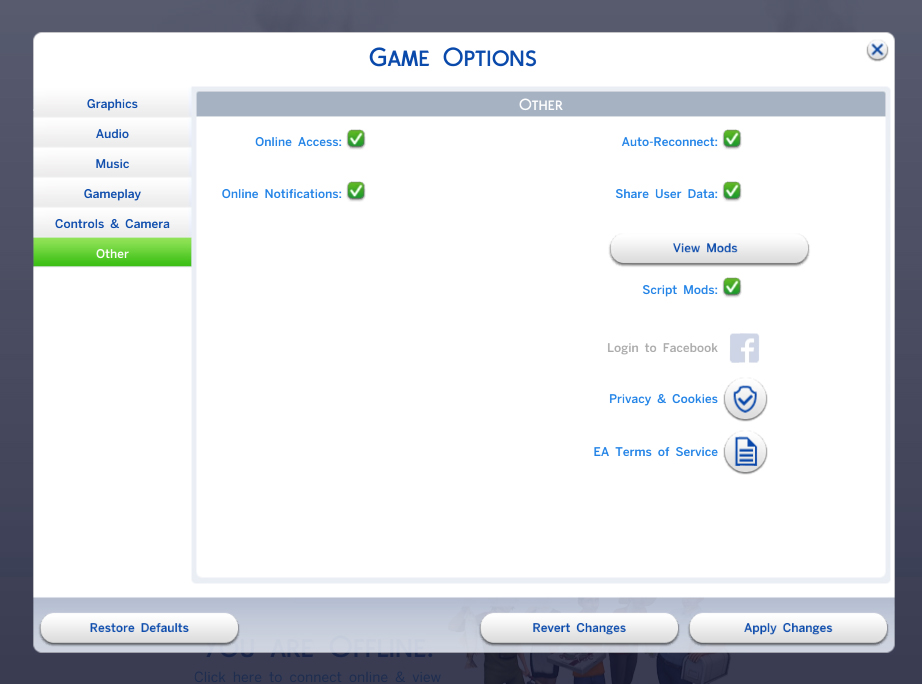
- Mod still not working? Make sure you have script mods enabled
Loading comments, please wait...

Uploaded: 23rd Jun 2026 at 9:48 AM
Updated: 6th Jul 2026 at 12:32 PM
-
-
by jeangraff30 updated 5th Jan 2015 at 2:03pm
 75
51.1k
85
-

by K9DB updated 27th Nov 2019 at 2:12am
38
42k
154
-

-

by JaneSimsten updated 27th Jul 2024 at 5:23am
+1 packs
16 44.4k 91 Cottage Living
-

by Szemoka updated 13th Feb 2026 at 6:57am
93
155.7k
189
-
-

-

by AvathePit updated 1st Nov 2026 at 3:12pm
7
11.9k
12
-

by baciaangi updated 14th Sep 2026 at 7:09pm
2
2.5k
3




-


little More Useful LoadingTips
by bloombatter updated 23rd Apr 2023 at 4:11pm
I would like to thank the All Sims communities for giving me this information:bunny: This replaces the loading screen hints with more...
-

"Grab a bottle" can be bottles placed in Inventory one by one
by bloombatter updated 2nd Feb 2023 at 11:58am
This mod will Fizz bottles, cans, and jars can be placed into a Sim's inventory one at a time from more...
+1 packs
4 6.3k 16 Eco Lifestyle
-
Casual Give Gift and Receive Gift from NPC
by bloombatter updated 18th Jan 2026 at 9:41am
This mod requires Lot 51 Core Library ([url]https://lot51.cc/core[/url]) This MOD adds a Give Gift interaction that purely transfers items between Sims more...
3
7.3k
5
-
Simple Purchasing for Grocery shop
by bloombatter updated 15th Jul 2026 at 1:17pm
This mod requires XML Injector This mod adds a menu to your Sim's phones, computers, and refrigerators, allowing them to purchase more...
+2 packs
1 7.3k 10 Cottage Living
 Horse Ranch
-


Chili Cauldron makes Voodoo Doll
by bloombatter updated 26th Jan 2024 at 4:03am
This mod requires XmlInjector. This mod adds a voodoo doll recipe to the cauldron cooking recipe. more...
+3 packs
3 3.5k 8 Get Famous
Cottage Living
 Realm of Magic
-


Standing Throw Up Enable +"UUURRRRPPP!"mood 5H Option!
by bloombatter updated 5th Apr 2026 at 12:21pm
This simple mod will enable the vomit action by clicking on your Sims themselves when they are in a mood more...
27
23.1k
29
-


Promposal Sign: No Audience / Increased Reaction Distance
by bloombatter 3rd Dec 2022 at 5:46pm
This override mod has two files. more...
+1 packs
4.1k 8 High School Years
-
by bloombatter updated 12th Oct 2026 at 2:47am
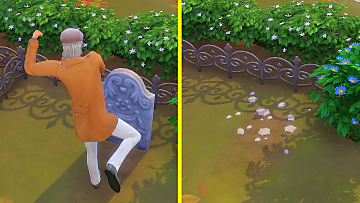
This mod requires Lot 51 Core Library This mod adds gravestone kicking interaction to both Sim gravestones and decorative gravestones. This interaction more...
1
3.1k
4
-

by bloombatter updated 28th Jul 2024 at 2:01pm
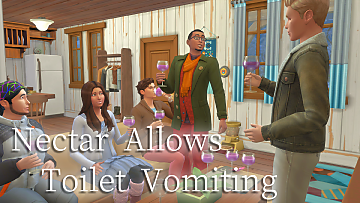
This mod requires Horse Ranch Pack. This simple mod allows sims to vomit in the toilet after drinking 4 cups of more...
2
6.9k
17
-


by bloombatter updated 2nd Sep 2026 at 5:48am
This mod requires XML Injector ([url]https://scumbumbomods.com/xml-injector[/url]) This mod adds an interaction that Ask to Wait Here and Wait Here to the more...
7
24.8k
21


About Me
bloombatter.tumblr.com
After I upload a mod, I will update the patch status after performing a final check. If an updated or new mod is uploaded, I recommend checking the patch status before downloading it.
The MODs I create do not have complicated mechanisms, so I don't think they need to be updated with every game patch.
If the mods doesn't work, let me know. I can't reply quickly, but I'll look into it.
I changed my username from miri5583 to bloombatter.