
 Sign in to Mod The Sims
 Skintone - Traditional Tattoos
 Skintone - Traditional Tattoos


skf_tradtattoo_skin.jpg - width=734 height=500
skf_tradtattoo_skin2.jpg - width=800 height=439
(Anyone else happy thats over with? LOL!)
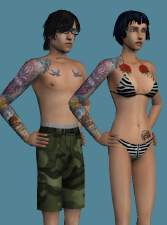
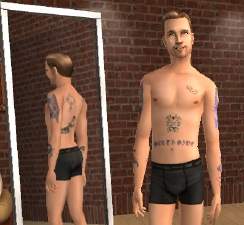
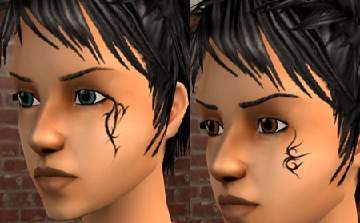
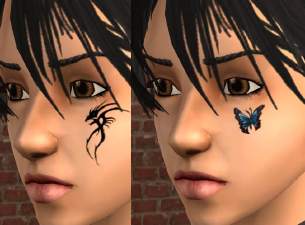
So this is my Vintage Tattoo Light skin.
The male and female tattoos are different and won't show up until
the Young Adult/Adult stages. Also the tats get blurry and faded
on the elderly skins. Trying to keep it realistic...

I wish I could have done a separate Young Adult skin, with only
one little tattoo... and then all of them as a full Adult. You know,
kid goes off to college and gets thier first tattoo of something
cheesy like a rose and a few years later ends up with full sleeves
and back pieces. LOL!
Unfortunately the game doesn't work that way. Oh well.. enjoy anyway!
|
skf_tradtats_skin.rar
Download
Uploaded: 27th Dec 2005, 3.18 MB.
9,344 downloads.
|
||||||||
| For a detailed look at individual files, see the Information tab. | ||||||||
Install Instructions
1. Download: Click the download link to save the .rar or .zip file(s) to your computer.
2. Extract the zip, rar, or 7z file.
3. Place in Downloads Folder: Cut and paste the .package file(s) into your Downloads folder:
- Origin (Ultimate Collection): Users\(Current User Account)\Documents\EA Games\The Sims™ 2 Ultimate Collection\Downloads\
- Non-Origin, Windows Vista/7/8/10: Users\(Current User Account)\Documents\EA Games\The Sims 2\Downloads\
- Non-Origin, Windows XP: Documents and Settings\(Current User Account)\My Documents\EA Games\The Sims 2\Downloads\
- Mac: Users\(Current User Account)\Documents\EA Games\The Sims 2\Downloads
- Mac x64: /Library/Containers/com.aspyr.sims2.appstore/Data/Library/Application Support/Aspyr/The Sims 2/Downloads
- For a full, complete guide to downloading complete with pictures and more information, see: Game Help: Downloading for Fracking Idiots.
- Custom content not showing up in the game? See: Game Help: Getting Custom Content to Show Up.
- If you don't have a Downloads folder, just make one. See instructions at: Game Help: No Downloads Folder.
Loading comments, please wait...

Uploaded: 27th Dec 2005 at 7:13 AM




-
Vintage Style Swimsuits (Round One)
by shannanisims 29th Dec 2005 at 11:11pm
Yeah, I have too much time on my hands this week... vacation between the Holidays. WooHoo! more...
-
"Lustroware" Kitchen Canisters - **UPDATED**
by shannanisims 16th Feb 2006 at 5:54am
Ok seriously this is the last one for tonight.... I gotta go to sleep! more...
-
by shannanisims 18th Feb 2006 at 6:28am
Another Minty Fresh recolor... this time of my Lustroware Kitchen Canisters. more...
 5
10.8k
13
5
10.8k
13
-
by shannanisims 31st Dec 2005 at 11:28pm
Due to reactions of my first set of Vintage style swimsuits... more...
-
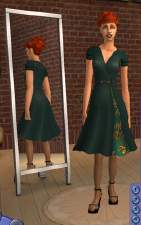
Vintage Inspired Wrap Dress - Teal
by shannanisims 18th Dec 2005 at 4:35pm
Well, my first ever offering for Sims2... hope you guys like it. Actually I hope I did everything right! LOL! more...
-
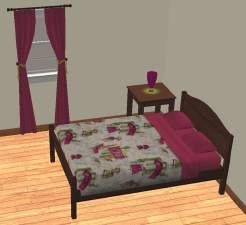
MidCentury Modern Bedroom Set #2
by shannanisims 19th Jan 2006 at 5:41am
I've been stock piling a bunch of stuff and finally getting around to uploading... so here is set #2. more...
-
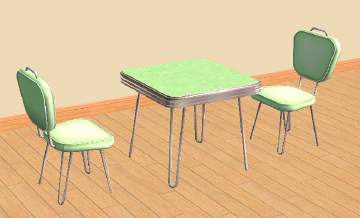
Retro Dinette Set - Mint Recolor
by shannanisims 18th Feb 2006 at 6:26am
Recolor of my Dinette Set. Minty Fresh! more...
-
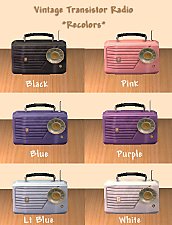
Vintage Transistor Radio - Recolors
by shannanisims 4th Feb 2006 at 2:57am
Here are some additional recolors of my Transistor Radio mesh. Black as requested, along with others I decided I needed. more...
13
27.1k
41
-
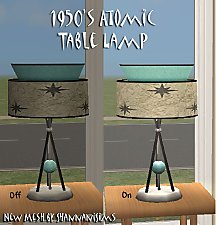
1950's Atomic Table Lamp **UPDATED**
by shannanisims 4th Feb 2006 at 3:08am
Just another fun 1950's Decor item for your Sims... more...
30
30.8k
32
-
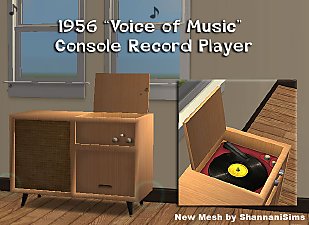

1956 "Voice of Music" Record Player - New Mesh
by shannanisims 4th Feb 2006 at 11:41pm
This is an approximate replica of my vintage "Voice of Music" Console Record Player, though I took artistic license more...
+2 packs
57 57.8k 78 University
 Nightlife
