
 Sign in to Mod The Sims
 KiaraRawks Eye set 3
 KiaraRawks Eye set 3

eyes3.jpg - width=232 height=536
<33 Kiara
| Filename | Type | Size |
|---|---|---|
| KiaraRawksEyesSet3.rar | rar | |
| 783e577f_KiaraRawkEyes3d.package | package | 17700 |
| baded737_KiaraRawkEyes3e.package | package | 17688 |
| 9e71fe7a_KiaraRawkEyes3f.package | package | 17702 |
| c38982c4_KiaraRawkEyes3g.package | package | 17713 |
| c7eb0a06_KiaraRawkEyes3h.package | package | 17667 |
| 8a043871_KiaraRawkEyes3i.package | package | 16720 |
| 9e0b5187_KiaraRawkEyes3a.package | package | 17711 |
| 6a7a2a04_KiaraRawkEyes3b.package | package | 17662 |
| a8718fca_KiaraRawkEyes3c.package | package | 17678 |
|
KiaraRawksEyesSet3.rar
Download
Uploaded: 12th Jan 2006, 134.1 KB.
883 downloads.
|
||||||||
| For a detailed look at individual files, see the Information tab. | ||||||||
Install Instructions
1. Download: Click the download link to save the .rar or .zip file(s) to your computer.
2. Extract the zip, rar, or 7z file.
3. Place in Downloads Folder: Cut and paste the .package file(s) into your Downloads folder:
- Origin (Ultimate Collection): Users\(Current User Account)\Documents\EA Games\The Sims™ 2 Ultimate Collection\Downloads\
- Non-Origin, Windows Vista/7/8/10: Users\(Current User Account)\Documents\EA Games\The Sims 2\Downloads\
- Non-Origin, Windows XP: Documents and Settings\(Current User Account)\My Documents\EA Games\The Sims 2\Downloads\
- Mac: Users\(Current User Account)\Documents\EA Games\The Sims 2\Downloads
- Mac x64: /Library/Containers/com.aspyr.sims2.appstore/Data/Library/Application Support/Aspyr/The Sims 2/Downloads
- For a full, complete guide to downloading complete with pictures and more information, see: Game Help: Downloading for Fracking Idiots.
- Custom content not showing up in the game? See: Game Help: Getting Custom Content to Show Up.
- If you don't have a Downloads folder, just make one. See instructions at: Game Help: No Downloads Folder.
Loading comments, please wait...
Uploaded: 12th Jan 2006 at 8:22 AM
-
Clear Dark Eyes: A four eye set
by echo66 20th Jul 2005 at 5:48am
-
-
-
-
-

-
-
-
-


-
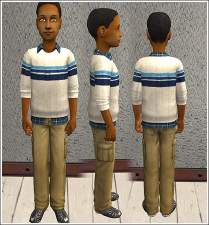
Zip neck sweater/flannel shirt for boys.
by KiaraRawks 30th Dec 2008 at 8:28pm
Here's a Zip neck sweater/flannel shirt for your boys. more...
-
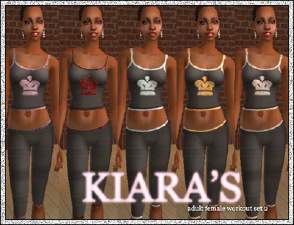
by KiaraRawks 30th Sep 2005 at 4:02am
Okay here is set two of my female workout. more...
-
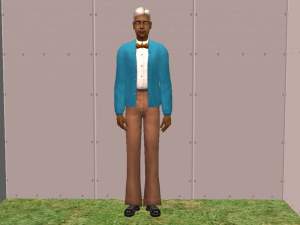
KiaraRawks: Longer Coat & Pants for Elder Males
by KiaraRawks 19th Nov 2005 at 12:45am
Heres another mesh for today. more...
-
by KiaraRawks 26th Dec 2005 at 4:33am
Tobago HummingBird Living Set Here is a living room set I call Tobago HummingBird. more...
-
by KiaraRawks 24th Dec 2005 at 6:06am
Since I co-own the site Skinny Sims with Star and others I have went and made more waif meshes. more...
-
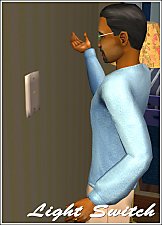
Light Switch - A Home Accessorie
by KiaraRawks 31st Aug 2006 at 6:55am
Okay, so here's another simple mesh. It's a light switch mesh just for deco to put on your simmies walls. more...
 10
15.5k
10
10
15.5k
10
-
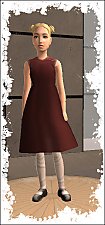
by KiaraRawks 9th Jan 2006 at 11:40pm
Heres a new pretty dress mesh for your little girls! more...
-
Recherche Sims' Linen Curtains
by KiaraRawks 25th Mar 2008 at 3:13am
It's been so long since I've uploaded here, that I decided to upload my new curtain mesh here first. more...
14
68.1k
92
-


by KiaraRawks 19th Dec 2005 at 12:25am
I havent uploaded a new mesh on MTS2 in forever, but I am back. more...
-
by KiaraRawks 22nd Dec 2005 at 12:05am
Here's a teen female swimsuit! ENJOY! more...


About Me
You may never upload my meshes to any other site. Meshes must be linked to where they can be downloaded; Meaning please do not package my meshes with your recolored objects.
Clothing:
Meshes must be linked back MTS2 for downloaders to download, if you decide to recolor. Never include my meshes in your zips or rars unless you have permission from me.
If you want include clothing made by me or yourself on my mesh, the mesh as stated above must be linked to download here at MTS2 but the clothing recolor itself may be uploaded with your sim.