Sign in to Mod The Sims
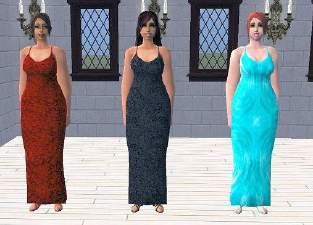
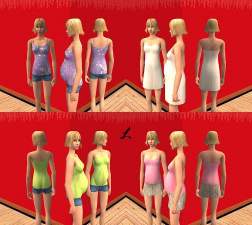
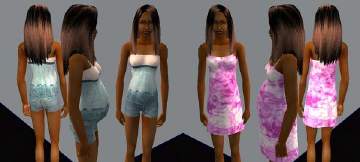
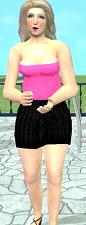
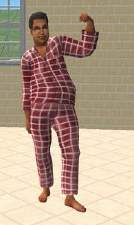
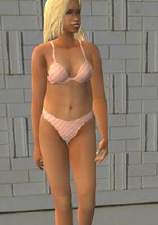
 5 maternity outfits by HCAC
 5 maternity outfits by HCAC


slightyimperfect.jpg - width=225 height=237
redandpinklace.jpg - width=283 height=245

In order for your pregnant lady to keep these clothes on, you have to use the boolprop cheat along with Tom's clothing tester. They will not appear as default maternity outfits. I have no idea how to do that! If your sims moves along in her pregnancy and then reverts back to the stock Maxis wear, you need to boolprop again and force redress.
If you want, your sims can just wear these as everyday outfits until they get 'bigger' then switch to Maxis default wear .
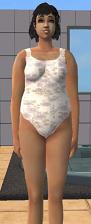
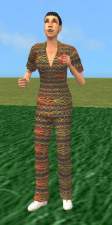
The green outfit is slightly imperfect, so pretend your sim bought it on clearance or just don't download it! The butterfly pattern is cute, anyhow.
If you like these, say thanks and/or leave a comment. It helps me know whether or not I should keep making things!
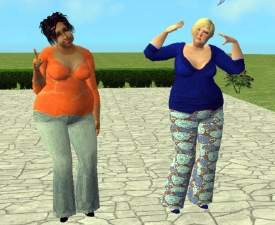
Please check out my other creations, especially if you are looking for some clothes for the bigger sims lady, or elder, or 'something casual.'

|
greenslightlyimperfecthcac.zip
Download
Uploaded: 30th Jan 2006, 334.8 KB.
1,006 downloads.
|
||||||||
|
lightpinklacematernityHCAC.zip
Download
Uploaded: 30th Jan 2006, 502.0 KB.
1,079 downloads.
|
||||||||
|
purplepantsmaternityhcac.zip
Download
Uploaded: 30th Jan 2006, 335.5 KB.
1,114 downloads.
|
||||||||
|
redroseshcac.zip
Download
Uploaded: 30th Jan 2006, 377.3 KB.
1,160 downloads.
|
||||||||
|
beeshcac.zip
Download
Uploaded: 30th Jan 2006, 324.8 KB.
1,133 downloads.
|
||||||||
| For a detailed look at individual files, see the Information tab. | ||||||||
Install Instructions
1. Download: Click the download link to save the .rar or .zip file(s) to your computer.
2. Extract the zip, rar, or 7z file.
3. Place in Downloads Folder: Cut and paste the .package file(s) into your Downloads folder:
- Origin (Ultimate Collection): Users\(Current User Account)\Documents\EA Games\The Sims™ 2 Ultimate Collection\Downloads\
- Non-Origin, Windows Vista/7/8/10: Users\(Current User Account)\Documents\EA Games\The Sims 2\Downloads\
- Non-Origin, Windows XP: Documents and Settings\(Current User Account)\My Documents\EA Games\The Sims 2\Downloads\
- Mac: Users\(Current User Account)\Documents\EA Games\The Sims 2\Downloads
- Mac x64: /Library/Containers/com.aspyr.sims2.appstore/Data/Library/Application Support/Aspyr/The Sims 2/Downloads
- For a full, complete guide to downloading complete with pictures and more information, see: Game Help: Downloading for Fracking Idiots.
- Custom content not showing up in the game? See: Game Help: Getting Custom Content to Show Up.
- If you don't have a Downloads folder, just make one. See instructions at: Game Help: No Downloads Folder.
Loading comments, please wait...

Uploaded: 30th Jan 2006 at 5:08 PM
-
by hippyheather17 25th May 2005 at 10:26pm
-
by priddychild 20th Jun 2005 at 12:09pm
-
by priddychild 21st Jun 2005 at 5:05am
-
by priddychild 22nd Jun 2005 at 4:44pm
-
by priddychild 26th Jun 2005 at 11:40pm
-
3 Outfits for the Bigger Woman by HCAC
by HCAC 2nd Nov 2005 at 2:42pm
-
-
-
-

-
-
-
-
-
-
-
-
6 Outfits bases on Starangel13's Curvy Girl Meshes
by HCAC 17th Apr 2006 at 5:33pm
I'm not sure how many of you still play bigger sims ladies but I have a main character more...
 15
10.8k
1
15
10.8k
1
Female » Mixed Sets » Adult
-
-