
 Sign in to Mod The Sims
 10 OFB recolours
 10 OFB recolours
SCREENSHOTS


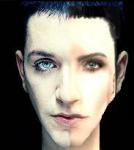
frontimage1.jpg - width=223 height=333
naturalhair1.jpg - width=1035 height=316
funkyrecolours1.jpg - width=1015 height=329
Downloaded 187 times
66 Thanks
6 Favourited
13,422 Views
Say Thanks!
Thanked!
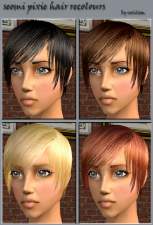
Hi. These are my first recolours. I got so addicted to this hairstyle that I had to make more recolours. So I made 5 natural and 5 funky recolours. I recoloured all ages, except for Elder, it just stays grey/white. I hope you like them.
Please do not upload anywhere else but here on MTS2 and give clear credit. As always, I love comments and I would appreciate it if you press the thank button and rate high. If you have any questions, I'll be more than happy to answer them for you, just PM me or leave a comment here.
Enjoy! ^^
Please do not upload anywhere else but here on MTS2 and give clear credit. As always, I love comments and I would appreciate it if you press the thank button and rate high. If you have any questions, I'll be more than happy to answer them for you, just PM me or leave a comment here.
Enjoy! ^^
Advertisement:
This is a Maxis Recolour which means that it is a recolour of an item that already exists in your game. Please check the Pack requirements to see which game pack it recolours.
|
Miien_1OFBRecolours.rar
Download
Uploaded: 20th Mar 2006, 4.71 MB.
1,621 downloads.
|
||||||||
| For a detailed look at individual files, see the Information tab. | ||||||||
Install Instructions
Basic Download and Install Instructions:
1. Download: Click the download link to save the .rar or .zip file(s) to your computer.
2. Extract the zip, rar, or 7z file.
3. Place in Downloads Folder: Cut and paste the .package file(s) into your Downloads folder:
1. Download: Click the download link to save the .rar or .zip file(s) to your computer.
2. Extract the zip, rar, or 7z file.
3. Place in Downloads Folder: Cut and paste the .package file(s) into your Downloads folder:
- Origin (Ultimate Collection): Users\(Current User Account)\Documents\EA Games\The Sims™ 2 Ultimate Collection\Downloads\
- Non-Origin, Windows Vista/7/8/10: Users\(Current User Account)\Documents\EA Games\The Sims 2\Downloads\
- Non-Origin, Windows XP: Documents and Settings\(Current User Account)\My Documents\EA Games\The Sims 2\Downloads\
- Mac: Users\(Current User Account)\Documents\EA Games\The Sims 2\Downloads
- Mac x64: /Library/Containers/com.aspyr.sims2.appstore/Data/Library/Application Support/Aspyr/The Sims 2/Downloads
- For a full, complete guide to downloading complete with pictures and more information, see: Game Help: Downloading for Fracking Idiots.
- Custom content not showing up in the game? See: Game Help: Getting Custom Content to Show Up.
- If you don't have a Downloads folder, just make one. See instructions at: Game Help: No Downloads Folder.
Advertisement:
Loading comments, please wait...
Author

Download Details
Other Download Recommendations:
-
-
-
-
-
by Prodigal Me 26th May 2006 at 11:06am
-
by Prodigal Me 27th May 2006 at 4:54am
-
by Prodigal Me 1st Jul 2006 at 5:09am
-
-
-


More downloads by Miien:
See more


Packs Needed
| Expansion Pack | |
|---|---|
 | Open for Business |