Sign in to Mod The Sims
 Chinese Censer
 Chinese Censer


ChineseCenser01.JPG - width=300 height=395
ChineseCenser02.JPG - width=300 height=389
ChineseCenser03.JPG - width=300 height=389
ChineseCenser04.JPG - width=300 height=389
It should be EP ready & works without EP. Please tell me if they dont, or if you find any problem of this object.

You can find it in Decorative>Misc
Please see pics for the name of different recolors
Hope you like it~!
PolyCounts:
Faces - 1058
Verticles - 636
also, you have to download the Mesh in order to let the recolors to works.
This is a new mesh, and means that it's a brand new self contained object that usually does not require a specific Pack (although this is possible depending on the type). It may have Recolours hosted on MTS - check below for more information.
|
ChineseCenser01-ClrBronzeBnr.rar
Download
Uploaded: 15th May 2006, 75.6 KB.
3,083 downloads.
|
||||||||
|
ChineseCenser01-ClrGuanyin.rar
Download
Uploaded: 15th May 2006, 64.3 KB.
3,199 downloads.
|
||||||||
|
ChineseCenser01-ClrAncestor.rar
Download
Uploaded: 15th May 2006, 48.9 KB.
2,566 downloads.
|
||||||||
|
ChineseCenser01-Mesh.rar
Download
Uploaded: 15th May 2006, 111.5 KB.
3,881 downloads.
|
||||||||
| For a detailed look at individual files, see the Information tab. | ||||||||
Install Instructions
1. Download: Click the download link to save the .rar or .zip file(s) to your computer.
2. Extract the zip, rar, or 7z file.
3. Place in Downloads Folder: Cut and paste the .package file(s) into your Downloads folder:
- Origin (Ultimate Collection): Users\(Current User Account)\Documents\EA Games\The Sims™ 2 Ultimate Collection\Downloads\
- Non-Origin, Windows Vista/7/8/10: Users\(Current User Account)\Documents\EA Games\The Sims 2\Downloads\
- Non-Origin, Windows XP: Documents and Settings\(Current User Account)\My Documents\EA Games\The Sims 2\Downloads\
- Mac: Users\(Current User Account)\Documents\EA Games\The Sims 2\Downloads
- Mac x64: /Library/Containers/com.aspyr.sims2.appstore/Data/Library/Application Support/Aspyr/The Sims 2/Downloads
- For a full, complete guide to downloading complete with pictures and more information, see: Game Help: Downloading for Fracking Idiots.
- Custom content not showing up in the game? See: Game Help: Getting Custom Content to Show Up.
- If you don't have a Downloads folder, just make one. See instructions at: Game Help: No Downloads Folder.
Loading comments, please wait...


Uploaded: 15th May 2006 at 10:51 PM
-

-
by GaryCXJk 30th Jun 2005 at 12:47pm
 13
4.7k
2
13
4.7k
2
-
by simsistic 26th Oct 2005 at 7:31pm
10
27.9k
14
-
by maree464 11th Dec 2005 at 4:45am
34
28.8k
18
-
by maree464 26th Jan 2006 at 11:46am
32
16.8k
7
-

by OpenHouseJack 26th Jan 2006 at 11:21pm
5
9.6k
5
-
by maree464 3rd Mar 2006 at 9:43pm
7
16.9k
13
-
by ali-poon 18th Apr 2006 at 8:04am
9
8.7k
1
-
by karialSim 17th May 2006 at 11:15pm
8
6.9k
2
-
by Maximum_spider 11th Jun 2006 at 1:13pm
+1 packs
10 14.1k 5 Nightlife



-
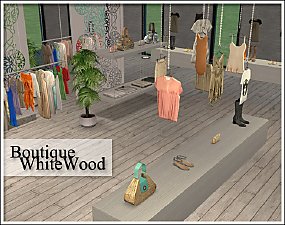
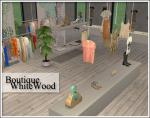
Boutique White Wood Set (OFB Required)
by BabyAisha 11th Jul 2006 at 12:46pm
Updated: Thanks so much for all the positive comments from yours~! The collection file is uploaded~! more...
+1 packs
89 146.3k 168 Open for Business
-
-
-

-

-


-


-
-
-