
 Sign in to Mod The Sims
 Scrappy-Doo! Let me at em!
 Scrappy-Doo! Let me at em!
SCREENSHOTS


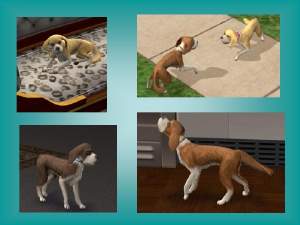
Scrappy-Doo.JPG - width=626 height=471
Scrappy-Doo!.JPG - width=630 height=472
Scrappy-Doo!!!.JPG - width=628 height=468
Downloaded 286 times
91 Thanks
1 Favourited
26,925 Views
Say Thanks!
Thanked!
Hello,
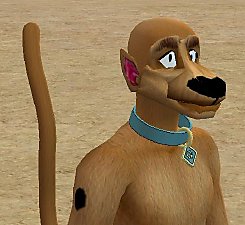
:director: Now that you have Scooby-Doo, you could add his little nephew, Scrappy!
Even though scrappy is small, he is not a puppy, many people get confused, because of his size. Scrappy is a little tough guy, always wanting to solve the mystery "Let me at em." The reason why scrappy is so small, is because he has a growing disorder. Have fun. Please do not reupload.


I do not own Scooby, or any part of Scooby Doo, all credit goes to their creator
THE SCOOBY AND SCRAPPY-DOO SHOW SCOOBY-DOO and all related characters and elements are trademarks of and © Hanna-Barbera.
Breed: Minature Great Dane
Age: Adult
Sex: Male
~kenji
ENJOY!
:director: Now that you have Scooby-Doo, you could add his little nephew, Scrappy!
Even though scrappy is small, he is not a puppy, many people get confused, because of his size. Scrappy is a little tough guy, always wanting to solve the mystery "Let me at em." The reason why scrappy is so small, is because he has a growing disorder. Have fun. Please do not reupload.
I do not own Scooby, or any part of Scooby Doo, all credit goes to their creator
THE SCOOBY AND SCRAPPY-DOO SHOW SCOOBY-DOO and all related characters and elements are trademarks of and © Hanna-Barbera.
Breed: Minature Great Dane
Age: Adult
Sex: Male
~kenji
ENJOY!
Advertisement:
|
Scrappy-Doo.rar
Download
Uploaded: 23rd Oct 2006, 7.4 KB.
1,775 downloads.
|
||||||||
| For a detailed look at individual files, see the Information tab. | ||||||||
Install Instructions
Basic Download and Install Instructions:
1. Download: Click the download link to save the .rar or .zip file(s) to your computer.
2. Extract the zip, rar, or 7z file.
3. Install: Double-click on the .sims2pack file to install its contents to your game. The files will automatically be installed to the proper location(s).
1. Download: Click the download link to save the .rar or .zip file(s) to your computer.
2. Extract the zip, rar, or 7z file.
3. Install: Double-click on the .sims2pack file to install its contents to your game. The files will automatically be installed to the proper location(s).
- You may want to use the Sims2Pack Clean Installer instead of the game's installer, which will let you install sims and pets which may otherwise give errors about needing expansion packs. It also lets you choose what included content to install. Do NOT use Clean Installer to get around this error with lots and houses as that can cause your game to crash when attempting to use that lot. Get S2PCI here: Clean Installer Official Site.
- For a full, complete guide to downloading complete with pictures and more information, see: Game Help: Downloading for Fracking Idiots.
- Custom content not showing up in the game? See: Game Help: Getting Custom Content to Show Up.
Advertisement:
Loading comments, please wait...


Other Download Recommendations:
-
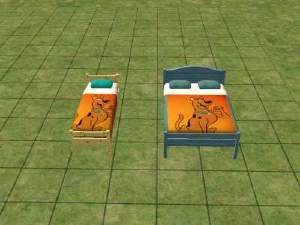
Testers Wanted: Scooby Doo bedding,requested by Daphntoricat1973
by digits26s 27th Jan 2005 at 1:51am
 5
7.1k
3
5
7.1k
3
-

Bo Peep Doo Doo Doll Nursery Set
by sinthetickrush 28th Nov 2005 at 11:33pm
-
by cgb spender 19th Feb 2006 at 8:07pm
+1 packs
3 5.7k University
-
-
-
by Akabarl 5th Sep 2007 at 10:51am
34
51.2k
10
-
-
-
-


More downloads by Kenji336:
See more



Packs Needed
| Expansion Pack | |
|---|---|
 | Pets |
About Me
Do whatever you want with my creations, but please do not upload to the exchange pay sites, or use my stuff for The Sims 3. All I really ask for is to give credit where credit is deserved.