
 Sign in to Mod The Sims
 Rantanplan
 Rantanplan
SCREENSHOTS


lucky41.jpg - width=280 height=379
rantanplan4vb.jpg - width=227 height=238
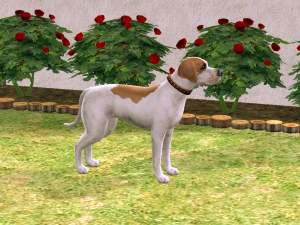
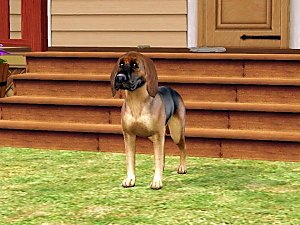
snapshot_b2a5ccfc_92a5cd9e.jpg - width=400 height=300
snapshot_b2a5ccfc_72a5cd35.jpg - width=400 height=300
snapshot_cdae9d39_b2a5c6ed.jpg - width=400 height=300
snapshot_cdae9d39_12a5c93a.jpg - width=400 height=300
Downloaded 95 times
53 Thanks
2 Favourited
11,868 Views
Say Thanks!
Thanked!
Hello and a Happy New Year 2007!
This is my first upload:
Rantanplan!
He is the dog who is stupider than his own shadow. He usually just follows Lucky Luke around and amuses the reader with his stupidity.
Rantanplan is officially a prison guard dog, but he spends most of his time just sleeping in the prison courtyard.
Luke's horse Jolly Jumper, who is a very smart and intelligent animal, also holds Rantanplan in contempt, seeing him as one of Nature's great mistakes.
I know there is a lot of work to be done still, but I thought I could share him with the community!
This is my first upload:
Rantanplan!
He is the dog who is stupider than his own shadow. He usually just follows Lucky Luke around and amuses the reader with his stupidity.
Rantanplan is officially a prison guard dog, but he spends most of his time just sleeping in the prison courtyard.
Luke's horse Jolly Jumper, who is a very smart and intelligent animal, also holds Rantanplan in contempt, seeing him as one of Nature's great mistakes.
I know there is a lot of work to be done still, but I thought I could share him with the community!
Advertisement:
|
Ran-Tan-Plan.zip
Download
Uploaded: 3rd Jan 2007, 7.4 KB.
669 downloads.
|
||||||||
| For a detailed look at individual files, see the Information tab. | ||||||||
Install Instructions
Basic Download and Install Instructions:
1. Download: Click the download link to save the .rar or .zip file(s) to your computer.
2. Extract the zip, rar, or 7z file.
3. Install: Double-click on the .sims2pack file to install its contents to your game. The files will automatically be installed to the proper location(s).
1. Download: Click the download link to save the .rar or .zip file(s) to your computer.
2. Extract the zip, rar, or 7z file.
3. Install: Double-click on the .sims2pack file to install its contents to your game. The files will automatically be installed to the proper location(s).
- You may want to use the Sims2Pack Clean Installer instead of the game's installer, which will let you install sims and pets which may otherwise give errors about needing expansion packs. It also lets you choose what included content to install. Do NOT use Clean Installer to get around this error with lots and houses as that can cause your game to crash when attempting to use that lot. Get S2PCI here: Clean Installer Official Site.
- For a full, complete guide to downloading complete with pictures and more information, see: Game Help: Downloading for Fracking Idiots.
- Custom content not showing up in the game? See: Game Help: Getting Custom Content to Show Up.
Advertisement:
Loading comments, please wait...
Author

Download Details
Packs:
 View with Names
Uploaded: 3rd Jan 2007 at 12:55 PM
Updated: 22nd Nov 2008 at 1:15 AM by Canoodle
 View with Names
Uploaded: 3rd Jan 2007 at 12:55 PM
Updated: 22nd Nov 2008 at 1:15 AM by Canoodle
Tags
#rantanplan, #Lucky Luke, #dog, #comic
Other Download Recommendations:
-
-
by HogwartsFleur189 20th Oct 2006 at 9:16pm
-
-
-
-
-
by Darkladyknight 4th Aug 2007 at 3:23pm
-
-
-


Packs Needed
| Expansion Pack | |
|---|---|
| Pets |