
 Sign in to Mod The Sims
 Eponymous Strawberry Recolors
 Eponymous Strawberry Recolors
SCREENSHOTS


Project13.jpg - width=854 height=433
Project14.jpg - width=712 height=475
Project12.jpg - width=710 height=530
Downloaded 3,423 times
455 Thanks
15 Favourited
27,218 Views
Say Thanks!
Thanked!
April, 15 2007
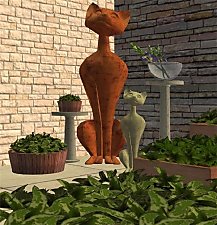
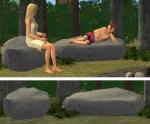
Parsimonious recently updated their Eponymous Garden set, so I did the recolors for the newer set... pink blue and yellow
If for some reason, you don't already have the
other Eponymous Garden items, go here >> http://www.parsimonious.org/furnitu...us_Garden.shtml << and get them all
Parsimonious recently updated their Eponymous Garden set, so I did the recolors for the newer set... pink blue and yellow
If for some reason, you don't already have the
other Eponymous Garden items, go here >> http://www.parsimonious.org/furnitu...us_Garden.shtml << and get them all

Advertisement:
This is a new mesh recolour, and means that you will need to download the particular mesh itself in order for this to show up in your game. See the Meshes Needed section or read the text for more information.
|
EponymousStrawberryRecolors.rar
Download
Uploaded: 15th Apr 2007, 101.3 KB.
4,513 downloads.
|
||||||||
|
4 Strawberry Recolors.rar
Download
Uploaded: 25th Jan 2007, 310.3 KB.
6,621 downloads.
|
||||||||
| For a detailed look at individual files, see the Information tab. | ||||||||
Install Instructions
Basic Download and Install Instructions:
1. Download: Click the download link to save the .rar or .zip file(s) to your computer.
2. Extract the zip, rar, or 7z file.
3. Place in Downloads Folder: Cut and paste the .package file(s) into your Downloads folder:
1. Download: Click the download link to save the .rar or .zip file(s) to your computer.
2. Extract the zip, rar, or 7z file.
3. Place in Downloads Folder: Cut and paste the .package file(s) into your Downloads folder:
- Origin (Ultimate Collection): Users\(Current User Account)\Documents\EA Games\The Sims™ 2 Ultimate Collection\Downloads\
- Non-Origin, Windows Vista/7/8/10: Users\(Current User Account)\Documents\EA Games\The Sims 2\Downloads\
- Non-Origin, Windows XP: Documents and Settings\(Current User Account)\My Documents\EA Games\The Sims 2\Downloads\
- Mac: Users\(Current User Account)\Documents\EA Games\The Sims 2\Downloads
- Mac x64: /Library/Containers/com.aspyr.sims2.appstore/Data/Library/Application Support/Aspyr/The Sims 2/Downloads
- For a full, complete guide to downloading complete with pictures and more information, see: Game Help: Downloading for Fracking Idiots.
- Custom content not showing up in the game? See: Game Help: Getting Custom Content to Show Up.
- If you don't have a Downloads folder, just make one. See instructions at: Game Help: No Downloads Folder.
Meshes needed
This download requires one or more meshes to work properly. Please check the Description tab for information about the meshes needed, then download them below:| MTS cannot guarantee any off-site links will be available |
| parsimonious.org/furniture2/plants/k8-Eponymous_Garden.shtml (non-MTS link) |
Advertisement:
Loading comments, please wait...
Author



Download Details
Packs:
None, this is Sims 2 base game compatible!
Uploaded: 25th Jan 2007 at 6:48 PM
Updated: 15th Apr 2007 at 3:27 PM
Uploaded: 25th Jan 2007 at 6:48 PM
Updated: 15th Apr 2007 at 3:27 PM
Tags
Other Download Recommendations:
-
by zillah 6th Jan 2005 at 8:49pm
 35
24.7k
5
35
24.7k
5
-
by soglad_4_themadness 5th Sep 2005 at 1:37pm
+1 packs
35 31.9k 6 University
-
-
by crosieramanda 3rd Nov 2005 at 9:12am
5
7.8k
6
-
by crosieramanda 3rd Nov 2005 at 9:42pm
8
11.6k
7
-
-
by SimVeggie 7th Feb 2006 at 6:31pm
11
15.8k
9
-
-
-
by petschauerg updated 4th Jun 2008 at 4:01pm
10
52k
43


More downloads by khakidoo:
See more








About Me
Yes you can use my stuff in any lot you want to uploaded to anywhere you want - even the exchange - go nuts with it. No credit required.