
 Sign in to Mod The Sims
 8 Skintones - Light & Dark
 8 Skintones - Light & Dark
SCREENSHOTS


8skins.jpg - width=600 height=450
4skinspic.jpg - width=533 height=600
4skinspic2.jpg - width=533 height=600
Downloaded 8,757 times
390 Thanks
41 Favourited
46,528 Views
Say Thanks!
Thanked!
Skintones are very time-consuming, in that you have to recolor a bajillion files, but I enjoyed making these none-the-less. There are 8 skintone files for download and I seperated them so you can choose which ones you wish to download.
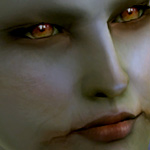
In the closeup pics of my model's face, her eyes and makeup are not a part of the skintone and is not included. The full bodyshot in CAS of all 8 is what their bodies look like; simply recolored.
All 8 skintones are for all ages, male and female.
Makeup, hair, brows and eyes are not included in the download.
Enjoy and thanks for downloading!
.:WykydSyn:.
Additional Credits:
Makeup, brows, hair and eyes are not part of the download, but I am giving credit to what Melanie is wearing:
In all pics: XM Sims hair 34 (page 55)
Wearing my Cocoa Bliss skintone: lips by Heleane (spring flora - Branches)
Wearing my Cocoa Dream skintone: Bronze Liquid lips by Elau
Wearing my Polished bronze skintone: lips by Heleane (spring flora - Blackberries)
Eyes and shadow by me.
In the closeup pics of my model's face, her eyes and makeup are not a part of the skintone and is not included. The full bodyshot in CAS of all 8 is what their bodies look like; simply recolored.
All 8 skintones are for all ages, male and female.
Makeup, hair, brows and eyes are not included in the download.
Enjoy and thanks for downloading!
.:WykydSyn:.
Additional Credits:
Makeup, brows, hair and eyes are not part of the download, but I am giving credit to what Melanie is wearing:
In all pics: XM Sims hair 34 (page 55)
Wearing my Cocoa Bliss skintone: lips by Heleane (spring flora - Branches)
Wearing my Cocoa Dream skintone: Bronze Liquid lips by Elau
Wearing my Polished bronze skintone: lips by Heleane (spring flora - Blackberries)
Eyes and shadow by me.
This is a Maxis Recolour which means that it is a recolour of an item that already exists in your game. Please check the Pack requirements to see which game pack it recolours.
|
ws_skintone9_JustPeachie.zip
Download
Uploaded: 27th Mar 2007, 5.40 MB.
5,080 downloads.
|
||||||||
|
ws_skintone8_CocoaWish.zip
Download
Uploaded: 27th Mar 2007, 3.75 MB.
4,726 downloads.
|
||||||||
|
ws_skintone7_CocoaBliss.zip
Download
Uploaded: 27th Mar 2007, 3.29 MB.
4,121 downloads.
|
||||||||
|
ws_skintone6_CocoaDream.zip
Download
Uploaded: 27th Mar 2007, 3.11 MB.
5,051 downloads.
|
||||||||
|
ws_skintone5_BarelyThere.zip
Download
Uploaded: 27th Mar 2007, 2.82 MB.
6,584 downloads.
|
||||||||
|
ws_skintone4_Doll.zip
Download
Uploaded: 27th Mar 2007, 3.07 MB.
6,921 downloads.
|
||||||||
|
ws_skintone3_VampErotica.zip
Download
Uploaded: 27th Mar 2007, 3.41 MB.
5,564 downloads.
|
||||||||
|
ws_skintone2_PolishedBronze.zip
Download
Uploaded: 27th Mar 2007, 4.27 MB.
4,875 downloads.
|
||||||||
| For a detailed look at individual files, see the Information tab. | ||||||||
Install Instructions
Basic Download and Install Instructions:
1. Download: Click the download link to save the .rar or .zip file(s) to your computer.
2. Extract the zip, rar, or 7z file.
3. Place in Downloads Folder: Cut and paste the .package file(s) into your Downloads folder:
1. Download: Click the download link to save the .rar or .zip file(s) to your computer.
2. Extract the zip, rar, or 7z file.
3. Place in Downloads Folder: Cut and paste the .package file(s) into your Downloads folder:
- Origin (Ultimate Collection): Users\(Current User Account)\Documents\EA Games\The Sims™ 2 Ultimate Collection\Downloads\
- Non-Origin, Windows Vista/7/8/10: Users\(Current User Account)\Documents\EA Games\The Sims 2\Downloads\
- Non-Origin, Windows XP: Documents and Settings\(Current User Account)\My Documents\EA Games\The Sims 2\Downloads\
- Mac: Users\(Current User Account)\Documents\EA Games\The Sims 2\Downloads
- Mac x64: /Library/Containers/com.aspyr.sims2.appstore/Data/Library/Application Support/Aspyr/The Sims 2/Downloads
- For a full, complete guide to downloading complete with pictures and more information, see: Game Help: Downloading for Fracking Idiots.
- Custom content not showing up in the game? See: Game Help: Getting Custom Content to Show Up.
- If you don't have a Downloads folder, just make one. See instructions at: Game Help: No Downloads Folder.
Loading comments, please wait...
Author

Download Details
Packs:
None, this is Sims 2 base game compatible!
Uploaded: 27th Mar 2007 at 6:03 AM
Updated: 28th Mar 2007 at 3:41 AM
Uploaded: 27th Mar 2007 at 6:03 AM
Updated: 28th Mar 2007 at 3:41 AM
Other Download Recommendations:
-
-
-
-

Two New Skintones [med & dark]
by KiaraRawks 7th Jan 2006 at 8:36pm
-
-
-
-
-
-
realistic skintones (light-medium-dark)
by Enelya 6th Sep 2007 at 3:20pm



More downloads by WykydSyn:
See more

About Me
My policy is simple: If you use any of my recolors on a custom Sim (full sim for upload), just give me credit. As far as using my creations in pics of you sims (for fun or whatever), no credit is necessary.