Sign in to Mod The Sims
 Candyland BobHair Recolors
 Candyland BobHair Recolors


CandyAppleRed.jpg - width=298 height=354
CottonCandy.jpg - width=307 height=338
Frost.jpg - width=279 height=348
HotPink.jpg - width=303 height=346
Icicle.jpg - width=297 height=350
Mint.jpg - width=297 height=359
Pumpkin.jpg - width=272 height=367
Blueberry-sugarplum.jpg - width=556 height=335
The colors included are in order by picture:
CandyAppleRed (red)
CottonCandy (pink)
Frost (purple)
HotPink (duh!)
Icicle (blue)
Mint (green)
Pumpkin (orange)
BlueBerry (blue) and SugarPlum (purple)
Well, enjoy and thanks for downloading!!!
-WykydSyn-
|
ws_candylandhair.zip
Download
Uploaded: 24th Feb 2007, 3.34 MB.
809 downloads.
|
||||||||
| For a detailed look at individual files, see the Information tab. | ||||||||
Install Instructions
1. Download: Click the download link to save the .rar or .zip file(s) to your computer.
2. Extract the zip, rar, or 7z file.
3. Place in Downloads Folder: Cut and paste the .package file(s) into your Downloads folder:
- Origin (Ultimate Collection): Users\(Current User Account)\Documents\EA Games\The Sims™ 2 Ultimate Collection\Downloads\
- Non-Origin, Windows Vista/7/8/10: Users\(Current User Account)\Documents\EA Games\The Sims 2\Downloads\
- Non-Origin, Windows XP: Documents and Settings\(Current User Account)\My Documents\EA Games\The Sims 2\Downloads\
- Mac: Users\(Current User Account)\Documents\EA Games\The Sims 2\Downloads
- Mac x64: /Library/Containers/com.aspyr.sims2.appstore/Data/Library/Application Support/Aspyr/The Sims 2/Downloads
- For a full, complete guide to downloading complete with pictures and more information, see: Game Help: Downloading for Fracking Idiots.
- Custom content not showing up in the game? See: Game Help: Getting Custom Content to Show Up.
- If you don't have a Downloads folder, just make one. See instructions at: Game Help: No Downloads Folder.
Loading comments, please wait...

Uploaded: 24th Feb 2007 at 4:03 AM
Updated: 24th Feb 2007 at 7:21 AM by fanseelamb - fixing thumbnail
-
-
by nish 21st Oct 2005 at 9:58am
 25
47.3k
11
25
47.3k
11
Hair » Female » Young Adult
-
A Collection of Three Hair Mesh Recolors
by Starangel13 24th Dec 2005 at 1:57am
-
-
by Starangel13 3rd Mar 2006 at 9:55am
-
-
-
-
-


-
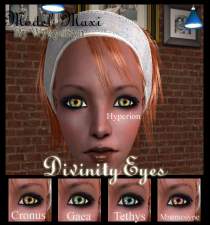
Divinity/Haut/Sanction/Tigress *4 New eyes*
by WykydSyn 10th Mar 2007 at 3:30am
*Update* I've replaced the Haut, Divinity and Sanction pics with new ones and also deleted the Endemism eye collection all-together. more...
-
-
-
-
-
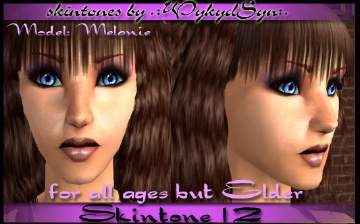
3 Realistic Skintones and Progressive Scarring
by WykydSyn 27th Mar 2007 at 6:22am
I give you 4 realistic skintones, one of which has progressive scarring as sims age. more...
-
-
-
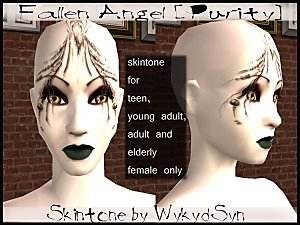
~Fallen Angel (Purity)~ Skintone
by WykydSyn 7th Apr 2007 at 7:18am
This skintone took me FOREVER to get right, but I think it turned out pretty well. more...
-