
 Sign in to Mod The Sims
 Beautyful Lingerie for Sim Ladies, Maxis Content recolour
 Beautyful Lingerie for Sim Ladies, Maxis Content recolour
SCREENSHOTS


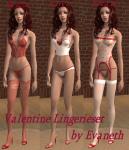
DessousProj2_screen1.jpg - width=465 height=602
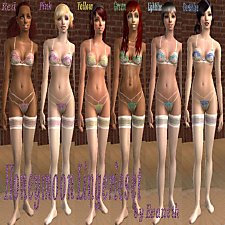
DessousProj2_screen2.jpg - width=458 height=758
DessousProj2_screen3.jpg - width=603 height=387
DessousProj2_screen4.jpg - width=252 height=421
DessousProj2_screen5.jpg - width=467 height=297
Downloaded 609 times
120 Thanks
3 Favourited
10,203 Views
Say Thanks!
Thanked!
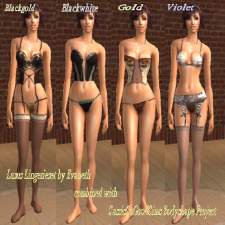
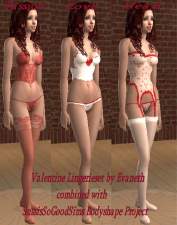
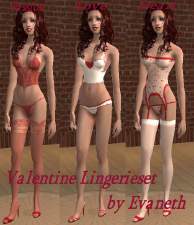
Today I created a beautyful and romantic lingerie for your sim ladies.
It´s all maxis content and is playable in the basic game, so you don´t need any ep to use it.
I hope you all enjoy it, because this is my first upload and i really tried to do my best. If you have any questions then please contact me. =)
Greetz
Eva
Model Credits:
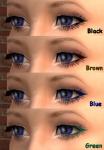
Eyes: Enayla@MTS2
Eyeliner: Barcelonista@MTS2
Eyeshadow: Bruno@MTS2
Lipstick: Bruno@MTS2
Additional Credits:
Skintone: http://www.princess-sims.de.vu
Hair: http://www.***
Brows: http://www.halaene.com
Bed: XM-Sims
Plant: XM-Sims
Sofa: XM-Sims
Floor: http://www.muranomobilia.com
It´s all maxis content and is playable in the basic game, so you don´t need any ep to use it.
I hope you all enjoy it, because this is my first upload and i really tried to do my best. If you have any questions then please contact me. =)
Greetz
Eva
Model Credits:
Eyes: Enayla@MTS2
Eyeliner: Barcelonista@MTS2
Eyeshadow: Bruno@MTS2
Lipstick: Bruno@MTS2
Additional Credits:
Skintone: http://www.princess-sims.de.vu
Hair: http://www.***
Brows: http://www.halaene.com
Bed: XM-Sims
Plant: XM-Sims
Sofa: XM-Sims
Floor: http://www.muranomobilia.com
Advertisement:
This is a Maxis Recolour which means that it is a recolour of an item that already exists in your game. Please check the Pack requirements to see which game pack it recolours.
|
5f43fa4e_DessousProj2.rar
Download
Uploaded: 12th May 2007, 31.2 KB.
3,314 downloads.
|
||||||||
| For a detailed look at individual files, see the Information tab. | ||||||||
Install Instructions
Basic Download and Install Instructions:
1. Download: Click the download link to save the .rar or .zip file(s) to your computer.
2. Extract the zip, rar, or 7z file.
3. Place in Downloads Folder: Cut and paste the .package file(s) into your Downloads folder:
1. Download: Click the download link to save the .rar or .zip file(s) to your computer.
2. Extract the zip, rar, or 7z file.
3. Place in Downloads Folder: Cut and paste the .package file(s) into your Downloads folder:
- Origin (Ultimate Collection): Users\(Current User Account)\Documents\EA Games\The Sims™ 2 Ultimate Collection\Downloads\
- Non-Origin, Windows Vista/7/8/10: Users\(Current User Account)\Documents\EA Games\The Sims 2\Downloads\
- Non-Origin, Windows XP: Documents and Settings\(Current User Account)\My Documents\EA Games\The Sims 2\Downloads\
- Mac: Users\(Current User Account)\Documents\EA Games\The Sims 2\Downloads
- Mac x64: /Library/Containers/com.aspyr.sims2.appstore/Data/Library/Application Support/Aspyr/The Sims 2/Downloads
- For a full, complete guide to downloading complete with pictures and more information, see: Game Help: Downloading for Fracking Idiots.
- Custom content not showing up in the game? See: Game Help: Getting Custom Content to Show Up.
- If you don't have a Downloads folder, just make one. See instructions at: Game Help: No Downloads Folder.
Advertisement:
Loading comments, please wait...
Author

Download Details
Packs:
None, this is Sims 2 base game compatible!
Uploaded: 10th May 2007 at 11:00 AM
Updated: 13th May 2007 at 5:05 AM by fanseelamb - fixing thumbnail
Uploaded: 10th May 2007 at 11:00 AM
Updated: 13th May 2007 at 5:05 AM by fanseelamb - fixing thumbnail
Tags
Other Download Recommendations:
-
-
-
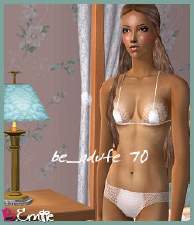
BoutiqueEmilie - Lingerie Collection
by BoutiqueEmilie 24th Jan 2007 at 5:21am
-
-
-
-
-
-
Seductive Lingerie (4 colours)
by Beutelratti 11th Jan 2008 at 11:30pm
-

More downloads by Evaneth:
See more

About Me
Some words...
1.) Feel free to recolour, edit etc. my stuff as you like with or without credit =)
2.) Upload them whereever you want as long as it stays free for everybody. I don´t want my things to become a download that has to be paid for.
3.) I am very grateful for every thank and nice words i get for my work. I don´t have much practice because I just started creating things, so it takes me much patience and time. =)
1.) Feel free to recolour, edit etc. my stuff as you like with or without credit =)
2.) Upload them whereever you want as long as it stays free for everybody. I don´t want my things to become a download that has to be paid for.
3.) I am very grateful for every thank and nice words i get for my work. I don´t have much practice because I just started creating things, so it takes me much patience and time. =)