Sign in to Mod The Sims
 Realistic Heart Facetemplate (edited with Milkshape)
 Realistic Heart Facetemplate (edited with Milkshape)


1.jpg - width=700 height=600
2.jpg - width=720 height=427
3.jpg - width=784 height=427
4.jpg - width=800 height=427
5.jpg - width=800 height=427
6.jpg - width=800 height=500
7.jpg - width=777 height=500
8.jpg - width=349 height=500
I have started with the first facefile (01 - heart). Now it looks more realistic.
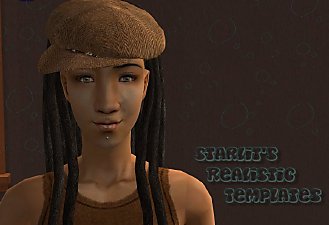
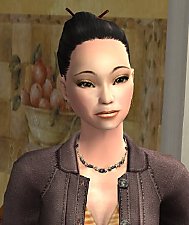
They look like this in game with a realistic skin:
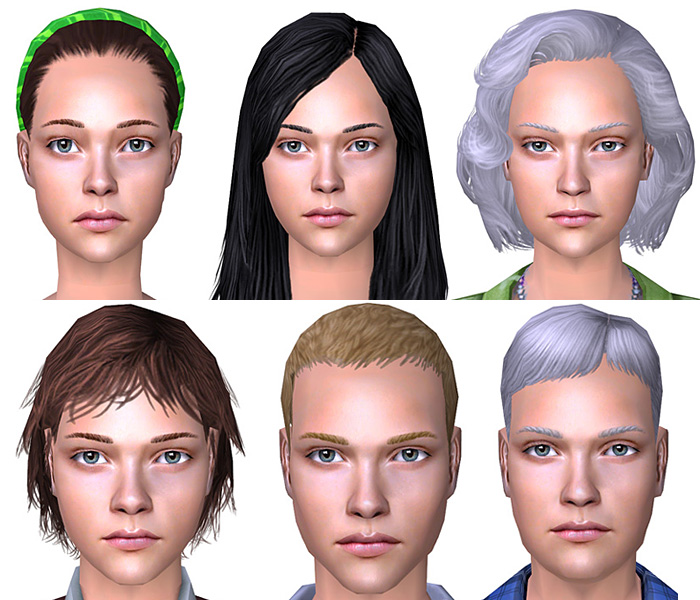
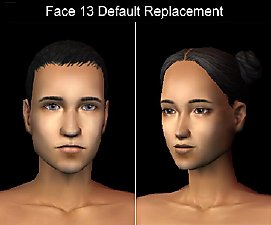
Here is a comparison between the original facefile (right) and my altered facefile (left). Also you can see, how the facefile looks with a maxis skin.
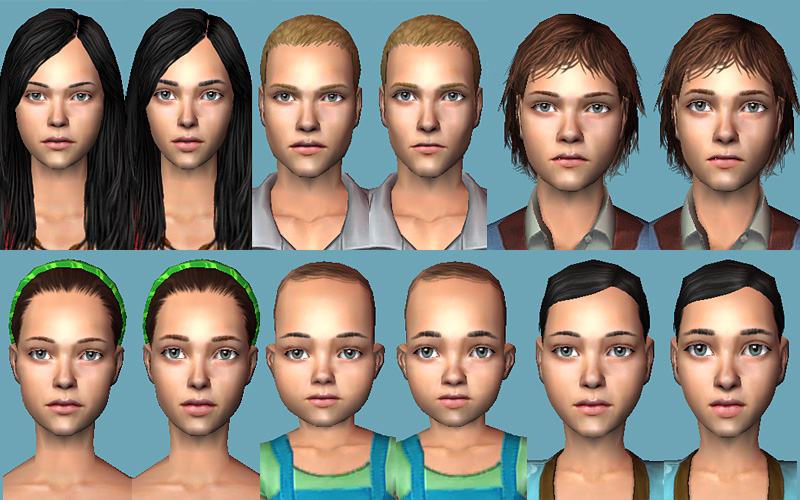
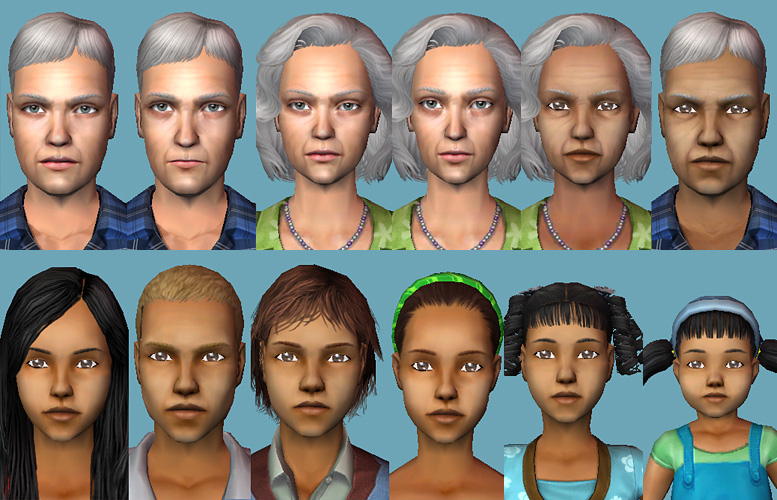
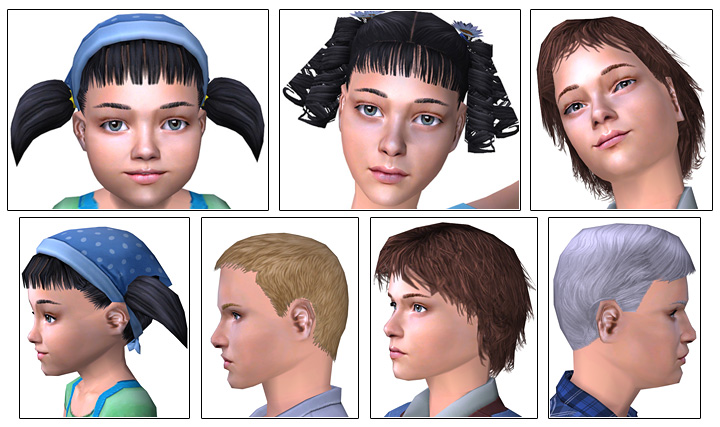
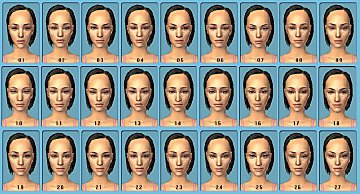
Look at the attached images to see the faces with diffrent emotions.
What are facetemplates?
When you create a new Sim you can choose from precast faces. If you put my facetemplate (8 files - one for each age) in your Download folder the first preacst is overridden by mine.
Deinstall them by removing the files from your Downloads folder.
Polygon Counts:
Faces: 737, Vertices: 521 (tslocator_gmdc)
Faces: 445, Vertices: 311 (LOD15_tslocator_gmdc)
Additional Credits:
- Milkshape
- Unimesh
- SimPe
- Base Templates by AllenABQ
- Motokis Tutorial for making face templates
This is a new mesh, and means that it's a brand new self contained object that usually does not require a specific Pack (although this is possible depending on the type). It may have Recolours hosted on MTS - check below for more information.
|
facetemplate_01-heart.rar
Download
Uploaded: 13th Mar 2008, 407.6 KB.
54,286 downloads.
|
||||||||
| For a detailed look at individual files, see the Information tab. | ||||||||
Install Instructions
1. Download: Click the download link to save the .rar or .zip file(s) to your computer.
2. Extract the zip, rar, or 7z file.
3. Place in Downloads Folder: Cut and paste the .package file(s) into your Downloads folder:
- Origin (Ultimate Collection): Users\(Current User Account)\Documents\EA Games\The Sims™ 2 Ultimate Collection\Downloads\
- Non-Origin, Windows Vista/7/8/10: Users\(Current User Account)\Documents\EA Games\The Sims 2\Downloads\
- Non-Origin, Windows XP: Documents and Settings\(Current User Account)\My Documents\EA Games\The Sims 2\Downloads\
- Mac: Users\(Current User Account)\Documents\EA Games\The Sims 2\Downloads
- Mac x64: /Library/Containers/com.aspyr.sims2.appstore/Data/Library/Application Support/Aspyr/The Sims 2/Downloads
- For a full, complete guide to downloading complete with pictures and more information, see: Game Help: Downloading for Fracking Idiots.
- Custom content not showing up in the game? See: Game Help: Getting Custom Content to Show Up.
- If you don't have a Downloads folder, just make one. See instructions at: Game Help: No Downloads Folder.
Loading comments, please wait...


Uploaded: 13th Mar 2008 at 4:57 PM
Updated: 13th Mar 2008 at 9:39 PM
-

-
-
-
-
-
-
by dragonarts 10th Apr 2008 at 8:24pm
 20
92.6k
64
20
92.6k
64
-
-
-
by Meowingcookie updated 6th May 2023 at 11:57am
82
32.3k
107

-
-
-
-
-
-
Set of CAS face replacement templates
by oepu 30th Apr 2007 at 2:29pm
I have created a whole set of CAS face replacement templates. more...
64
219.4k
190
-
-
Gender Conversion for teen to elder - no mesh edit - UPDATE (March Patch)
by oepu updated 1st Apr 2015 at 9:10pm
Some hair converted for both genders more...
 39
56.3k
233
39
56.3k
233
-
Face Template: Distinctive realistic face (03 - Erus)
by oepu 20th Jan 2006 at 12:10am
I've tried to make some new face templates. My english is very bad. more...
17
43.4k
11
-