Sign in to Mod The Sims
 .::CLEARISTIC Eyes::. improved / 3 versions / 52 shades
 .::CLEARISTIC Eyes::. improved / 3 versions / 52 shades


clear2.jpg - width=262 height=264
clear1.jpg - width=800 height=700
clearSet01.jpg - width=648 height=778
clearSet02.jpg - width=649 height=777
clearSet03.jpg - width=641 height=477

hi,
After 2 years and many requests to change the iris and so on I decided to improve my old "clear realistic" eye set, which you can find here
you have now 3 versions of my old clear realistic eye set:
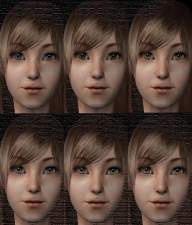
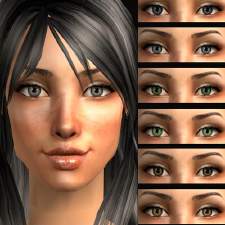
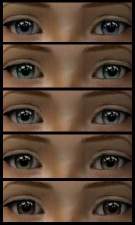
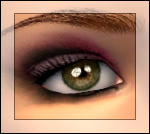
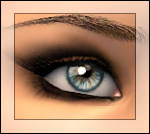
great & tender (softend, bigger iris, clear look, 20 colors)
outline (smaller size, hard shaped iris, clear look, 20 colors)
wet shine (mid size, softened iris, wet look, shiny, 12 colors)


thx and have fun

Additional Credits:
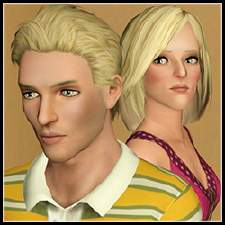
Hair in preview by Dedital sheep
Nouk
GOS
Male Sim by Kamikitten
|
LaPink_clearisticWETSHINE.rar
Download
Uploaded: 19th May 2008, 165.4 KB.
5,865 downloads.
|
||||||||
|
LaPink_clearisticOUTLINE.rar
Download
Uploaded: 19th May 2008, 294.9 KB.
5,972 downloads.
|
||||||||
|
LaPink_clearisticGREATandTENDER.rar
Download
Uploaded: 19th May 2008, 330.8 KB.
7,354 downloads.
|
||||||||
| For a detailed look at individual files, see the Information tab. | ||||||||
Install Instructions
1. Download: Click the download link to save the .rar or .zip file(s) to your computer.
2. Extract the zip, rar, or 7z file.
3. Place in Downloads Folder: Cut and paste the .package file(s) into your Downloads folder:
- Origin (Ultimate Collection): Users\(Current User Account)\Documents\EA Games\The Sims™ 2 Ultimate Collection\Downloads\
- Non-Origin, Windows Vista/7/8/10: Users\(Current User Account)\Documents\EA Games\The Sims 2\Downloads\
- Non-Origin, Windows XP: Documents and Settings\(Current User Account)\My Documents\EA Games\The Sims 2\Downloads\
- Mac: Users\(Current User Account)\Documents\EA Games\The Sims 2\Downloads
- Mac x64: /Library/Containers/com.aspyr.sims2.appstore/Data/Library/Application Support/Aspyr/The Sims 2/Downloads
- For a full, complete guide to downloading complete with pictures and more information, see: Game Help: Downloading for Fracking Idiots.
- Custom content not showing up in the game? See: Game Help: Getting Custom Content to Show Up.
- If you don't have a Downloads folder, just make one. See instructions at: Game Help: No Downloads Folder.
Loading comments, please wait...


Uploaded: 18th May 2008 at 8:12 PM
Updated: 23rd Sep 2008 at 7:15 PM


-
-
-
-
-
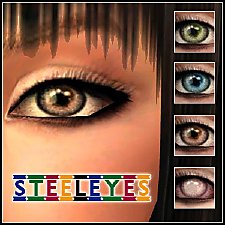
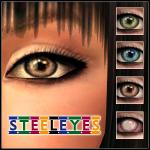
Steel Eyez ~set of 16 real sclera eyes~
by icedmango 13th Nov 2007 at 4:02pm
New painted eye set with more realistic sclera! more...
-
Glossy Eyes ~dark series~ by *icedmango*
by icedmango 12th Feb 2007 at 7:19pm
Hello, I have made some very glossy looking eyes especially for dark tanned and asian looking Sims or just more...
-
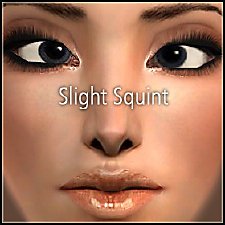
Slight Squint -crossed eyes- for the goofy Look!
by icedmango updated 7th Feb 2008 at 11:29pm
hi! Finally! more...
 30
53.6k
43
30
53.6k
43
-
-
-
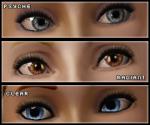
Triple Eye Default Replacements - clear & radiant styles
by icedmango 7th Jul 2009 at 5:06pm
hi, my first try on creating eyes for the sims 3, I made 3 different styles, but you can more...