
 Sign in to Mod The Sims
 100 Ely Road - starter home
 100 Ely Road - starter home


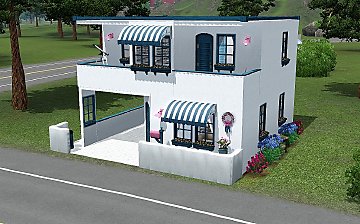
front close.JPG - width=950 height=713
front angle.JPG - width=950 height=713
back best.JPG - width=950 height=713
main.JPG - width=950 height=713
live.JPG - width=950 height=713
kit dine.JPG - width=950 height=713
So… one adult Sim gets $16,000 and 2 young adult Sims get $18,000 to start life.
This home has two nice sized bedrooms and two baths. It comes with basic starter furnishings, a smoke detector, TV, computer, bookcase, lighting, appliances and sleeping and seating for two to four Sims.
There is plenty of room for a drive and pool once you’re Sim gets on their feet! Some pretty outdoor potted plants would look nice in the back by the living room windows!
I LOVE the create-a-style tool! It is so nice to have matching anything and everything that you want. The nice thing is that if you not like the color of something you can use the color palette tool and change it the way you like and it does not cost your Sims a dime (dollar)! So don’t buy and replace - it costs $$$’s!
I’m sure that anyone that has played Sims 3 has figured out that you can click on the door and tell it to set it as the front door but I had to add this just in case someone had not noticed! I hated that we didn’t have that option in Sims 2!
My v/g card has apparently hit its limit, so ignore the horrible pics, if you have a decent card it will look better in your game!
Enjoy!

HUGE THANKS to all the creators that are working hard on Sims 3 mods and creations, MTS for a place to share Sims 2 AND 3 and you for looking!
Furnished - $17,923
Unfurnished - $14,459
Lot Size: 2x3
Lot Price: $17,923
|
100 Ely Road.zip
Download
Uploaded: 6th Jun 2009, 996.6 KB.
8,856 downloads.
|
||||||||
| For a detailed look at individual files, see the Information tab. | ||||||||
Install Instructions
1. Click the filename or the download button to download the file to your computer.
2. Extract the zip, rar, or 7z file.
2. Select the .sims3pack file you got from extracting.
3. Cut and paste it into your Documents\Electronic Arts\The Sims 3\Downloads folder. If you do not have this folder yet, it is recommended that you open the game and then close it again so that this folder will be automatically created. Then you can place the .sims3pack into your Downloads folder.
5. Load the game's Launcher, and click on the Downloads tab. Select the house icon, find the lot in the list, and tick the box next to it. Then press the Install button below the list.
6. Wait for the installer to load, and it will install the lot to the game. You will get a message letting you know when it's done.
7. Run the game, and find your lot in Edit Town, in the premade lots bin.
Extracting from RAR, ZIP, or 7z: You will need a special program for this. For Windows, we recommend 7-Zip and for Mac OSX, we recommend Keka. Both are free and safe to use.
Need more help?
If you need more info, see Game Help:Installing TS3 Packswiki for a full, detailed step-by-step guide!
Loading comments, please wait...

Uploaded: 6th Jun 2009 at 3:29 AM
-
-
-
-
by JoniBlair 20th Jun 2009 at 6:01am
 12
21.6k
12
12
21.6k
12
-
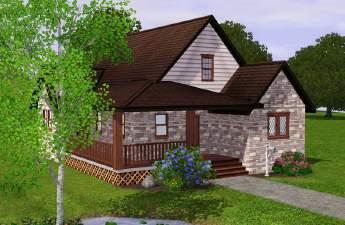
Charming Country Cottage - 2 bed, 2 bath Starter Home
by Carramaena 6th Jul 2009 at 5:57am
8
20.1k
4
-
by karlik-nos 24th Jul 2009 at 9:37pm
9
12.3k
13
-
-
-
by uec397 6th Oct 2009 at 12:36am
3
14.1k
3
-


-
-
-
-
-
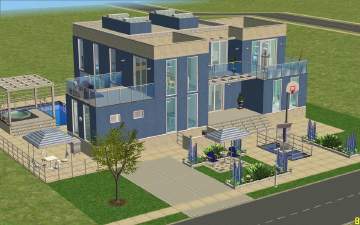
Blue Moon - a Friends Modern - NO CC
by romagi 26th Apr 2009 at 4:35pm
This one was made with more of a party place in mind. more...
 +11 packs
5 8.5k 8
+11 packs
5 8.5k 8 University
 Nightlife
 Open for Business
 Pets
Pets
 Seasons
 Kitchen & Bath
 Bon Voyage
 Free Time
 Ikea Home
 Apartment Life
 Mansion and Garden
-
-
35 Hidden Grove Lane - starter home - Updated 6/14/09
by romagi 5th Jun 2009 at 9:19am
Sims 3 starter house. more...
20
32.1k
28
-
-
-


About Me
If you use my lots in your movies/stories, credit would be appreciated but not required.
I would also like to see what you used it for, so a PM would be nice!