
 Sign in to Mod The Sims
 San Ramirez Island
 San Ramirez Island


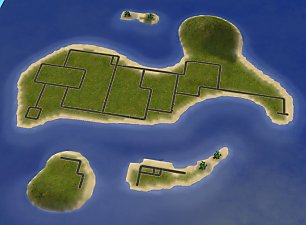
SanRamirezIsland2.JPG - width=600 height=450
SanRamirezIsland_lush2.JPG - width=600 height=450
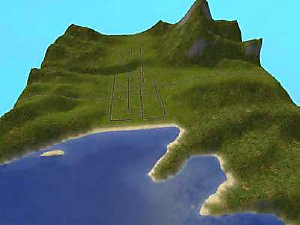
snapshot_00000032_374ab645.jpg - width=200 height=150
snapshot_00000032_b74ab651.jpg - width=200 height=150
snapshot_00000032_b74bc441.jpg - width=600 height=450
snapshot_00000032_374bc45f.jpg - width=600 height=450
snapshot_00000032_574bc493.jpg - width=600 height=450
snapshot_00000033_574c3163.jpg - width=600 height=450
 , & room for 3 of Criquette's bridges .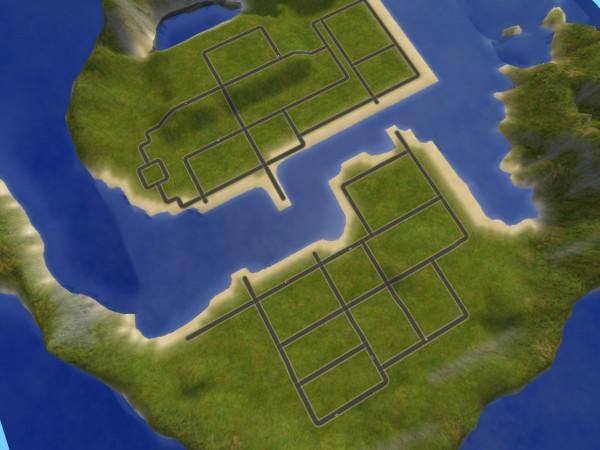
Room for three of Criquette's bridges, which you may get HERE
However you are going to have to download them ALL. No big deal-they are GORGEOUS.
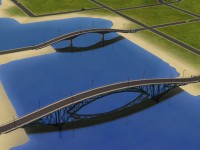
11 tile bridge (back)
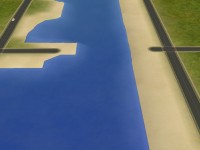
 . I would have fixed this in SC4, but I didn't want to destroy everything in the process! If it doesn't bother you, you can still put a bridge there, one side just won't line up correctly. The other way is not to put a bridge there, you'll still have two others. The best way, perhaps THE way, is to use the "modifyneighborhoodterrain on" cheat, which, contrary to popular belief is usable with BOTH FreeTime & Apartment Life. At least this worked for me only having Apartment Life. I evened this out by dragging the curser & the green from the higher shore to the lower shore. This covered the water with land, but by lowering the terrain under the bridge again the water will return & walla.
Pleez Report Problems

Usable without camera hacks!
My fith upload anniversary on the fith year of MTS

P: Smooth
[/]:Raise & Lower
\: Level
Happy Simming!
The thanks button is just a click away...
Additional Credits:
Criquette & the Road Bridges Set
Bon Voyage & Eaxis
|
SanRamirezIsland.zip
Download
Uploaded: 23rd Jun 2009, 408.9 KB.
8,797 downloads.
|
||||||||
| For a detailed look at individual files, see the Information tab. | ||||||||
Install Instructions
1. Download: Click the download link to save the .rar or .zip file(s) to your computer.
2. Extract the zip, rar, or 7z file.
3. Place in SC4Terrains Folder: Cut and paste the .sc4 and .png file(s) into your SC4Terrains folder:
- Origin (Ultimate Collection): Users\(Current User Account)\Documents\EA Games\The Sims™ 2 Ultimate Collection\Downloads\
- Non-Origin, Windows Vista/7/8/10: Users\(Current User Account)\Documents\EA Games\The Sims 2\Downloads\
- Non-Origin, Windows XP: Documents and Settings\(Current User Account)\My Documents\EA Games\The Sims 2\Downloads\
- Mac: Users\(Current User Account)\Documents\EA Games\The Sims 2\Downloads
- Mac x64:
/Library/Containers/com.aspyr.sims2.appstore/Data/Library/Application Support/Aspyr/The Sims 2/Downloads
- For a full, complete guide to downloading complete with pictures and more information, see: Game Help: Downloading for Fracking Idiots.
- Custom content not showing up in the game? See: Game Help: Getting Custom Content to Show Up.
Loading comments, please wait...

Uploaded: 23rd Jun 2009 at 4:44 PM
Updated: 30th Jun 2009 at 7:17 AM
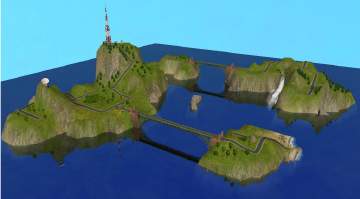
#san ramirez island, #beach, #beaches, #beach lots, #bon voyage, #shore, #ocean, #bridges, #terraced, #neighborhood, #terrain. city, #seaside, #island, #tropical island, #volcano, #neighborhood terrain
-
-
-
-
-
by ClicknPsycho 4th Mar 2009 at 2:33pm
 13
22.5k
22
13
22.5k
22
-
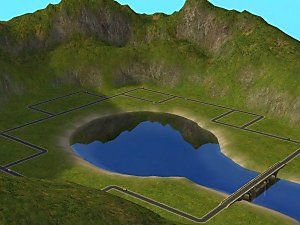
-
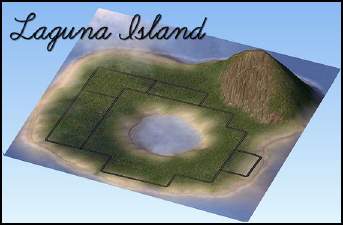
Laguna Island (with beach lots) by Beta
by betadefelippe updated 7th Apr 2009 at 12:42am
14
22.4k
27
-
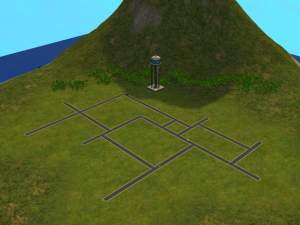
by Black Zekrom 2nd Feb 2012 at 6:17am
4
16.3k
15
-
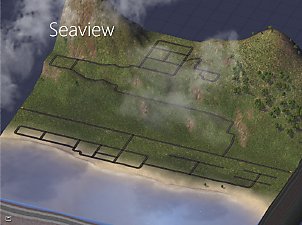
-
by angellasimmer 28th Jul 2022 at 10:38pm
9
3.2k
15




About Me
My name is Josh. I've been playing the Sims 2 now for 4 years. My favorite aspects of the game are house building and neigborhood planning. I upload only my favorite creations here on MTS, although I have many that I have made before---that I just don't use, or never intend to share :). I enjoy sharing my most honored creations with the folks here at MTS!
*Policy*
Please don't redistribute, and especially claim as your own.
Feel free to modify.
Love to hear if you include any of my lots or terrains in a story of any kind.
Pleez report any poblems.