
 Sign in to Mod The Sims
 The Ardgowan III - 5br, 6ba
 The Ardgowan III - 5br, 6ba
SCREENSHOTS
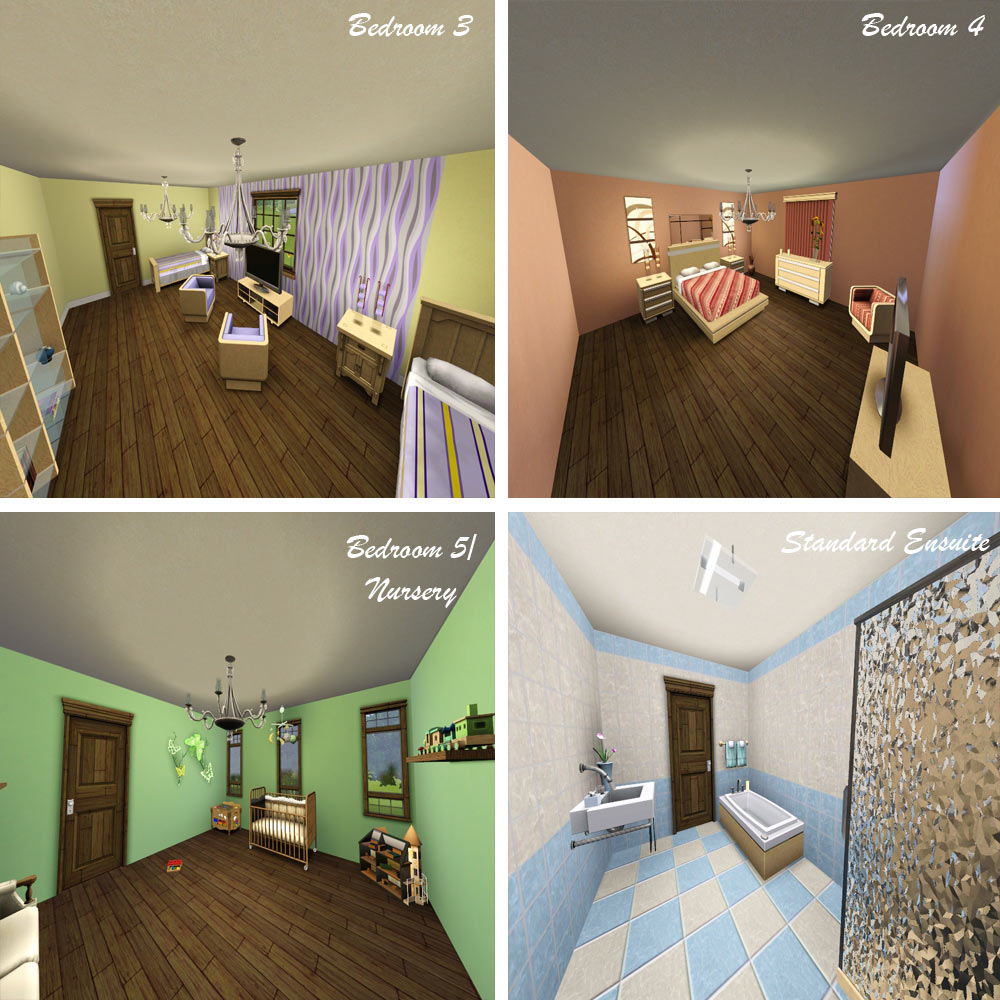
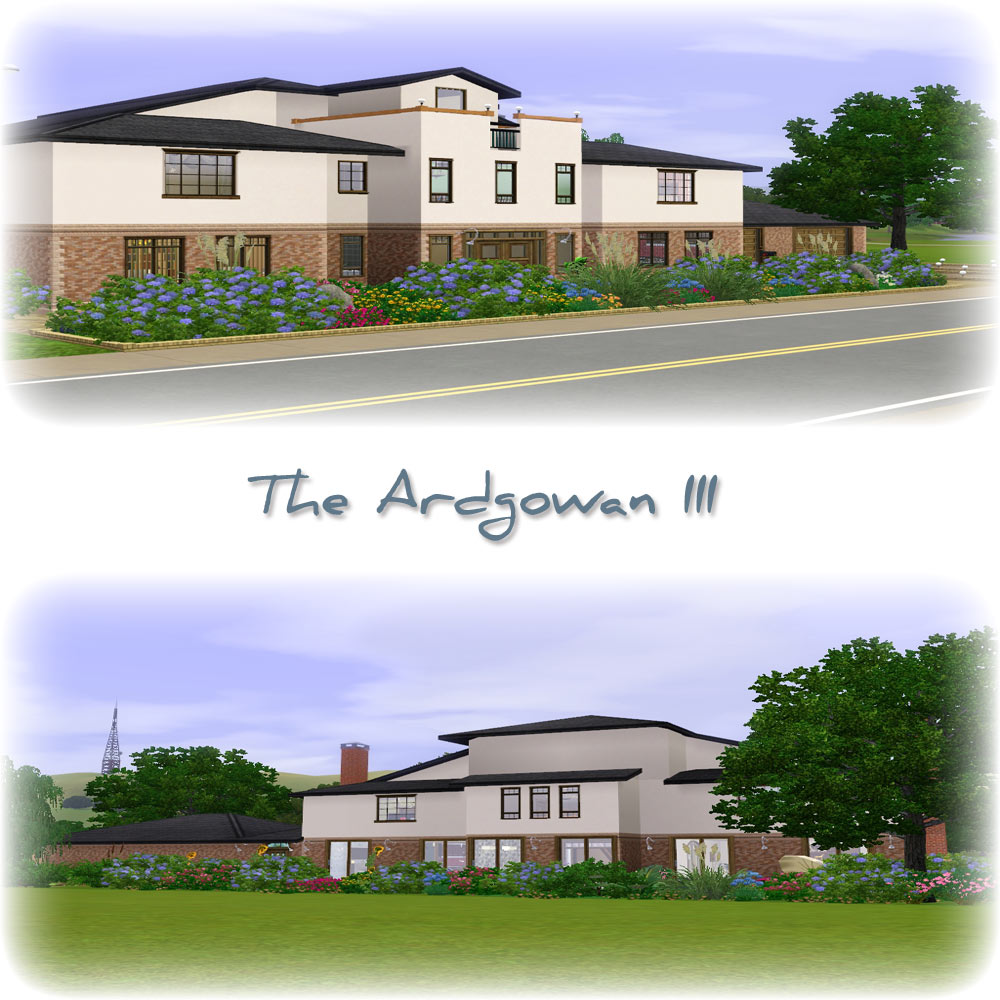
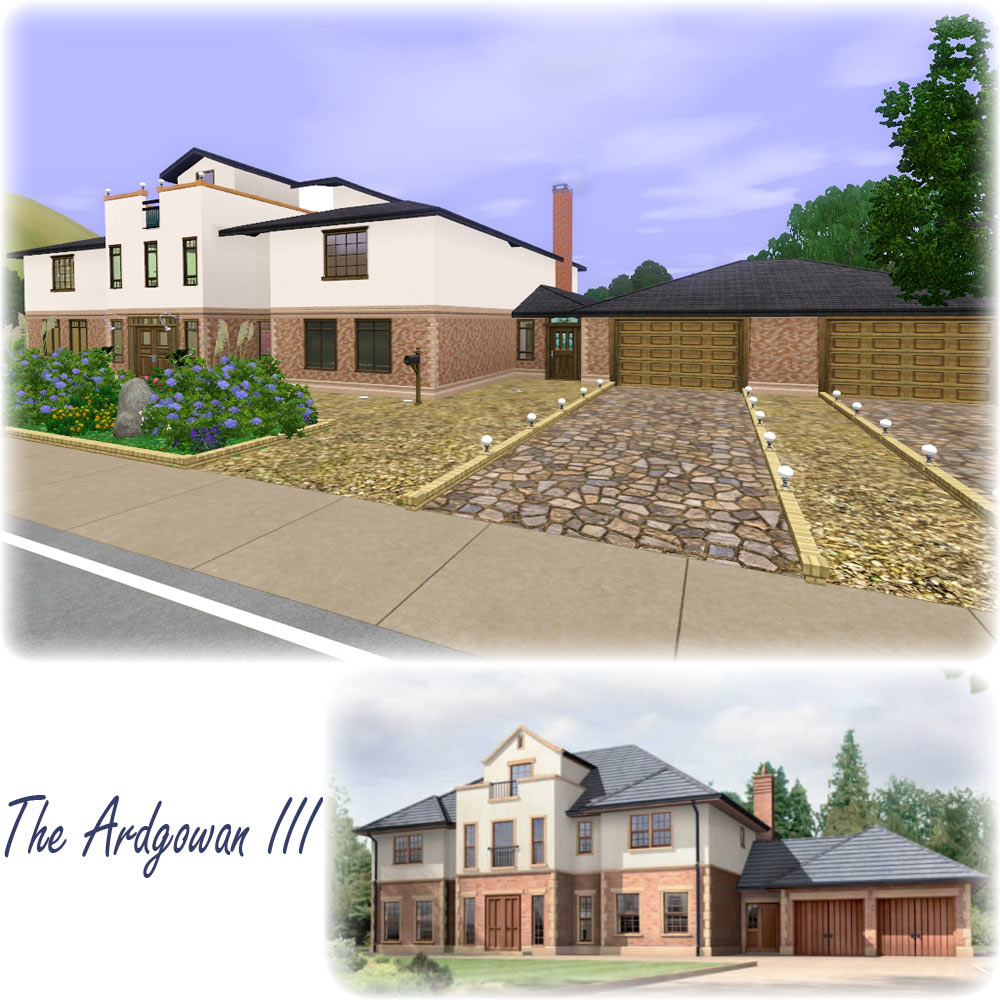
Comp-Pic.jpg - width=1000 height=1000
Plans-Pic.jpg - width=1000 height=1000
Ground-and-First.jpg - width=1000 height=1000
Ground-Floor.jpg - width=1000 height=1000
First-Floor.jpg - width=1000 height=1000
The-Ardgowan-III.jpg - width=1000 height=1000
Downloaded 236 times
116 Thanks
4 Favourited
9,502 Views
Say Thanks!
Thanked!
Description
The Ardgowan III
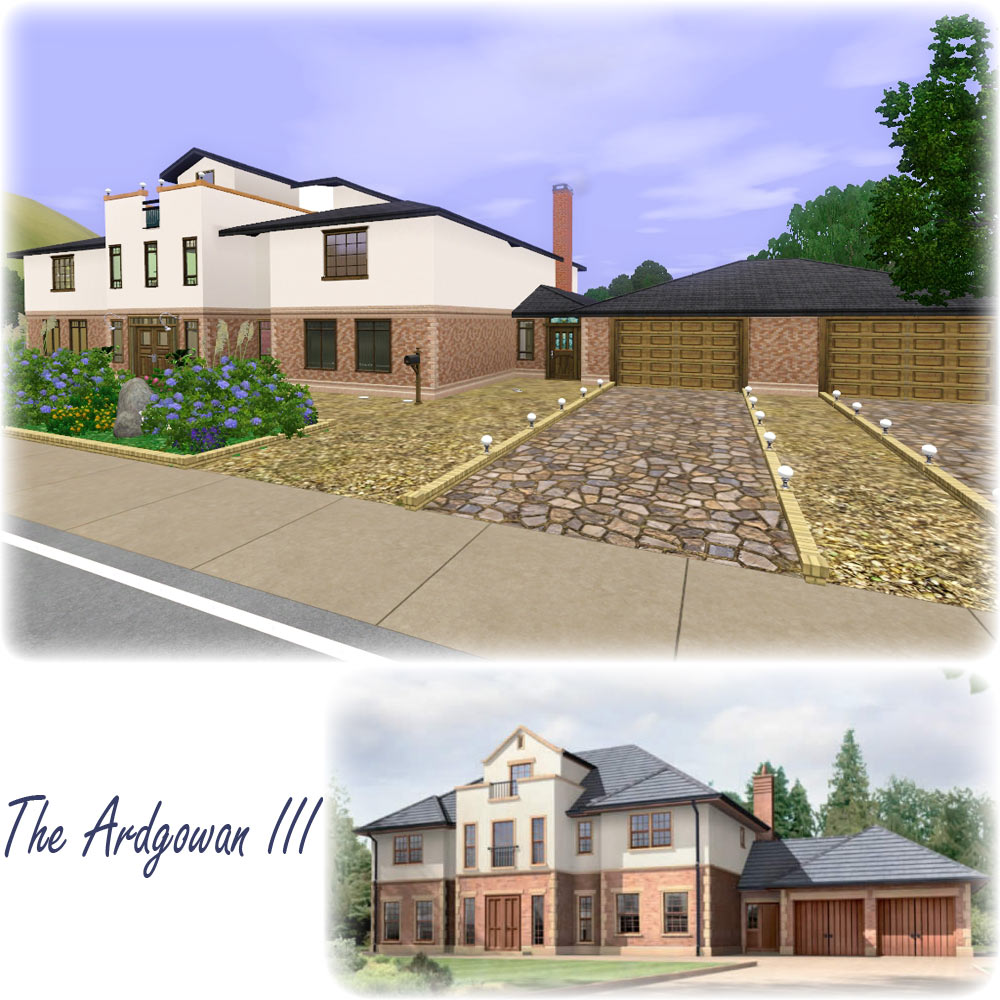
A uniquely designed, modern family home, complete with 5 bedrooms and 6 bathrooms.
Spend some relaxing time by your own private fishing pond, teach the kids to swim in your large outdoor pool, have a BBQ with family and friends, while enjoying the beautiful surrounding gardens.
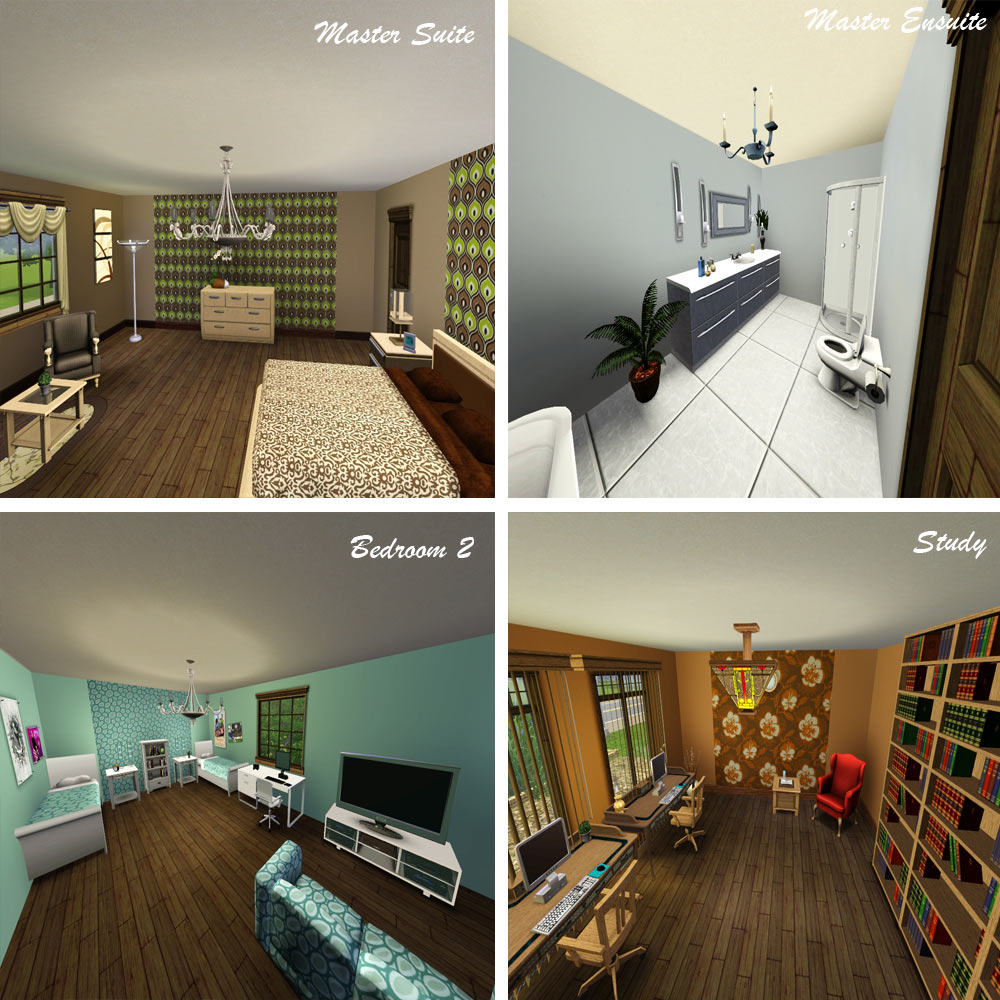
Enjoy some alone time in the Master Suite, while the kids have hours of fun in the Game Room. After a hard day at work why not have some 'me time' with a good book on the patio while the kids do there homework in the relaxing study.
Everything about The Ardgowan III is different.
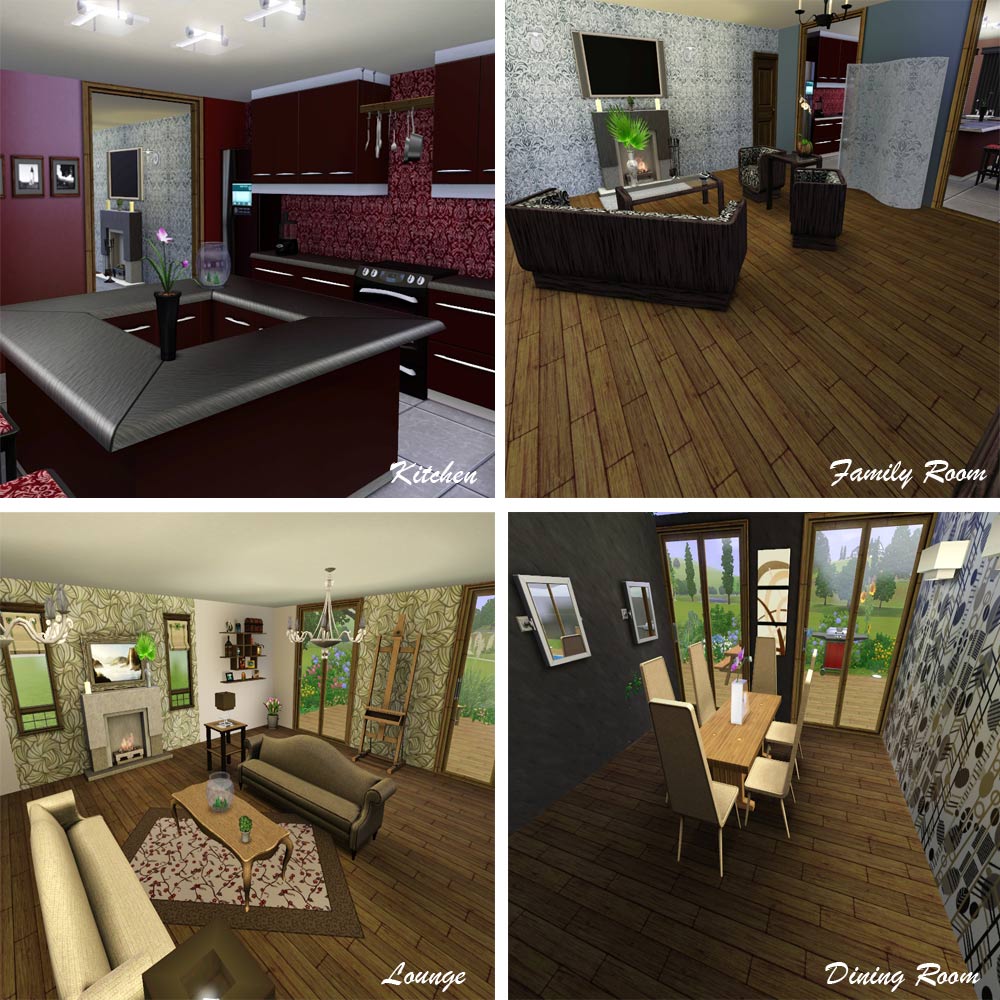
The Kitchen is totally 'State of the Art' with everything you could possibly need to hone your cooking skills, or even just enjoy a chat with friends over a coffee while sat at the island counter, and with the addition of a Utility Room, no more noisy appliances to disturb you.
This truly beautiful house is most definitely a home for living in.
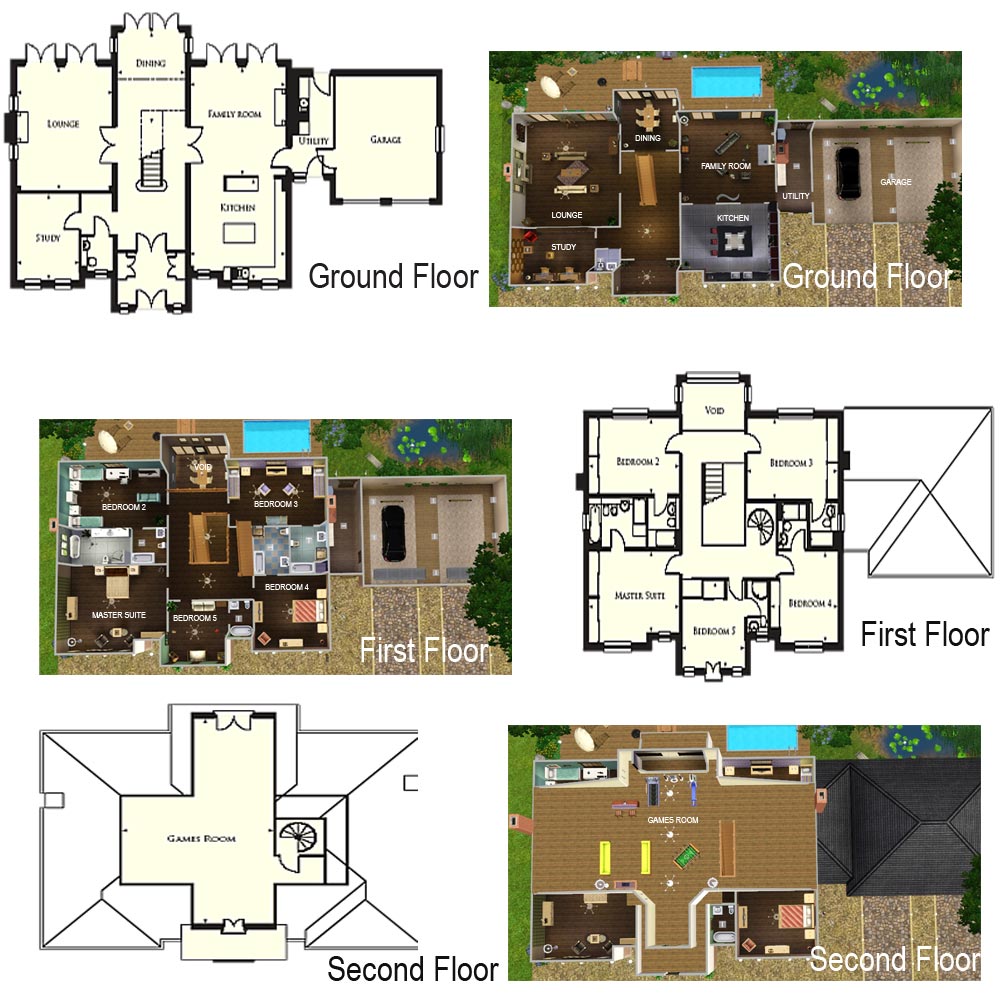
Features
Lounge
Family Room
Dining Room
Study
Utility Room
Kitchen
Double Garage
5 Bedrooms
6 Bathrooms
Games Room
Balcony
Pool
Patio
BBQ
Pond


Lot Size: 4x3
Lot Price: $385,779
Advertisement:
|
The Ardgowan III.zip
Download
Uploaded: 4th Aug 2009, 3.63 MB.
1,451 downloads.
|
||||||||
| For a detailed look at individual files, see the Information tab. | ||||||||
Install Instructions
Quick Guide:
1. Click the filename or the download button to download the file to your computer.
2. Extract the zip, rar, or 7z file.
2. Select the .sims3pack file you got from extracting.
3. Cut and paste it into your Documents\Electronic Arts\The Sims 3\Downloads folder. If you do not have this folder yet, it is recommended that you open the game and then close it again so that this folder will be automatically created. Then you can place the .sims3pack into your Downloads folder.
5. Load the game's Launcher, and click on the Downloads tab. Select the house icon, find the lot in the list, and tick the box next to it. Then press the Install button below the list.
6. Wait for the installer to load, and it will install the lot to the game. You will get a message letting you know when it's done.
7. Run the game, and find your lot in Edit Town, in the premade lots bin.
Extracting from RAR, ZIP, or 7z: You will need a special program for this. For Windows, we recommend 7-Zip and for Mac OSX, we recommend Keka. Both are free and safe to use.
Need more help?
If you need more info, see Game Help:Installing TS3 Packswiki for a full, detailed step-by-step guide!
1. Click the filename or the download button to download the file to your computer.
2. Extract the zip, rar, or 7z file.
2. Select the .sims3pack file you got from extracting.
3. Cut and paste it into your Documents\Electronic Arts\The Sims 3\Downloads folder. If you do not have this folder yet, it is recommended that you open the game and then close it again so that this folder will be automatically created. Then you can place the .sims3pack into your Downloads folder.
5. Load the game's Launcher, and click on the Downloads tab. Select the house icon, find the lot in the list, and tick the box next to it. Then press the Install button below the list.
6. Wait for the installer to load, and it will install the lot to the game. You will get a message letting you know when it's done.
7. Run the game, and find your lot in Edit Town, in the premade lots bin.
Extracting from RAR, ZIP, or 7z: You will need a special program for this. For Windows, we recommend 7-Zip and for Mac OSX, we recommend Keka. Both are free and safe to use.
Need more help?
If you need more info, see Game Help:Installing TS3 Packswiki for a full, detailed step-by-step guide!
Advertisement:
Loading comments, please wait...
Author
Download Details
Packs:
None, this is Sims 3 base game compatible!
Uploaded: 4th Aug 2009 at 1:29 AM
Uploaded: 4th Aug 2009 at 1:29 AM
Number of bedrooms:
– 5 or more
Custom Content Included:
– None
: No Custom Content included
Furnishings:
– Fully Furnished
: Lot is completely decked out in furnishings
Special Flags:
– Not Applicable
Tags
Other Download Recommendations:









More downloads by weirscotland2k:
See more
-

Beach Paradise - Five Bedroom, Five Bathroom (3 EnSuite)
by weirscotland2k 1st Aug 2009 at 10:39pm
Beach Paradise is a five bedroom pool house, which spans over three floors. more...
 3
42.9k
5
3
42.9k
5
