
 Sign in to Mod The Sims
 A quaint place to live
 A quaint place to live


House.jpg - width=819 height=614
bedroom.jpg - width=1280 height=475
Lounge.jpg - width=1280 height=487
Screenshot-14.jpg - width=1024 height=768
bathroom.jpg - width=766 height=1024
Floor Plan.jpg - width=1280 height=1024
Screenshot-6.jpg - width=1024 height=768
Perfect for those who want to start as a couple or single person family.
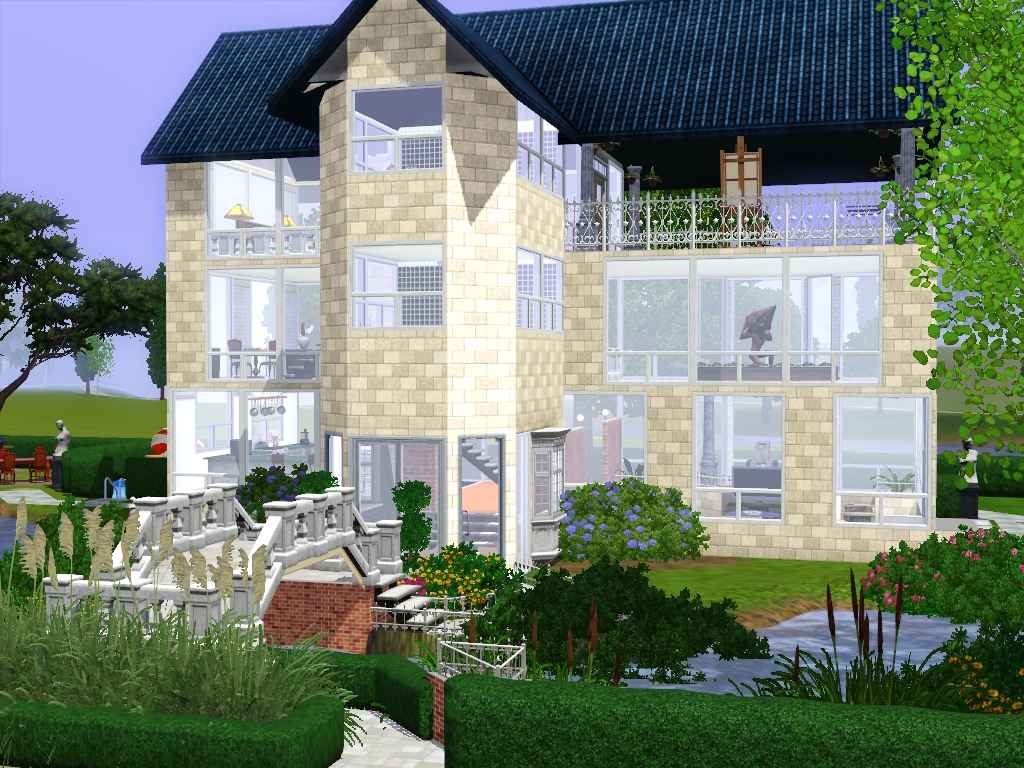
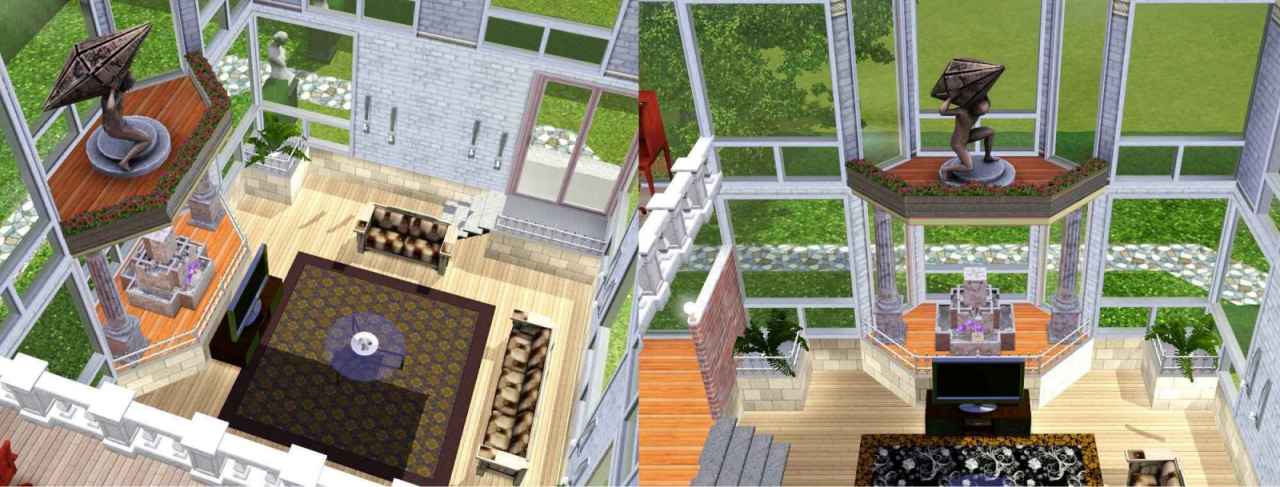
The kitchen level has been rasied up on a platform with stairs down to the 2 story lounge area, with a lovely decoration or statue area.
Kitchen has a nice center island counter with sink and dishwasher etc.
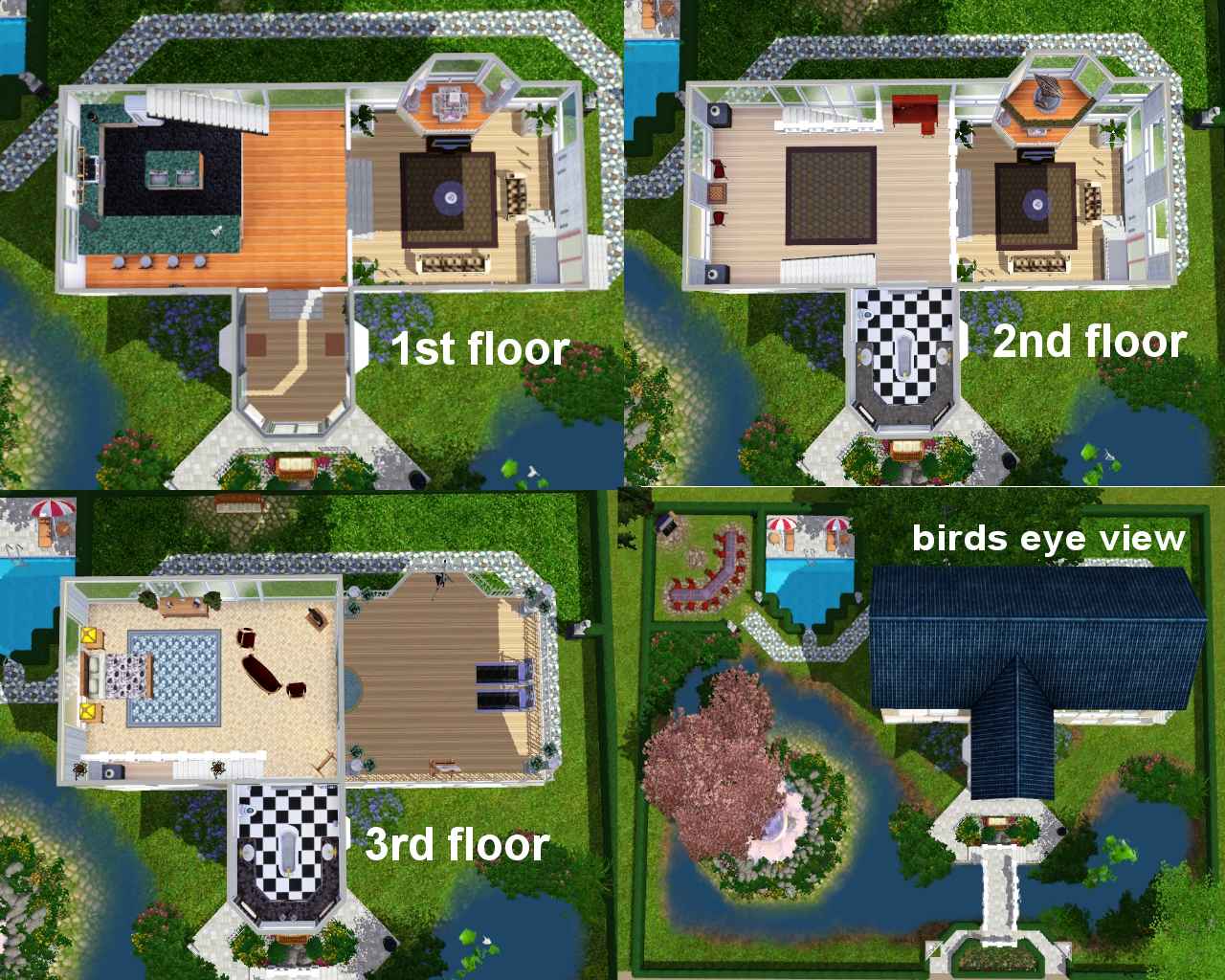
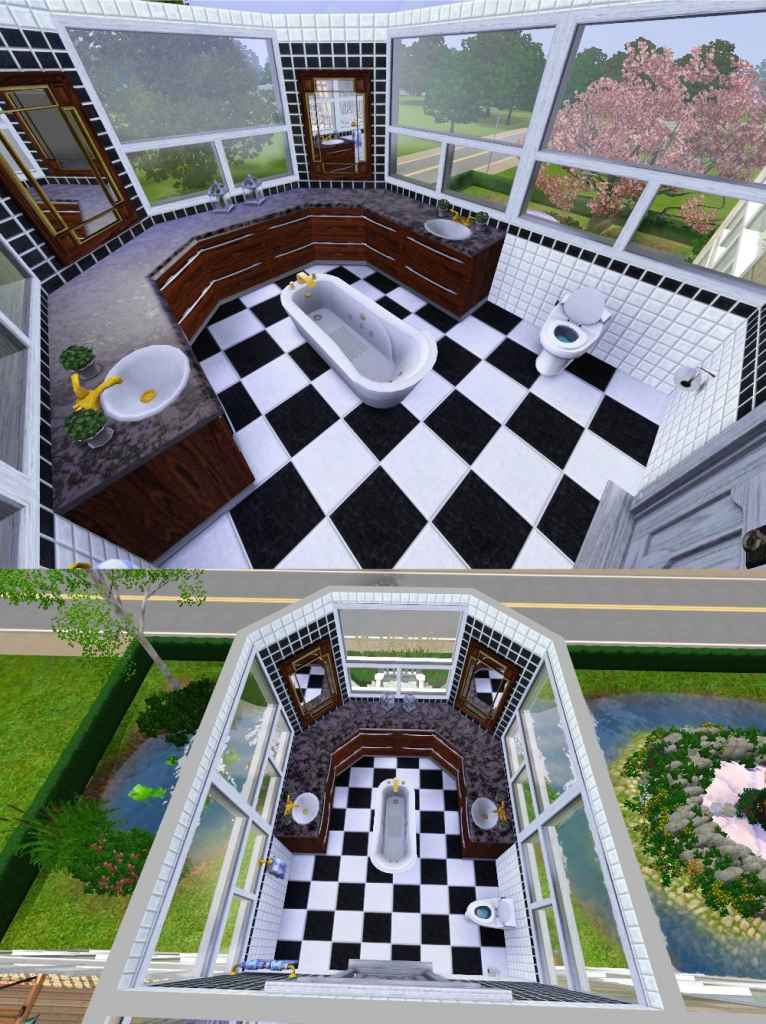
2nd floor is a small balcony area that can be used as a study with bathroom overlooking the lounge, leading up to a open plan bedroom and outdoor balcony with a roof over.
The coffe table and bowl are thanks to stylist sims and can be found at :- http://www.stylistsims.net/sims3/objects_01.html
ty so much.
Outside you will see a lovely little working ornamental bridge and a more subtle fountain.
please let me know what you think as its my first try at this.
I'm afraid i forgot toput in a bookcase but im sure that can be fixed.
Lot Size: 40x30
Lot Price Furnished: 208,049
Lot Price Unfurnished: 111,121
Additional Credits:
The coffe table and bowl are thanks to stylist sims and can be found at :- http://www.stylistsims.net/sims3/objects_01.html
|
fads lil haven.zip
Download
Uploaded: 16th Aug 2009, 5.20 MB.
442 downloads.
|
||||||||
| For a detailed look at individual files, see the Information tab. | ||||||||
Install Instructions
1. Click the filename or the download button to download the file to your computer.
2. Extract the zip, rar, or 7z file.
2. Select the .sims3pack file you got from extracting.
3. Cut and paste it into your Documents\Electronic Arts\The Sims 3\Downloads folder. If you do not have this folder yet, it is recommended that you open the game and then close it again so that this folder will be automatically created. Then you can place the .sims3pack into your Downloads folder.
5. Load the game's Launcher, and click on the Downloads tab. Select the house icon, find the lot in the list, and tick the box next to it. Then press the Install button below the list.
6. Wait for the installer to load, and it will install the lot to the game. You will get a message letting you know when it's done.
7. Run the game, and find your lot in Edit Town, in the premade lots bin.
Extracting from RAR, ZIP, or 7z: You will need a special program for this. For Windows, we recommend 7-Zip and for Mac OSX, we recommend Keka. Both are free and safe to use.
Need more help?
If you need more info, see Game Help:Installing TS3 Packswiki for a full, detailed step-by-step guide!
Loading comments, please wait...

Uploaded: 16th Aug 2009 at 5:15 PM
-
by hudy777DeSign 4th Jun 2009 at 9:35pm
 16
55.4k
29
16
55.4k
29
-
by Aspen Creations 16th Aug 2009 at 5:16pm
11
11.2k
7
-
by Aspen Creations 20th Aug 2009 at 2:08am
24
18.9k
14
-
-
-
-
by 8BlackBat8 29th Jun 2012 at 3:37pm
+7 packs
2 12.3k 6 World Adventures
 High-End Loft Stuff
 Ambitions
 Late Night
 Outdoor Living Stuff
 Generations
 Pets
Pets
-
-
-
by RubyRed2021 19th Sep 2021 at 7:58pm
+16 packs
3k 6 World Adventures
High-End Loft Stuff
Ambitions
 Fast Lane Stuff
Late Night
Outdoor Living Stuff
Generations
Fast Lane Stuff
Late Night
Outdoor Living Stuff
Generations
 Town Life Stuff
 Master Suite Stuff
Pets
Master Suite Stuff
Pets
 Showtime
 Supernatural
 Seasons
 University Life
 Island Paradise
 Into the Future


