Sign in to Mod The Sims
 Recolours for converted Sims3 boombox
 Recolours for converted Sims3 boombox


Boombox recolour1.jpg - width=351 height=291
Boombox recolour2.jpg - width=351 height=291
Boombox recolour3.jpg - width=351 height=291
Boombox recolour4.jpg - width=351 height=291
Boombox recolour5.jpg - width=351 height=291
Boombox recolour6.jpg - width=351 height=291
Boombox recolour7.jpg - width=351 height=291
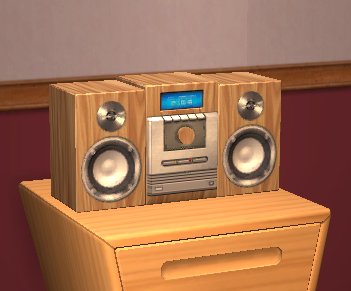
Mesh is not included, get it at the link below.
Edit: if you cannot see the link below, click here to go to the mesh.
Files are Compressorized.
Enjoy!
Additional Credits:
GIMP
|
Boombox recolours.zip
Download
Uploaded: 20th Oct 2009, 164.0 KB.
7,163 downloads.
|
||||||||
| For a detailed look at individual files, see the Information tab. | ||||||||
Install Instructions
1. Download: Click the download link to save the .rar or .zip file(s) to your computer.
2. Extract the zip, rar, or 7z file.
3. Place in Downloads Folder: Cut and paste the .package file(s) into your Downloads folder:
- Origin (Ultimate Collection): Users\(Current User Account)\Documents\EA Games\The Sims™ 2 Ultimate Collection\Downloads\
- Non-Origin, Windows Vista/7/8/10: Users\(Current User Account)\Documents\EA Games\The Sims 2\Downloads\
- Non-Origin, Windows XP: Documents and Settings\(Current User Account)\My Documents\EA Games\The Sims 2\Downloads\
- Mac: Users\(Current User Account)\Documents\EA Games\The Sims 2\Downloads
- Mac x64: /Library/Containers/com.aspyr.sims2.appstore/Data/Library/Application Support/Aspyr/The Sims 2/Downloads
- For a full, complete guide to downloading complete with pictures and more information, see: Game Help: Downloading for Fracking Idiots.
- Custom content not showing up in the game? See: Game Help: Getting Custom Content to Show Up.
- If you don't have a Downloads folder, just make one. See instructions at: Game Help: No Downloads Folder.
Meshes needed
This download requires one or more meshes to work properly. Please check the Description tab for information about the meshes needed, then download them below:| MTS cannot guarantee any off-site links will be available |
| The Sims 3 Boom Box For The Sims 2 by joninmobile |
Loading comments, please wait...
Uploaded: 20th Oct 2009 at 2:45 PM
Updated: 26th Mar 2010 at 4:28 PM by Delphy - Fixed mesh link
#boombox, #conversion, #audio
-
-
by Dr Pixel updated 9th Feb 2005 at 1:07pm
 34
23.6k
5
34
23.6k
5
-

by Campbeline 8th Aug 2005 at 4:57pm
12
7.2k
2
-
by Sandollar 15th Nov 2005 at 6:49pm
3
12.5k
5
-
-
-
by garotinho 6th Oct 2007 at 9:44am
5
12.2k
12
-
-
by candyo1965 12th Aug 2008 at 8:20am
4
8.9k
6
-
by hudy777DeSign updated 13th Apr 2009 at 9:51pm
19
50.1k
27



-
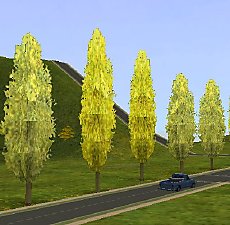
Seasons-friendly tall poplar 'hood deco trees
by Gwenke33 29th Jul 2011 at 6:06am
Two 'hood deco trees which change with the seasons. more...
+1 packs
16 41.3k 54 Nightlife
Miscellaneous » Neighborhoods & CAS Screens » Neighbourhood Deco
-

-
-
Recolours for the sewable quilt - pack 2
by Gwenke33 7th Mar 2011 at 8:08pm
10 recolours for the quilt sims can make on the sewing machine in FT. more...
+1 packs
10 19.3k 38 Free Time
-
-
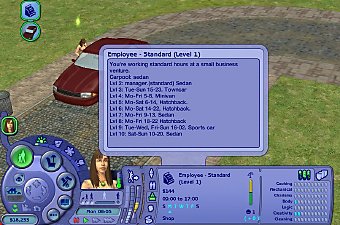
Pickable OfB employee work schedules
by Gwenke33 11th Dec 2009 at 12:32am
I prefer that my sims work at businesses owned by other sims, rather than in standard or custom "careers". more...
+2 packs
25 64.9k 111 Open for Business
 Apartment Life
-
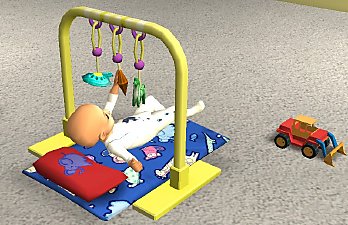

First impressions - Recolours for Sims Store baby items
by Gwenke33 5th Sep 2009 at 10:42pm
Edit 15 Jan 2012: As the Sims2 Store is now closed, you can get the meshes in this more...
78
198.1k
240
-
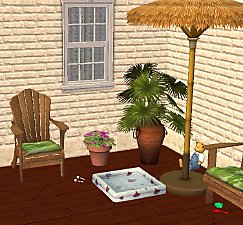
Bright recolours of Echo's Kiddie Pool
by Gwenke33 28th Sep 2009 at 4:12pm
Even though summer is past, sim kids can still splash in this small pool on warm afternoons on the porch. more...
11
40.8k
74
-
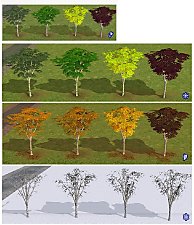
Seasons-friendly birch tree recolours
by Gwenke33 25th May 2011 at 10:40pm
Four seasons-friendly birch tree recolours more...
+1 packs
13 27.3k 36 Seasons
-