
 Sign in to Mod The Sims
 Basic Male Watch
 Basic Male Watch


WatchCatalogue.jpg - width=322 height=395
CAS thumbnails of three default designs.
WatchCAST.jpg - width=537 height=390
Channel 1 = strap. Channel 2 = watch face surround and buckle (visible in detail picture)
WatchDetail.jpg - width=326 height=583
Shots to show stitching, straps and buckle.
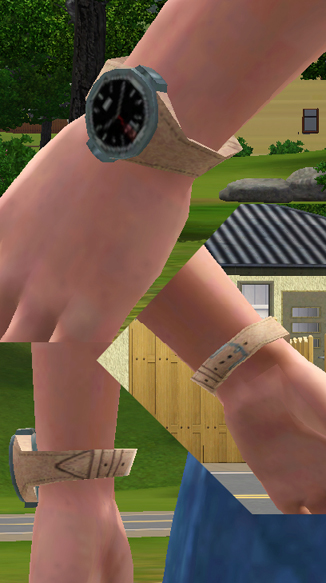
This watch is for male Sims and works for all ages from teen to elder. It is available in all clothing catagories, so that is: Everyday; Formal; Sleep; Swim; Athletic.
It DOESN'T override the original watch, comes with three default designs and has two CASTable channels. The first channel is the strap and the second channel is the face surround and buckle.
NOTE: On extremely large Sims only there is a slight clipping issue.
Install the .package file into your Mods/Packages directory, or a subfolder. If you don't know what that is then take a look at the wiki on how to install custom content for the Sims 3.
I hope your male Sims enjoy their new accessory but please don't redistribute it.
Polygon Counts:
Polygons = 158
Faces = 474
Should both be the same as the EA original.
Additional Credits:
TSR Workshop,
Milkshape,
Wes Howe,
Photoshop.
This is a new mesh, and means that it's a brand new self contained object that usually does not require a specific Pack (although this is possible depending on the type). It may have Recolours hosted on MTS - check below for more information.
|
MM_BasicMaleWatch.zip
Download
Uploaded: 4th Jan 2010, 724.1 KB.
6,501 downloads.
|
||||||||
| For a detailed look at individual files, see the Information tab. | ||||||||
Install Instructions
1. Click the download button, or the filename, to download the file to your computer.
2. Extract the zip, rar, or 7z file. Now you will have either a .package or a .sims3pack file.
For Package files:
1. Cut and paste the file into your Documents\Electronic Arts\The Sims 3\Mods\Packages folder. If you do not already have this folder, you should read the full guide to Package files first: Sims 3:Installing Package Fileswiki, so you can make sure your game is fully patched and you have the correct Resource.cfg file.
2. Run the game, and find your content where the creator said it would be (build mode, buy mode, Create-a-Sim, etc.).
For Sims3Pack files:
1. Cut and paste it into your Documents\Electronic Arts\The Sims 3\Downloads folder. If you do not have this folder yet, it is recommended that you open the game and then close it again so that this folder will be automatically created. Then you can place the .sims3pack into your Downloads folder.
2. Load the game's Launcher, and click on the Downloads tab. Find the item in the list and tick the box beside it. Then press the Install button below the list.
3. Wait for the installer to load, and it will install the content to the game. You will get a message letting you know when it's done.
4. Run the game, and find your content where the creator said it would be (build mode, buy mode, Create-a-Sim, etc.).
Extracting from RAR, ZIP, or 7z: You will need a special program for this. For Windows, we recommend 7-Zip and for Mac OSX, we recommend Keka. Both are free and safe to use.
Need more help?
If you need more info, see:
- For package files: Sims 3:Installing Package Fileswiki
- For Sims3pack files: Game Help:Installing TS3 Packswiki
Loading comments, please wait...



Uploaded: 4th Jan 2010 at 5:56 PM
Updated: 6th Jan 2010 at 7:55 PM
-
by Shep 4th Jul 2009 at 12:43pm
 37
145.8k
204
37
145.8k
204
-
by ailivina 10th Sep 2009 at 2:33pm
19
48.4k
73
-

by newone08 3rd Nov 2009 at 12:31am
33
104.7k
233
-

by lurania 4th Jan 2010 at 5:48pm
15
66.4k
113
-
by Menaceman44 7th Jan 2010 at 10:58pm
7
17.3k
46
-
by cutsocks 28th Sep 2010 at 4:03am
19
33.2k
57
-
-
by Fresh-Prince 7th Dec 2011 at 5:30pm
22
49.8k
139
-
by Cure Smile 6th Jan 2023 at 6:30pm
5.3k
21
-


-
by Menaceman44 updated 21st Jul 2022 at 11:46pm
Description A new counter to adorn your kitchens and bathrooms with! Not just any old counter though; these ones float! more...
 2
8.2k
30
2
8.2k
30
-
TS3 > TS4 Low Country Living Pet House Conversion
by Menaceman44 updated 27th May 2025 at 3:55pm
A pet house conversion from TS3 for use in TS4. more...
+1 packs
26 57.2k 189 Cats and Dogs
-
Veggistuf Produce Bin Texture Fix
by Menaceman44 4th Aug 2009 at 10:02pm
I always wondered why there were two of each colour for the 'Veggistuf Produce Display Bin' which came with the more...
 10
22.7k
62
10
22.7k
62
-

*Updated Please Redownload*Green and Grey recolours of t2suggas' Elder Skirt Mesh
by Menaceman44 26th Jan 2008 at 12:47pm
:alarm: *Update* I just noticed an error with the texture on these skirts and I've now fixed them. more...
-
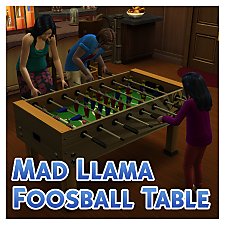
TS3>TS4 Mad Llama Foosball Table
by Menaceman44 10th Aug 2023 at 10:01pm
+1 packs
2 11.4k 15 Get Together
-
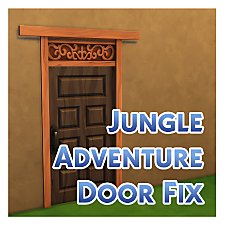

Jungle Adventure Wooden Door Texture Fix
by Menaceman44 20th Jun 2018 at 10:13pm
Corrects the missing transparency and fixes the door cutout when zoomed close. more...
-
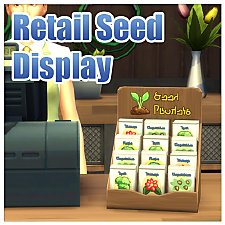

Functional Retail "Little Sprout" Seed Display
by Menaceman44 updated 19th Aug 2015 at 4:46pm
A seed display from which Sims can purchase seed starter packs. more...
37
87.7k
327
-
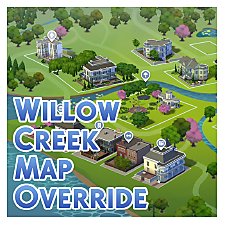

by Menaceman44 updated 7th Dec 2025 at 6:55pm
A texture replacement for the Willow Creek map to make it more accurate to the in-game world. more...
-
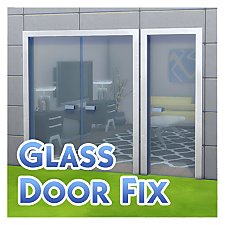

Fix for Simple Glass Double Door and Stark Front Door
by Menaceman44 updated 30th Jun 2019 at 6:06pm
A fix to make the base game glass doors actually appear as glass. more...
-
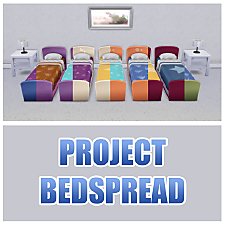

Project Bedspread; Anti-Goblin Bed by Kindermade Recolours
by Menaceman44 updated 12th Nov 2017 at 4:49pm
Recolours of the Anti-Goblin Bed by Kindermade to enable all bedding colours for all bed frames. more...
15
15.1k
79


