
 Sign in to Mod The Sims
 Cosy,Sweet Cosy! NO CUSTOM CONTENTS!
 Cosy,Sweet Cosy! NO CUSTOM CONTENTS!


CosySweetCosyThumb.jpg - width=1024 height=768
Front.jpg - width=1024 height=768
Front
Back.jpg - width=1024 height=768
Back
FirstFloor.jpg - width=1024 height=768
SecondFloor.jpg - width=1024 height=768
Living.jpg - width=1024 height=768
Living Room
Kitchen.jpg - width=1024 height=768
Kitchen and Dining
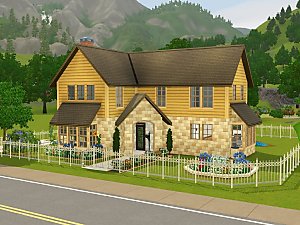
 Well, first let me introduce myself. I'm newby but not new here, as I've downloaded as many things as I could since I've knew The Sims. So, this is my first upload, and I call it "Cosy, Sweet Cosy"!
 As you can see, is a tropical home, perfect for a family with kids and/or teenagers. But... wait! There's no custom content here! Why?

Well, (different from me) there are some players that just don't mind downloading objects and others (like me) that sometimes gets lazy and don't want to click CCs before downloading the house.

Moreover, I wanted to prove that beautiful houses (at least, good houses) don't really need CCs to be "beautiful"!

I wanted to make it "cosy" (didn't you notice?), so I've made it as cosier as I could :P
Haha, enjoy it, peeps! And feedback me with advices, so I can improove :D
Thanx!
Price:
Furnished: 115.041
Unfurnished: 60.997
Lot Size: 40x40
Lot Size: 4x4
Lot Price: 115.041
|
Green, Cosy Green!.rar
Download
Uploaded: 13th Jan 2010, 1.12 MB.
1,006 downloads.
|
||||||||
| For a detailed look at individual files, see the Information tab. | ||||||||
Install Instructions
1. Click the filename or the download button to download the file to your computer.
2. Extract the zip, rar, or 7z file.
2. Select the .sims3pack file you got from extracting.
3. Cut and paste it into your Documents\Electronic Arts\The Sims 3\Downloads folder. If you do not have this folder yet, it is recommended that you open the game and then close it again so that this folder will be automatically created. Then you can place the .sims3pack into your Downloads folder.
5. Load the game's Launcher, and click on the Downloads tab. Select the house icon, find the lot in the list, and tick the box next to it. Then press the Install button below the list.
6. Wait for the installer to load, and it will install the lot to the game. You will get a message letting you know when it's done.
7. Run the game, and find your lot in Edit Town, in the premade lots bin.
Extracting from RAR, ZIP, or 7z: You will need a special program for this. For Windows, we recommend 7-Zip and for Mac OSX, we recommend Keka. Both are free and safe to use.
Need more help?
If you need more info, see Game Help:Installing TS3 Packswiki for a full, detailed step-by-step guide!
Loading comments, please wait...

Uploaded: 13th Jan 2010 at 7:16 PM
-
-
-
Dutch Canadian Cosy Family home with Veranda & Basement
by nivaso 20th Jul 2009 at 7:44pm
 21
17.4k
25
21
17.4k
25
-
-
-

by LiamHeartsTheSims 6th Dec 2009 at 3:22pm
3
9k
3
-
by ung999 19th Dec 2009 at 11:25pm
50
95.3k
119
-
-
by ohthatsimschick 14th Aug 2014 at 11:35am
3
6.5k
23
-
by zenomia 17th May 2020 at 11:12am
3
6.3k
20


