
 Sign in to Mod The Sims
 Framire Bedroom
 Framire Bedroom

justmoi_FramireBedroomCollection.jpg - width=600 height=251
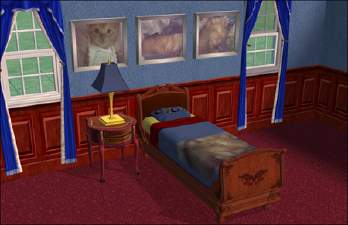
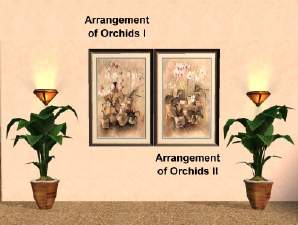
Hi, here is my first attempt at creating a matching bedroom. The set includes an armoire, bed frame, bedding, nightstand with two fronts (one imitates a solid mahogany panel), bookcase, recliner, two paintings, window, flower, wall sconce lamp, table lamp, and wallpaper.
These files will overwite the old files so just unzip them to the same directory as the old files.
As always, they work in my game but please let me know if you have any problems with them in your game. Each file is an individual *.package file and screenshots are included in the zip. Thanks.
Install to ...My Downloads/EA Games/The Sims 2/Downloads.
COLOUR ENABLED PACKAGES REQUIRED: This recoloured object was made using the new colour enabling package features in SimPE Object Workshop. This enables Maxis objects which only had 1 color option available to turn the option on if content is added to provide more colour/texture items. If you do not have these colour enable packages installed this object will not be available in your game. To download the colour enabled packages and install on your system please see http://www.modthesims2.com/showthread.php?t=35224 and follow the installation instructions there.
This custom content if it is not clothing, may require a seperate download to work properly. This is available at Colour Enable Package (CEP) by Numenor.
|
justmoi_FramireBedroomCollection.zip
Download
Uploaded: 20th Mar 2005, 1.42 MB.
542 downloads.
|
||||||||
| For a detailed look at individual files, see the Information tab. | ||||||||
Install Instructions
1. Download: Click the download link to save the .rar or .zip file(s) to your computer.
2. Extract the zip, rar, or 7z file
3. Place in Downloads Folder: Cut and paste the .package file(s) into your Downloads folder:
- Origin (Ultimate Collection): Users\(Current User Account)\Documents\EA Games\The Sims™ 2 Ultimate Collection\Downloads\
- Non-Origin, Windows Vista/7/8/10: Users\(Current User Account)\Documents\EA Games\The Sims 2\Downloads\
- Non-Origin, Windows XP: Documents and Settings\(Current User Account)\My Documents\EA Games\The Sims 2\Downloads\
- Mac: Users\(Current User Account)\Documents\EA Games\The Sims 2\Downloads
- Mac x64:
/Library/Containers/com.aspyr.sims2.appstore/Data/Library/Application Support/Aspyr/The Sims 2/Downloads
Need more information?
- For a full, complete guide to downloading complete with pictures and more information, see: Game Help: Downloading for Fracking Idiots.
- Custom content not showing up in the game? See: Game Help: Getting Custom Content to Show Up.
- If you don't have a Downloads folder, just make one. See instructions at: Game Help: No Downloads Folder.
Loading comments, please wait...



Uploaded: 23rd Jan 2005 at 7:57 PM
Updated: 10th Jul 2005 at 10:19 PM - Removed "Testers Wanted".




-
-

justmoi's "Sleek Art" Recolours
by justmoi 20th Jan 2006 at 6:09am
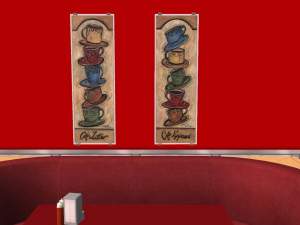
Here 8 recolours of my new mesh "Sleek Art" to decorate your shops and restaurants with. more...
 7
6.1k
2
7
6.1k
2
-

-

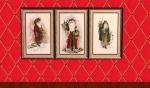
It's Christmastime in the City...
by justmoi 29th Nov 2005 at 4:06am
Update - 2005-11-29: Hi again, I've added 20 more paintings in collection 2. more...
+2 packs
3 4k 4 University
 Nightlife
-
-

justmoi's "Orchestra" Mesh Recolours +
by justmoi 19th May 2006 at 10:43am
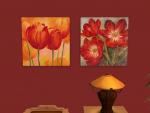
Here are more recolours of my "Orchestra" painting mesh (4 paintings & 1 frame) as well as 4 recolours of more...
+1 packs
8 9.9k 6 Nightlife
-
Three 3-Tile Albrecht Durer Paintings
by justmoi 30th Jan 2005 at 7:21am
UPDATE: These objects have been updated using the latest version of SimPE and should be compatible with the University more...
8
4.9k
3
-
14 Reminders of Summer Paintings
by justmoi 27th Nov 2005 at 9:13pm
2005-11-28: I've redone 8 paintings based on "The Lady On Red" for players who do not have the expansions. more...
+2 packs
8 4.8k 2 University
Nightlife
-
justmoi's "Rustic Square" Mesh Recolours
by justmoi 18th Jan 2008 at 3:47am
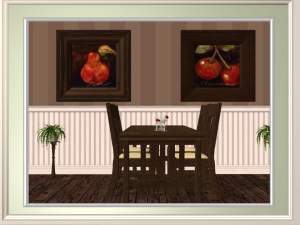
Here are 6 recolours of my "Rustic Square" painting mesh. Enjoy. more...
3
12.4k
4
-
5 Arch of Antiquity Windows and 1 Door
by justmoi 2nd Feb 2005 at 4:19am
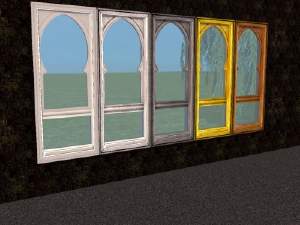
UPDATE: These objects have been updated using the latest version of SimPE and should be compatible with the upcoming more...
13
15.7k
2


