
 Sign in to Mod The Sims
 Elven Set. Part I: Build Mode
 Elven Set. Part I: Build Mode


D&M_ElvenSet-BM01.jpg - width=1030 height=642
D&M_ElvenSet-BM1.jpg - width=1271 height=950
D&M_ElvenSet-BM02.jpg - width=1271 height=950
D&M_ElvenSet-BM2.jpg - width=1271 height=950
D&M_ElvenSet-BM03.jpg - width=1271 height=950
D&M_ElvenSet-BM3.jpg - width=1271 height=950
D&M_ElvenSet-BM04.jpg - width=1271 height=950
D&M_ElvenSet-BM4.jpg - width=1271 height=950

I based on Lineage II screenshots and LOTR illustrations to create this set.
Elven Column
Price: 200
Channels: 3
Build Mode - Column
Elven Round Column
Price: 150
Channels: 2
Build Mode - Column
Elven Deco Column Top/Bottom
Pice: 50
Channels: 2
Build Mode - Column
Elven Deco Column Corner Top/Bottom
Pice: 50
Channels: 2
Build Mode - Column
Elven Fence
Pice: 10
Channels: 3
Build Mode - Fences
Elven Fence with Arch
Pice: 20
Channels: 3
Build Mode - Fences
Elven Railing
Pice: 0
Channels: 3
Build Mode - Railing
Elven Roof
Pice: 0
Channels: 0
Build Mode - Roof
Elven Deco Arch
Pice: 275
Channels: 2
Buy Mode - Misc Decor
Elven Deco B Arch
Pice: 300
Channels: 2
Buy Mode - Misc Decor
Elven Deco R Arch
Pice: 200
Channels: 2
Buy Mode - Misc Decor
Elven Vault
Pice: 250
Channels: 2
Buy Mode - Misc Decor
Polygon Counts:
Elven Column - Faces - 383
Elven Round Column - Faces - 758
Elven Deco Column Top/Bottom - Faces - 85
Elven Deco Column Corner Top/Bottom - Faces - 129
Elven Fence - Faces - 60 / 60 / 360
Elven Fence with Arch - Faces - 572 / 572 / 360
Elvne Railing - Faces - 388 / 32 / 360
Elven Deco Arch - Faces - 448
Elven Deco B Arch - Faces - 1484
Elven Deco R Arch - Faces - 156
Elven Vault - Faces - 1120
|
D&M_ElvenSet_PI_BM.rar
Download
Uploaded: 5th Jan 2011, 5.26 MB.
39,846 downloads.
|
||||||||
| For a detailed look at individual files, see the Information tab. | ||||||||
Install Instructions
1. Click the download button, or the filename, to download the file to your computer.
2. Extract the zip, rar, or 7z file. Now you will have either a .package or a .sims3pack file.
For Package files:
1. Cut and paste the file into your Documents\Electronic Arts\The Sims 3\Mods\Packages folder. If you do not already have this folder, you should read the full guide to Package files first: Sims 3:Installing Package Fileswiki, so you can make sure your game is fully patched and you have the correct Resource.cfg file.
2. Run the game, and find your content where the creator said it would be (build mode, buy mode, Create-a-Sim, etc.).
For Sims3Pack files:
1. Cut and paste it into your Documents\Electronic Arts\The Sims 3\Downloads folder. If you do not have this folder yet, it is recommended that you open the game and then close it again so that this folder will be automatically created. Then you can place the .sims3pack into your Downloads folder.
2. Load the game's Launcher, and click on the Downloads tab. Find the item in the list and tick the box beside it. Then press the Install button below the list.
3. Wait for the installer to load, and it will install the content to the game. You will get a message letting you know when it's done.
4. Run the game, and find your content where the creator said it would be (build mode, buy mode, Create-a-Sim, etc.).
Extracting from RAR, ZIP, or 7z: You will need a special program for this. For Windows, we recommend 7-Zip and for Mac OSX, we recommend Keka. Both are free and safe to use.
Need more help?
If you need more info, see:
- For package files: Sims 3:Installing Package Fileswiki
- For Sims3pack files: Game Help:Installing TS3 Packswiki
Loading comments, please wait...


Uploaded: 5th Jan 2011 at 10:57 AM
-

by Flabaliki 10th Apr 2010 at 11:42pm
 14
39.2k
78
14
39.2k
78
-
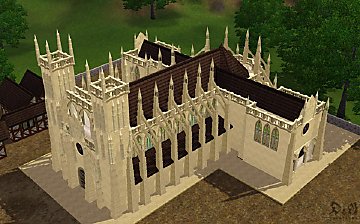
Build your own Cathedral / Medieval Challenge
by Hekate999 updated 14th Apr 2011 at 10:46am
79
166k
231
-
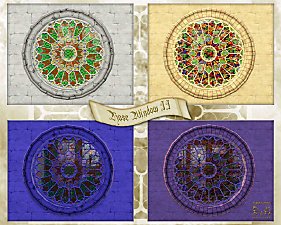
2 Requests (Arch 3x1 - Big Rose Window) and 2 New Windows
by Hekate999 updated 14th Apr 2011 at 10:57am
44
88.8k
200
-
-

by Victor_tor updated 15th Sep 2010 at 9:40am
22
64.6k
108
-
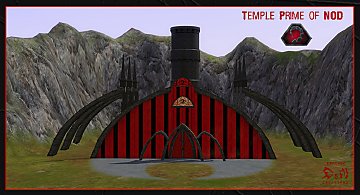
Request : Objects's Set to build "Temple Prime Of Nod"
by Hekate999 updated 14th Apr 2011 at 11:47am
26
35.9k
36
-
-
by Lisen801 updated 29th May 2012 at 10:17am
123
195.3k
355
-
Cast Iron Stair and matching Fence
by Lisen801 updated 27th May 2012 at 9:24am
+1 packs
53 87k 203 World Adventures
-


-
-
Medieval Blacksmith - Deco Objects - Ye Olde Kingdom of Pudding
by The Merrye Makers 20th Dec 2011 at 11:27am
Medieval blacksmith decorative objects made by Hekate999 for The Merrye Makers. more...
8
56.7k
117
-
-
Medieval Men's Shoes for Teens, Adults, and Elders CAS - Ye Olde Kingdom of Pudding
by The Merrye Makers 12th Nov 2012 at 2:46pm
Base game medieval male shoes with 3 channels for teens to elders in everyday and formal categories. more...
-
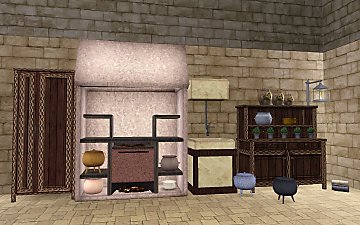
The Medieval Kitchen Part 1 - Ye Olde Kingdom of Pudding
by The Merrye Makers 7th Jan 2012 at 2:24am
A sink, stove, refrigerator, and two decorative cooking pots for medieval castle kitchens. Made by Hekate999 for The Merrye Makers. more...
25
91.2k
210
-
-
Medieval Shoes for Boys and Girls CAS - Ye Olde Kingdom of Pudding
by The Merrye Makers 14th Jul 2013 at 4:46am
This time, our shoemaker only bring boots for children. After all, our boys and girls can not walk barefoot through the kingdom. more...
-

2 Requests: Big Candy Cane and Water Wheel
by Hekate999 4th Aug 2010 at 2:38pm
Big Candy Cane and Water Wheel more...
22
34k
49
-
Medieval Cash Registers - Ye Olde Kingdom of Pudding
by The Merrye Makers 1st Jan 2012 at 4:23pm
Community Objects Cash Boxes/Registers made by Hekate999 for The Merrye Makers. Only the General Store register is recolourable. more...
+1 packs
11 44.1k 107 World Adventures
-
Build your own Cathedral / Medieval Challenge
by Hekate999 updated 14th Apr 2011 at 10:46am
Objects set to build your own Cathedral more...
79
166.1k
231
About Me
All my creations are for The Sims 3 and can be converted to The Sims 2 and The Sims 4, but can't be used for other projects.
Please give credit with a link when converting my work.
Thanks:
Wes Howe: S3ObjTool
Inge and Peter Jones: S3OC and S3PE Delphy: Sims3dashboard
All the authors of tutorials in MTS