
 Sign in to Mod The Sims
 Retro Dining
 Retro Dining


RetroMain.jpg - width=600 height=450
Ex1.jpg - width=1010 height=710
Ex2.JPG - width=1010 height=710
4Sets.JPG - width=1010 height=710
Tables1.JPG - width=800 height=600
Tables2.JPG - width=800 height=600
Chairs.JPG - width=800 height=500
Clipping.JPG - width=800 height=600
The two spots sims clip into the table.
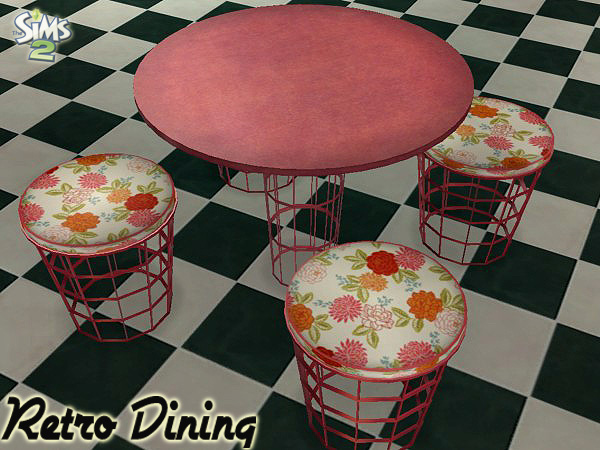
Inspired by SailinSims 70's Retro theme..a new dining set consisting of a 1-tile table and chair. Even though I was around during the 70's, I don't really remember much about the furniture. Ask me about the clothing, and we can talk! (Plaid hip-hugger bell bottoms anyone?!?) Doing a tiny bit of research gave me the idea that a lot of color was used (ok, Mom..why did we have a brown plaid couch then?).. and my set was modeled after a real set.. so I decided to add some brighter colors. New for me, no? Yes, it is.

Known Issues:
*The tabletop is slightly oversized- it will clip into the walls if you put it in a corner. For that reason, there are no wall shadows for the table.
*Sims will clip into the base of the table a bit. Hand will pass through tabletop when they first start to eat, too. See attached pic.
*The animations for pulling out the chair are a bit off since there is no back. It doesn't look too bad though.
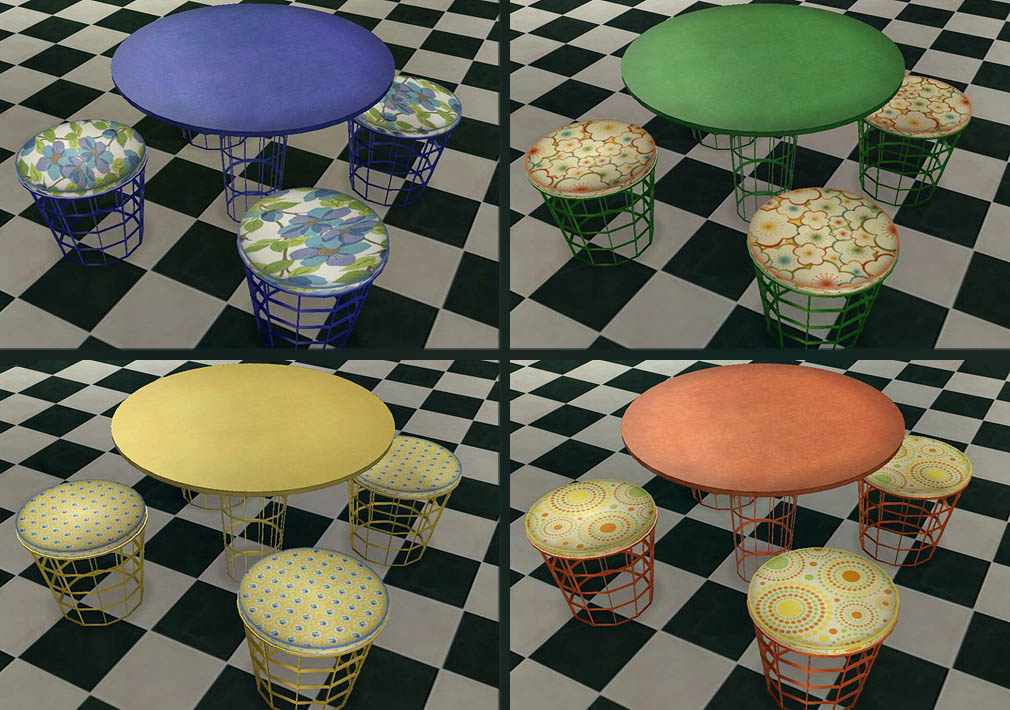
There are 12 colors total for the table/chair frames, 14 for the tabletop and 12 for the cushion- all are shown in the screenshots. Not all are "retro", I felt there should be some more modern colors, too. The colored table tops are leather. There are also 3 glass and 2 marble table tops. If there are any you don't want, the recolors are named to make it easy to delete them. (The chair recolors are named by the frame color- not the cushion.)
If you would like to recolor, I do have the .psd's with the shadows and the cushion piping. Also, since the default table top is glass- if you do a solid recolor, you'll have to change "blend" to "none" in the TXMT or your recolor will be transparent. (That's very easy to do but if you need help, feel free to ask!)
Polygon Counts:
Table: 674
Chair: 534
Additional Credits:
SimPE, MilkShape, UVMapper Pro, PhotoShop CS2
This is a new mesh, and means that it's a brand new self contained object that usually does not require a specific Pack (although this is possible depending on the type). It may have Recolours hosted on MTS - check below for more information.
|
MLC-RetroDiningChair.rar
| Chair mesh and recolors.
Download
Uploaded: 22nd Jul 2011, 840.1 KB.
11,112 downloads.
|
||||||||
|
MLC-RetroTable1Tile.rar
| Table mesh and recolors.
Download
Uploaded: 22nd Jul 2011, 786.3 KB.
11,321 downloads.
|
||||||||
| For a detailed look at individual files, see the Information tab. | ||||||||
Install Instructions
1. Download: Click the download link to save the .rar or .zip file(s) to your computer.
2. Extract the zip, rar, or 7z file.
3. Place in Downloads Folder: Cut and paste the .package file(s) into your Downloads folder:
- Origin (Ultimate Collection): Users\(Current User Account)\Documents\EA Games\The Sims™ 2 Ultimate Collection\Downloads\
- Non-Origin, Windows Vista/7/8/10: Users\(Current User Account)\Documents\EA Games\The Sims 2\Downloads\
- Non-Origin, Windows XP: Documents and Settings\(Current User Account)\My Documents\EA Games\The Sims 2\Downloads\
- Mac: Users\(Current User Account)\Documents\EA Games\The Sims 2\Downloads
- Mac x64: /Library/Containers/com.aspyr.sims2.appstore/Data/Library/Application Support/Aspyr/The Sims 2/Downloads
- For a full, complete guide to downloading complete with pictures and more information, see: Game Help: Downloading for Fracking Idiots.
- Custom content not showing up in the game? See: Game Help: Getting Custom Content to Show Up.
- If you don't have a Downloads folder, just make one. See instructions at: Game Help: No Downloads Folder.
Loading comments, please wait...



Uploaded: 22nd Jul 2011 at 11:37 PM
Updated: 29th Aug 2011 at 4:14 AM - added screenie showing the clipping
-
Testers Wanted: New dining table & chair
by Qortex 22nd Feb 2005 at 3:15am
-
-
-
-
-
Dining Table w/Extendable Bench
by worship4ever0227 20th Jan 2007 at 5:59pm
-
-
-
-
Formidable Formica - retro dining set
by Monsieur_Oshima 17th Apr 2020 at 7:54pm


-

Creeping Ivy (TS3>TS2 Conversion)
by mustluvcatz 4th Apr 2013 at 5:24pm
This I made for me. No Mary's, no sims in cute little shacks. more...
 50
66.5k
259
50
66.5k
259
-
by mustluvcatz 7th Aug 2014 at 5:28pm
NOTE: This is NOT a religious object and is NOT meant to offend anyone or mock any religion. more...
37
18k
92
-
by mustluvcatz 10th Jul 2010 at 10:15am
I learned more than I ever wanted to about fluorescent lamps. more...
35
56.3k
162
-
Little Cottage (Granny's Retirement House)
by mustluvcatz 7th Nov 2013 at 4:47am
There was a distinct lack of small homes in my current neighborhood. more...
+10 packs
16 13.9k 30 Family Fun
 Nightlife
 Open for Business
 Seasons
 Kitchen & Bath
 Bon Voyage
 Free Time
 Ikea Home
 Apartment Life
 Mansion and Garden
-
Simple Kitchen Curtain Recolors - 10 patterned, 10 plain [Mesh Now Included]
by mustluvcatz 22nd Aug 2009 at 8:17pm
Nengi at Sims Crossing made this pretty kitchen curtain. more...
18
41.5k
64
-
Industrial Outlets, Plugs and Switch
by mustluvcatz 28th Mar 2013 at 1:59pm
Hi, it's me again and I left the "Marys" at home this time. more...
27
26.4k
75
-
UPDATED!! Philip Tseng - Painting Series
by mustluvcatz updated 19th Nov 2014 at 5:25pm
UPDATE: You can now download just the meshes, just the frame recolors and/or just the painting recolors. more...
7
12.3k
30
-
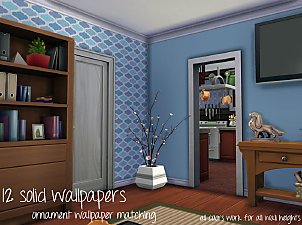
UPDATED - Solid Wallpaper Set - 12 colors (Ornament Wallpaper Matching)
by mustluvcatz updated 20th Oct 2014 at 10:50pm
I had the wrong molding in my layers for the tallest wall height - which means that the moldings won't more...
 17
19.2k
101
17
19.2k
101
-
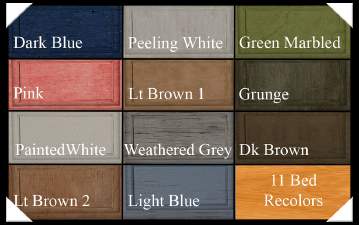
Need A New Bed? Build One! ~ Pt 2, Recolors
by mustluvcatz 24th Oct 2011 at 8:20pm
Recolors of bed and head/footboards found HERE . more...
-
MOAR Curtains! Medina Curtains, this time
by mustluvcatz 26th Oct 2009 at 4:00pm
I was looking for another curtain with nice gathers. more...
14
27.5k
22


About Me
The exception: My TS4 Robert Williamson sim. I would really like it if he's not edited in any way. He's my tribute to Robin Williams, who was someone I greatly admired. Changing him would make him just another sim.