
 Sign in to Mod The Sims
 Fake Elevator Door, Closet, and Marble Wallpaper
 Fake Elevator Door, Closet, and Marble Wallpaper


3colorspreviewpic.png - width=400 height=512
3colorspreviewpicelebutton.png - width=400 height=512
All_3_Colors_In_Game.jpg - width=1280 height=900
Gold_Elevator_Preview2.jpg - width=1280 height=900
Metal_elevator_preview2.jpg - width=1280 height=900
redwood_closet_preview2.jpg - width=1280 height=900
Hey thanks for coming over to my space
 I am new to creating and this wallpaper set is really my first homemaking attempt. I was thinking about how I wished I could have the look of the elevator without the space or trouble of a working elevator. After a bit of searching on ModTheSims I didn't find anything like what I had in mind (hopefully I didn't miss something.) After downloading thousands of mods here I decided I would share my first Sims 2 mod attempt. Hope someone finds it useful!
Included:
3x Fancy/Fake Elevator Door wallpapers (Silver, Bronze, and Gold - 2 panels each)
1x Plain/Fake Metal Elevator Door wallpaper (2 panels)
1x Redwood/Fake Closet Doors (2 panels)
4x Marble Slab, black and white Wall Tiles (one plain marble and 3 with elevator buttons in silver, bronze, and gold)
Like I said this is my first time making decorative skins and a collection file, so if there are any problems I'm sorry ahead of time.
Side note:
I recommend using Wallpaper Edging by mustluvcatz > http://www.modthesims.info/download.php?t=389195
A wonderful way to justify the line between any shift in wall pattern.
Thanks again!


|
ttbloodlusttt_fake_elevatordoor_wallpaper.rar
| Fake Elevator Doors and Closet Wallpaper
Download
Uploaded: 7th Oct 2012, 3.25 MB.
1,941 downloads.
|
||||||||
| For a detailed look at individual files, see the Information tab. | ||||||||
Install Instructions
1. Download: Click the download link to save the .rar or .zip file(s) to your computer.
2. Extract the zip, rar, or 7z file.
3. Place in Downloads Folder: Cut and paste the .package file(s) into your Downloads folder:
- Origin (Ultimate Collection): Users\(Current User Account)\Documents\EA Games\The Sims™ 2 Ultimate Collection\Downloads\
- Non-Origin, Windows Vista/7/8/10: Users\(Current User Account)\Documents\EA Games\The Sims 2\Downloads\
- Non-Origin, Windows XP: Documents and Settings\(Current User Account)\My Documents\EA Games\The Sims 2\Downloads\
- Mac: Users\(Current User Account)\Documents\EA Games\The Sims 2\Downloads
- Mac x64: /Library/Containers/com.aspyr.sims2.appstore/Data/Library/Application Support/Aspyr/The Sims 2/Downloads
- For a full, complete guide to downloading complete with pictures and more information, see: Game Help: Downloading for Fracking Idiots.
- Custom content not showing up in the game? See: Game Help: Getting Custom Content to Show Up.
- If you don't have a Downloads folder, just make one. See instructions at: Game Help: No Downloads Folder.
Loading comments, please wait...

Uploaded: 7th Oct 2012 at 11:09 AM
-
by Foxybaby 29th Dec 2004 at 10:01pm
 12
6.9k
1
12
6.9k
1
-
by Marten34 31st Jan 2005 at 10:09pm
2
5.5k
1
-
-
-
by Simsmomma 13th Dec 2005 at 4:28pm
2
6.5k
1
-
by Ani81 29th Mar 2006 at 3:47pm
3
4.4k
-
by caliberxkiss 18th Jan 2007 at 5:38am
2.9k
1
-
by caliberxkiss 20th Jan 2007 at 1:16am
1
4.4k
5
-
-
by nightstar 2nd Jun 2013 at 9:36am
6
11.9k
14

-
Zita Endeavour Coffee Table recolors
by ttbloodlusttt 3rd Oct 2012 at 4:26pm
Three recolors of Zita Endeavour coffee table. more...
1
10.1k
5
-
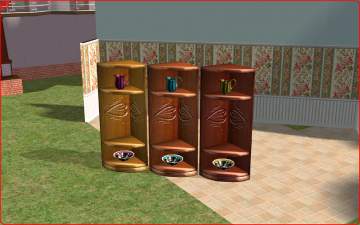
Zita Endauvour Corner Cabinet recolors
by ttbloodlusttt 3rd Oct 2012 at 4:23pm
Three recolors of Endeavour corner cabinet more...
10
14.4k
5
-
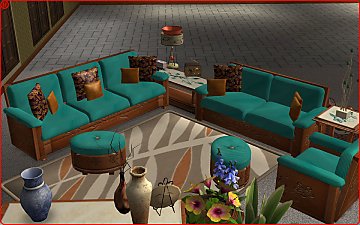
Zita Endeavour Living Room Recolors
by ttbloodlusttt 5th Oct 2012 at 3:59am
Blue, Pink, and Gold recolors of Endeavour furniture more...
