
 Sign in to Mod The Sims
 Friendly muttonchops and bushy goatee beards
 Friendly muttonchops and bushy goatee beards


bushy-goatee-ages.jpg - width=1280 height=1024
friendly-mutton-bushy-goatee-fat-recolors.jpg - width=1280 height=720
friendly-mutton-bushy-goatee-main.jpg - width=1280 height=791
friendly-mutton-bushy-goatee-sides.jpg - width=1280 height=1024
friendly-muttonchops-ages.jpg - width=1280 height=1024
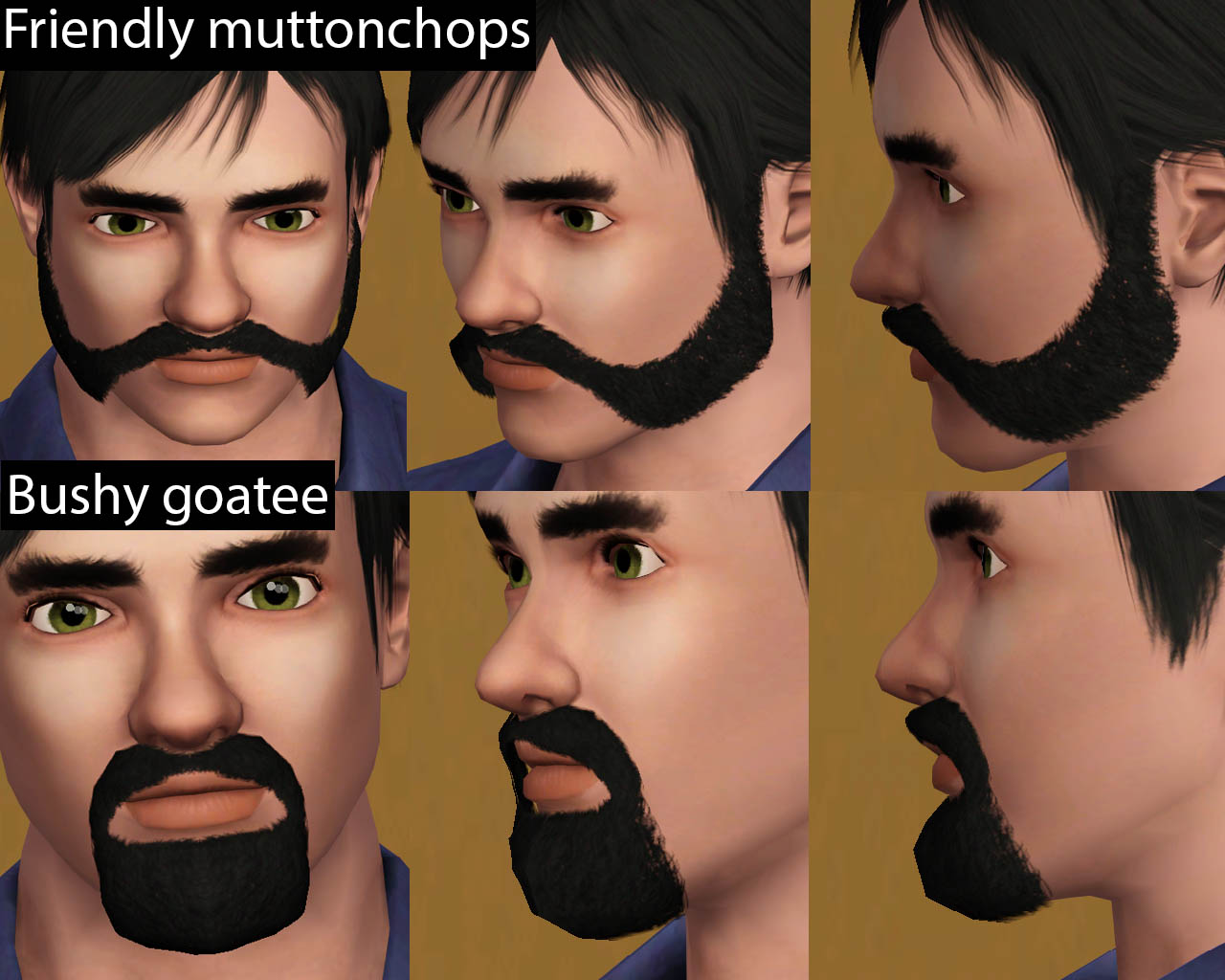
These beards are perfect for your biker, medieval, fantasy, classic and modern sims.
The beards are basegame it mean are compatible with any expansion pack.
Here they are some angles of the beards
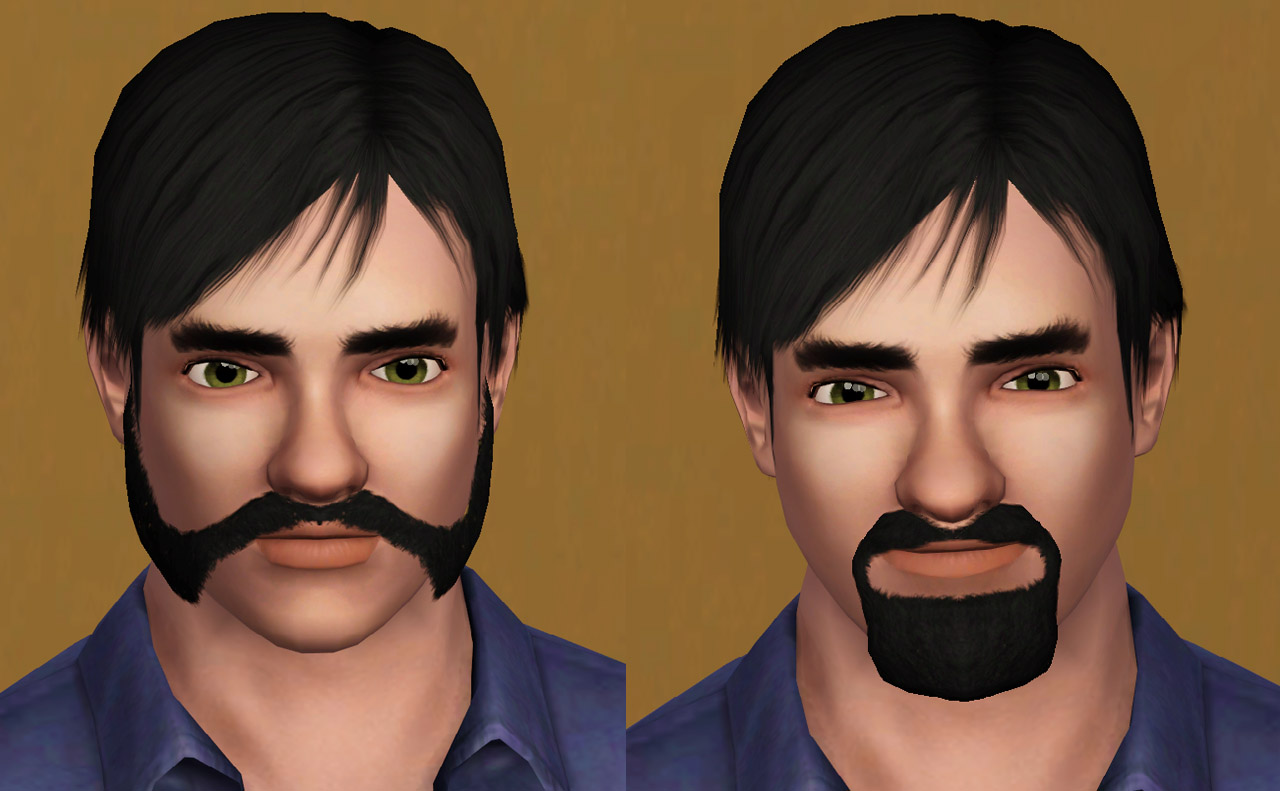
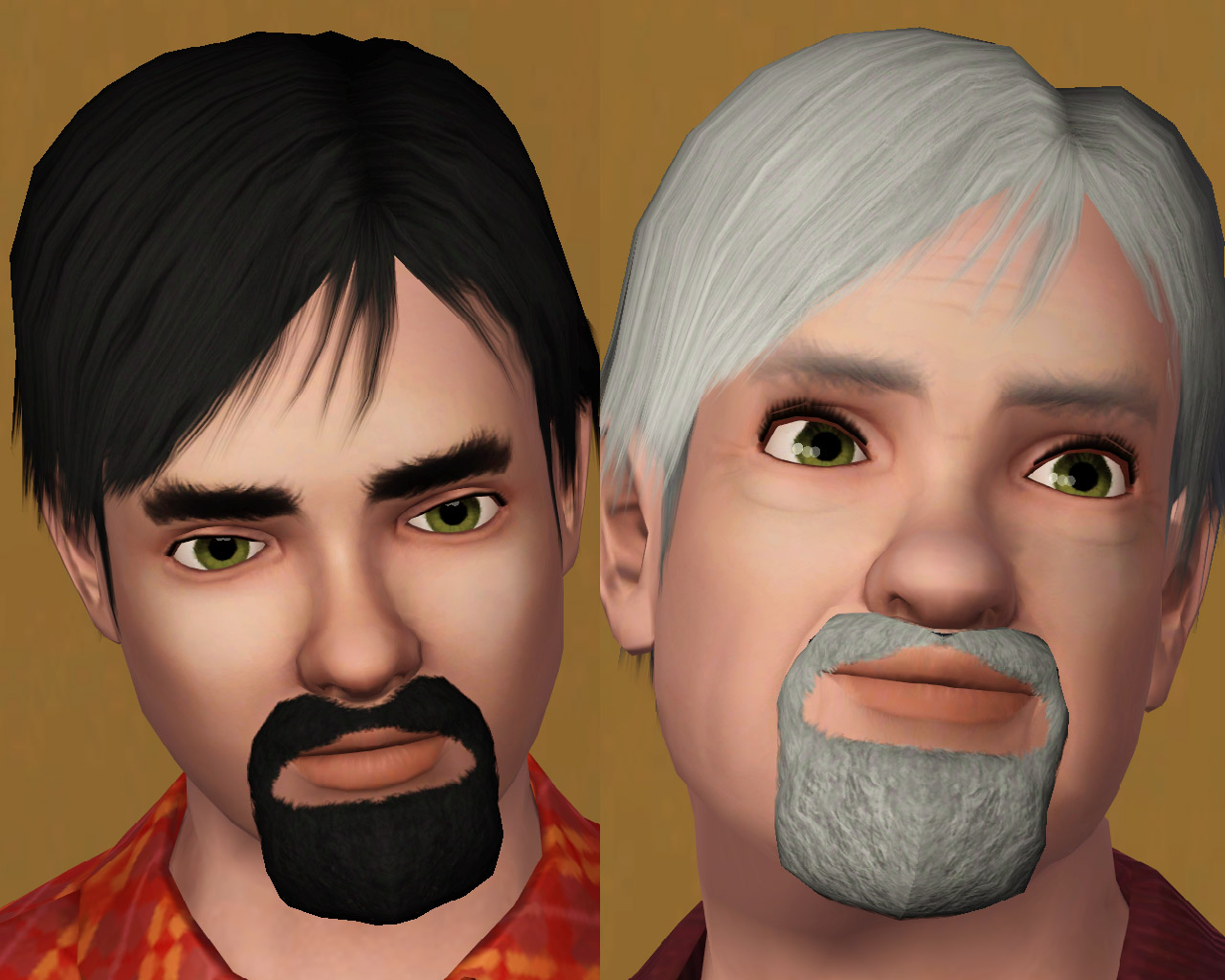
I made them from teen to elder sims
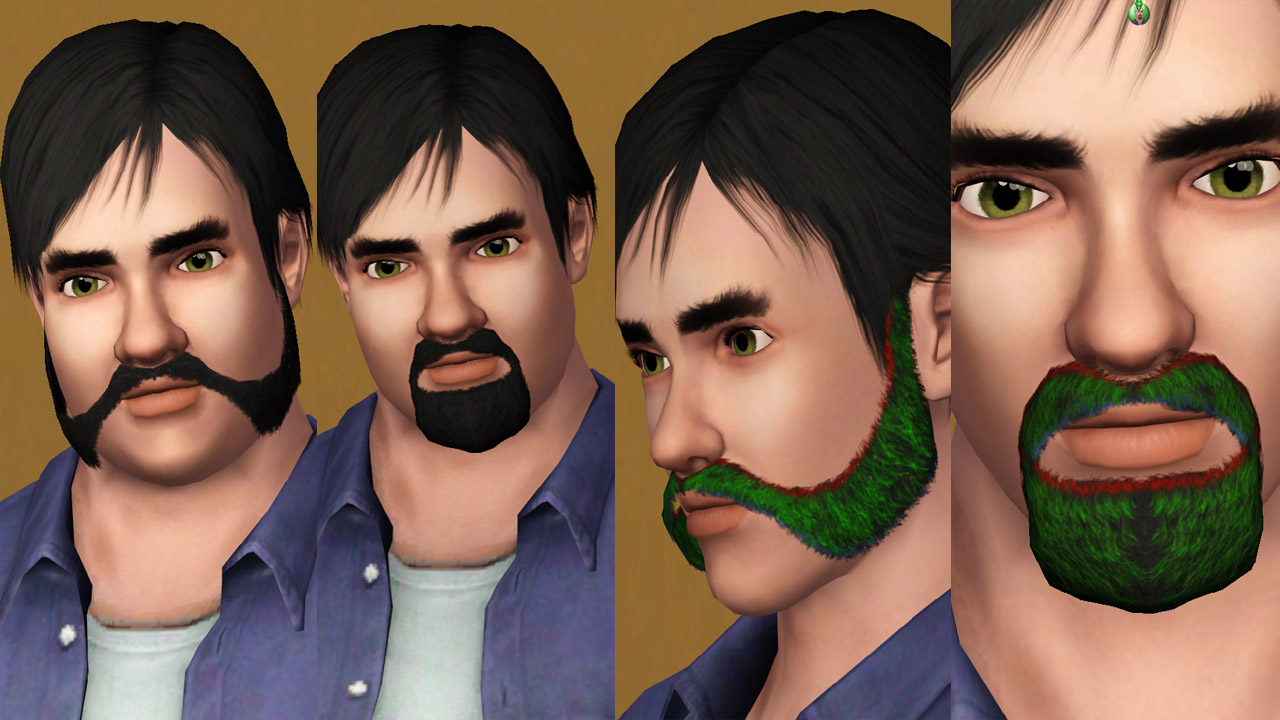
Fat sims can use them because I have used CmarNYC's meshtoolkit to bodymorph it and here they are the recolourable channels: red are the roots, green the highlights and blue the tips
Any comments would be highly appreciated
Polygon Counts:
Friendly muttonchops:
LOD_0: 360 faces
LOD_1: 264 faces
LOD_2: 110 faces
LOD_3: Maxis full beard doesnt use this level of detail
Bushy goatee:
LOD_0: 432 faces
LOD_1: 320 faces
LOD_2: 119 faces
LOD_3: Maxis full beard doesnt use this level of detail
Additional Credits:
MTS TSR Workshop, Delphy's CASTexture Unitool, CmarNYC's Meshtoolkit
This is a new mesh, and means that it's a brand new self contained object that usually does not require a specific Pack (although this is possible depending on the type). It may have Recolours hosted on MTS - check below for more information.
|
Necrodog-friendly-muttonchops.zip
Download
Uploaded: 16th Oct 2013, 1.16 MB.
6,314 downloads.
|
||||||||
|
Necrodog-bushy-goatee.zip
Download
Uploaded: 16th Oct 2013, 1.54 MB.
5,273 downloads.
|
||||||||
| For a detailed look at individual files, see the Information tab. | ||||||||
Install Instructions
1. Click the download button, or the filename, to download the file to your computer.
2. Extract the zip, rar, or 7z file. Now you will have either a .package or a .sims3pack file.
For Package files:
1. Cut and paste the file into your Documents\Electronic Arts\The Sims 3\Mods\Packages folder. If you do not already have this folder, you should read the full guide to Package files first: Sims 3:Installing Package Fileswiki, so you can make sure your game is fully patched and you have the correct Resource.cfg file.
2. Run the game, and find your content where the creator said it would be (build mode, buy mode, Create-a-Sim, etc.).
For Sims3Pack files:
1. Cut and paste it into your Documents\Electronic Arts\The Sims 3\Downloads folder. If you do not have this folder yet, it is recommended that you open the game and then close it again so that this folder will be automatically created. Then you can place the .sims3pack into your Downloads folder.
2. Load the game's Launcher, and click on the Downloads tab. Find the item in the list and tick the box beside it. Then press the Install button below the list.
3. Wait for the installer to load, and it will install the content to the game. You will get a message letting you know when it's done.
4. Run the game, and find your content where the creator said it would be (build mode, buy mode, Create-a-Sim, etc.).
Extracting from RAR, ZIP, or 7z: You will need a special program for this. For Windows, we recommend 7-Zip and for Mac OSX, we recommend Keka. Both are free and safe to use.
Need more help?
If you need more info, see:
- For package files: Sims 3:Installing Package Fileswiki
- For Sims3pack files: Game Help:Installing TS3 Packswiki
Loading comments, please wait...

Uploaded: 16th Oct 2013 at 11:18 PM
-
Male Facial Hair First Aid pack - from stubble to lashes and brows!!
by Arisuka 8th Mar 2010 at 4:21pm
 88
213.6k
300
88
213.6k
300
-

The Face Badger Set: Realistic Beards for your Simmies!
by DarkSilence 28th Feb 2011 at 11:09am
24
81.8k
117
-
Medieval Beards - Ye Olde Kingdom of Pudding
by The Merrye Makers 9th Dec 2011 at 8:33pm
30
59.3k
146
-
by necrodog 21st Jul 2013 at 4:01am
20
25.8k
85
-
by necrodog 15th Sep 2013 at 4:40am
9
18.3k
44
-
by necrodog 19th Sep 2013 at 4:02am
13
17.2k
27
-
-
by necrodog 3rd Oct 2013 at 1:22pm
8
17.3k
38
-
by necrodog 11th Oct 2013 at 5:45pm
36
45k
145
-

-
Rip Co. Little Baker Oven. Functional stove conversion
by necrodog 9th Dec 2016 at 1:07am
Bringing memories from S3 and S2 I made the toy oven conversion for adults and kids (kids with a script, more info in the thread) more...
 15
37.1k
83
15
37.1k
83
-


-

-
Piercings 10 items set semi-layerable S4
by necrodog 6th Dec 2014 at 8:40pm
10 piercing i have made time ago for S3 now for your S4 sims more...
30
106.3k
209
-
Simcity 4 Funeral Chapel items
by necrodog 13th Oct 2016 at 12:49am
Want to start your funeral home? This funeral chapel items are for you!! Bench, funeral wreaths, shelf and caskets. more...
23
45.3k
84
-

Hollywoodian and Klingon beards S4
by necrodog 4th Oct 2014 at 1:33am
Cool beards for your cool sims. A full beard without sideburns and a full beard without mustache. Made for TS3 time ago now for TS4 more...
16
17.3k
45
-
Industrial stackables: crate, barrel and oil drum
by necrodog 17th Apr 2015 at 12:08am
For complement of the industrail set here it is three items crate barrel and oil drum. more...
1
16.3k
42
-

Round charcoal Grill. With recipes. Update 15-4-17- Fixed
by necrodog updated 15th Apr 2017 at 11:49pm
Adds a new charcoal grill for your sims to cook goodies plus some previus recipes. more...
18
58.7k
49
-
-
S3 University dreads conversion. Unisex
by necrodog 24th Jan 2015 at 2:10am
A conversion of TS3 University dreads for males and female sims in the 18 color swatches more...
48
43.6k
153

