Sign in to Mod The Sims
 Gender Preference Commands
 Gender Preference Commands


GenderPreferenceCommands.jpg - width=812 height=733
Gender preference command output
GenderPreferenceDump.JPG - width=728 height=727
Example of gender preference dump imported into Excel spreadsheet
 Updated December 11, 2018 -- After nearly four years, this mod finally needed updating thanks to the Python update in the Get Famous game patch. Took me a while, but I finally got to doing so. NOTE - The Installation Directions Have Changed: The mod is now packaged as a standard ts4script file. If you don't know how to install one, the installation directions can be found in more detail below.
Gender Preference Commands
This mod adds three commands to The Sims 4 cheat console to view, set and dump all sims gender preferences. The output of the dump is tab delimited and can easily be imported into any spreadsheet package for sorting and viewing.
Usage
Open the command console using the Ctrl-Shift-C keys and type one of the available commands.
genderpref.view - will show the current sim's gender preferences on the command console. Can be optionally followed by a first and last name to display the preferences of any sim. For instance, the command "genderpref.view bella goth" would display Bella Goth's gender preferences.
genderpref.set M# F# - sets the current sim's gender preferences for male and female sims. The numbers should be from 0 (no preference) to 100 (maximum). This command can also be optionally followed by a first and last name to set the preferences of any sim. For example, to give Bella Goth a strong preference for male sims and a weaker preference for females, you could use "genderpref.set 100 60 bella goth".
genderpref.dump - dumps a tab delimited text file into the mods folder containing all sims names, genders, ages and gender preferences. By default, the file will be named "Gender_Preference_Dump.txt", however the command can be followed by an optional filename, for example "genderpref.dump genpref1.txt" would dump the data to the file named genpref1.txt in the mods folder.
See the screenshots for examples of the three command's output and a dump that has been imported into Excel.
Installation and Compatibility
This script is packaged as a ts4script file. Extract the MTS_Scumbumbo_GenderPreferenceCommands script file from the downloaded zip file and place that into your Mods folder. You must have script mods enabled in your game options for the mod to function.
This mod was written and tested on The Sims 4 version 1.47.51 (Nov. 20, 2018). Previous versions are not supported.
The script source is included in the ts4script file. Since this contains only new commands added to the game, it should not conflict with any other mods.
|
GenderPreferenceCommands.zip
| Console commands to view, set and dump all sims gender preferences.
Download
Uploaded: 12th Dec 2018, 3.6 KB.
14,979 downloads.
|
||||||||
| For a detailed look at individual files, see the Information tab. | ||||||||
Install Instructions
1. Download: Click the File tab to see the download link. Click the link to save the .rar or .zip file(s) to your computer.
Read the upload description for installation instructions. If nothing else is specified, do the following:
2. Extract: Use WinRAR (Windows) to extract the .package file(s) (if included, ts4script as well) from the .rar or .zip file(s).
3. Cut and paste the .package file(s) (if included, ts4script as well) into your Mods folder
- Windows XP: Documents and Settings\(Current User Account)\My Documents\Electronic Arts\The Sims 4\Mods\
- Windows Vista/7/8/8.1: Users\(Current User Account)\Documents\Electronic Arts\The Sims 4\Mods\
Need more information?
- Anyone can use both .rar and .zip files easily! On Windows, use WinRAR.
- If you don't have a Mods folder, just make one.
- Mod still not working? Make sure you have script mods enabled

Loading comments, please wait...



Uploaded: 10th Dec 2014 at 8:03 AM
Updated: 12th Dec 2018 at 5:47 AM - Updated for Get Famous patch
#view, #set, #edit, #gender, #preference
-

by azoresman updated 19th Apr 2019 at 11:02pm
 236
312.1k
628
236
312.1k
628
-

by PolarBearSims updated 7th Aug 2022 at 4:49pm
79
102.6k
233
-

by hugs updated 14th Nov 2018 at 5:09am
37
53.7k
88
-
-

by nickyclem1 updated 9th Nov 2024 at 11:40pm
6
16.6k
30
-
by charitycodes 29th Aug 2023 at 2:14pm
+1 packs
69 432k 259 Cats and Dogs
-

by o19 30th Jan 2024 at 11:34am
14
10.6k
7
-
by Reve 27th Apr 2024 at 1:35pm
7
12.1k
13
-

by Scipio Garling 26th Nov 2024 at 10:18pm
8
14.1k
22
-




-

-
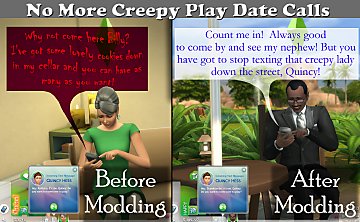

No More Creepy Play Date Calls
by scumbumbo updated 9th Jan 2019 at 7:35am
This stops adults from receiving texts from random children they don't know to come play with them. more...
40
43.8k
173
-


-

-

-


-
TS4 Tuning Description Browser (Windows Only)
by scumbumbo updated 20th Sep 2018 at 11:13am
An easy-to-use GUI to browse the Tuning Descriptions provided by EA more...
19
54.6k
53
-

-


Molding Clay Builds Creativity
by scumbumbo updated 6th Feb 2016 at 8:08am
Mod for TS4 to alter the mold clay activity to increase a child's creativity. more...
42
37.6k
263
-