
 Sign in to Mod The Sims
 Cloning Machine: Success Rate and Put Item In Inventory
 Cloning Machine: Success Rate and Put Item In Inventory


08-23-15_12-28Â PM.jpg - width=846 height=768
08-23-15_12-24Â PM.jpg - width=900 height=506
08-23-15_12-26Â PM.jpg - width=900 height=506
Draggable item: Hit 'Clone' - Waiting - Fail/Success - DRAG ITEM OUT - Put it in inventory - Repeat
Non draggable item: Hit 'Clone' - Waiting - Success - TO BUILD MODE - Put it in inventory - TO LIVE MODE - Repeat
I got tired of these process so I create a small mod that increase the base success chance and put the item in sim's inventory/household inventory when it done.
Now just :
Hit 'Clone' - Waiting - Fail/Success - Repeat (you can queue action now)
There have 3 file:
- 50% base success rate (default base success rate), up to 70% depending on several cases.
- 90% base success rate, up to >100% depending on several cases.
- 100% base success rate.
I'm new in modding so don't expect much.
Using xml resource:
S4_E882D22F_00000003_000000000001AFDE cloningMachine_CloneObject
Additional Credits:
Thanks to creators of TS4 Combined XML Extractor and s4pe
|
Sadness_CloningSuccessRate100wPutInInventory.zip
| 100% Base Success rate
Download
Uploaded: 25th Aug 2015, 2.5 KB.
5,927 downloads.
|
||||||||
|
Sadness_CloningSuccessRate90wPutInInventory.zip
| 90% Base Success rate
Download
Uploaded: 25th Aug 2015, 2.5 KB.
1,876 downloads.
|
||||||||
|
Sadness_CloningSuccessRate50wPutInInventory.zip
| Default Base Success rate
Download
Uploaded: 25th Aug 2015, 2.5 KB.
1,610 downloads.
|
||||||||
| For a detailed look at individual files, see the Information tab. | ||||||||
Install Instructions
1. Download: Click the File tab to see the download link. Click the link to save the .rar or .zip file(s) to your computer.
Read the upload description for installation instructions. If nothing else is specified, do the following:
2. Extract: Use WinRAR (Windows) to extract the .package file(s) (if included, ts4script as well) from the .rar or .zip file(s).
3. Cut and paste the .package file(s) (if included, ts4script as well) into your Mods folder
- Windows XP: Documents and Settings\(Current User Account)\My Documents\Electronic Arts\The Sims 4\Mods\
- Windows Vista/7/8/8.1: Users\(Current User Account)\Documents\Electronic Arts\The Sims 4\Mods\
Need more information?
- Anyone can use both .rar and .zip files easily! On Windows, use WinRAR.
- If you don't have a Mods folder, just make one.
- Mod still not working? Make sure you have script mods enabled

Loading comments, please wait...
-

by pd1ds 28th Nov 2017 at 4:58pm
 14
81.8k
89
14
81.8k
89
-
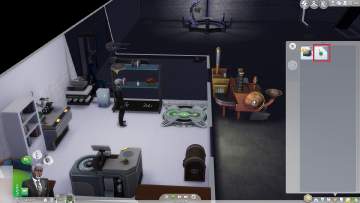
100% cloning machine chance plus instant adding to inventory
by killergoonie 18th Jan 2018 at 6:40pm
+1 packs
8 19.2k 37 Get to Work
-
-
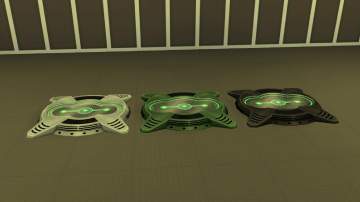
Buyable Cloning Machine (Updated for Patch, PC: 1.103.315.1020 / Mac: 1.103.315.1220)
by mc32bk updated 4th Jan 2024 at 9:00pm
+1 packs
6 16.8k 35 Get to Work
-
-
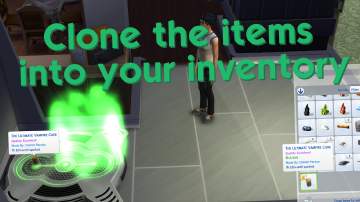
C.I.I.Y.P: A Little Cloning Machine Overhaul Mod
by Nym_le_Manchot 14th Aug 2020 at 12:32pm
+1 packs
4 10.7k 27 Get to Work
-

-
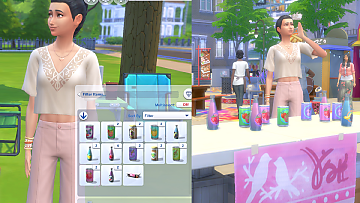
"Grab a bottle" can be bottles placed in Inventory one by one
by bloombatter updated 2nd Feb 2023 at 10:58am
+1 packs
4 6.2k 16 Eco Lifestyle
-

Better Party Machine Servos (Updated)
by Triple_sSs updated 2nd Jan 2026 at 1:50am
+1 packs
3 4.6k 11 Discover University
-

by fizzybomb 2nd Jul 2025 at 11:24am
3
5.5k
7


Packs Needed
| Expansion Pack | |
|---|---|
 | Get to Work |