
 Sign in to Mod The Sims
 Monolith Surfaces Collection
 Monolith Surfaces Collection


preview_2.jpg - width=1400 height=788
i_1a.jpg - width=1400 height=788
i_2.jpg - width=1400 height=788
o_prev.jpg - width=1400 height=788
o_8.jpg - width=1400 height=788
o_2.jpg - width=1400 height=788
o_1.jpg - width=1400 height=788
o_5.jpg - width=1400 height=788
o_4.jpg - width=1400 height=787
o_6.jpg - width=1400 height=788
o_7.jpg - width=1400 height=788
i_3.jpg - width=1400 height=788
i_4.jpg - width=1400 height=788
kitchen_island.jpg - width=1400 height=788
kitchen_island_2.jpg - width=1400 height=788
kitchen_island_3.jpg - width=1400 height=788
kitchen_island_4.jpg - width=1400 height=788
kitchen_island_5.jpg - width=1400 height=788
presets_coffee_table.jpg - width=1400 height=788
presets_pedestal_all.jpg - width=1400 height=788
presets_sink_counters.jpg - width=1400 height=788
objects.jpg - width=1400 height=788
channels.jpg - width=1400 height=788
1.jpg - width=1400 height=834
2.jpg - width=1400 height=788
catalog.png - width=1110 height=902
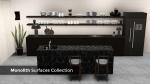
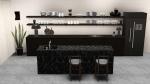
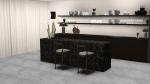
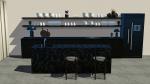
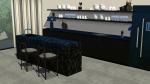
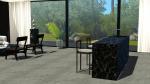
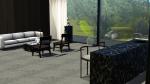
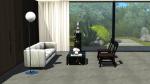
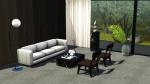
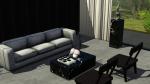
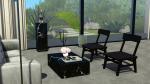
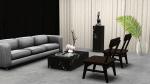
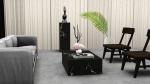
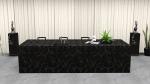
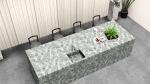
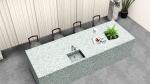
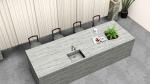
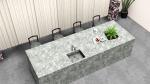
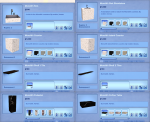

Inside you'll find:
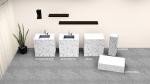
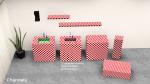
- Monolith Counter - $1000 in Surfaces/Counters; 6 presets, 1 recolorable channel
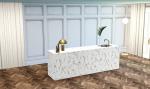
- Monolith Island Counter - $1000 in Surfaces/Counters; 6 presets, 1 recolorable channel
- Monolith Shelf 1 Tile - $100 in Surfaces/Displays; 1 preset, 1 recolorable channel, tileable
- Monolith Shelf 2 Tiles - $150 in Surfaces/Displays; 1 preset, 1 recolorable channel, tileable
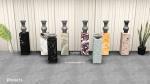
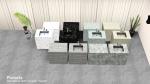
- Monolith Pedestal - $500 in Surfaces/Displays; 8 presets, 6 overlays, 1 recolorable channel
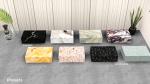
- Monolith Coffee Table - $1000 in Surfaces/Coffee Tables; 8 presets, 6 overlays, 1 recolorable channel
- Monolith Sink - $500 in Plumbing/Sinks; 1 preset, 3 recolorable channels
- Monolith Sink Standalone - $1000 in Plumbing/Sinks; 6 presets, 3 recolorable channels
Both counters have all working parts and are the same in size and UV mapping so you can put them together and create a seamless object look while still maintaining full functionality. UV map on the front/back/top takes exactly 1 pattern tile for a sleek transition.
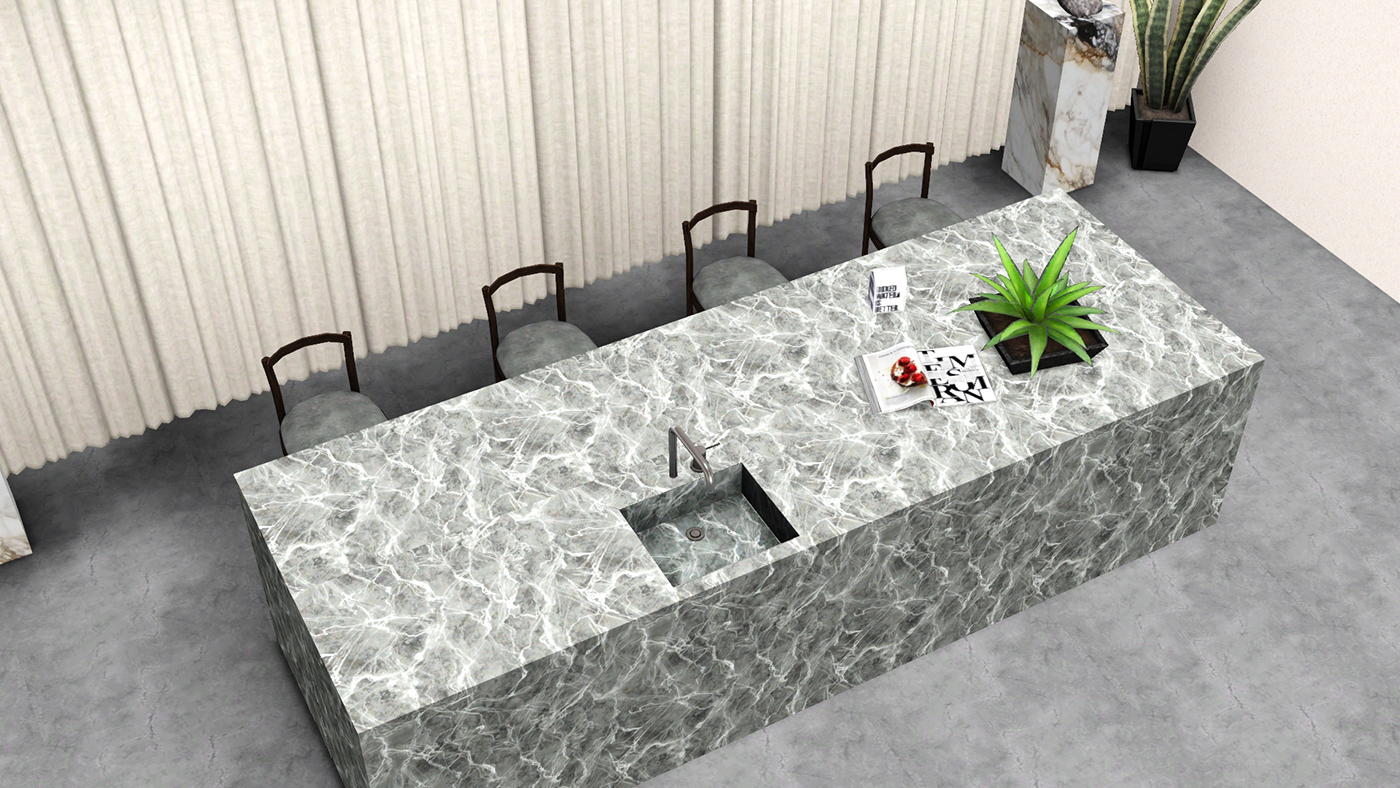
The sink for the counter matches its UV near perfectly so you can get the "basin carved into the stone" look should you want to. I was going for undermounted, which is not fully feasible but I got it as close as humanly possible, I think. The second channel is the tiny sliver of countertop surface that remained. If you want the truly undermounted look opt for the standalone sink, which I've made like a fake counter.
The shelves take up exactly one and two tiles respectively (texture as well) and can be tiled next to each other.
The pedestal and coffee table have several eye-catching marble overlays and fully recolorable presets at the end.
Also a great thing about minimalism is that everything (excluding the sinks) is extremely low poly by design and should be very gameplay friendly.
 Counters come in both package and Sims3Pack - install only one
 Everything is BG compatible and compressed. Enjoy!
Polygon Counts:
Counter
high/med: 30f / 12f
Island Counter
high/med: 30f / 12f
Shelf 1 Tile
high/med: 30f / 12f
Shelf 2 Tiles
high/med: 38f / 20f
Pedestal
high/med: 30f / 12f
Coffee Table
high/med: 30f / 12f
Sink
high/med: 1230f / 218f
Sink Standalone
high/med: 1268f / 226f
Additional Credits:
Blender, Milkshape, TSRW, Photoshop, S3PE
| Filename | Type | Size |
|---|---|---|
| enablellamasMonolithSurfacesCollection.rar | rar | |
| enablellamasMonolithCounterIsland.package | package | 163557 |
| enablellamasMonolithIslandCounter.sims3pack | sims3pack | 211726 |
| enablellamasMonolithCounter.sims3pack | sims3pack | 194658 |
| enablellamasMonolithSinkStandalone.package | package | 272455 |
| enablellamasMonolithShelf2Tiles.package | package | 64127 |
| enablellamasMonolithShelf1Tile.package | package | 25714 |
| enablellamasMonolithCounter.package | package | 152584 |
| enablellamasMonolithPedestal.package | package | 922223 |
| enablellamasMonolithCoffeeTable.package | package | 2956166 |
| enablellamasMonolithSink.package | package | 102846 |
This is a new mesh, and means that it's a brand new self contained object that usually does not require a specific Pack (although this is possible depending on the type). It may have Recolours hosted on MTS - check below for more information.
|
enablellamasMonolithSurfacesCollection.rar
Download
Uploaded: 26th Jun 2020, 4.14 MB.
12,592 downloads.
|
||||||||
| For a detailed look at individual files, see the Information tab. | ||||||||
Install Instructions
1. Click the download button, or the filename, to download the file to your computer.
2. Extract the zip, rar, or 7z file. Now you will have either a .package or a .sims3pack file.
For Package files:
1. Cut and paste the file into your Documents\Electronic Arts\The Sims 3\Mods\Packages folder. If you do not already have this folder, you should read the full guide to Package files first: Sims 3:Installing Package Fileswiki, so you can make sure your game is fully patched and you have the correct Resource.cfg file.
2. Run the game, and find your content where the creator said it would be (build mode, buy mode, Create-a-Sim, etc.).
For Sims3Pack files:
1. Cut and paste it into your Documents\Electronic Arts\The Sims 3\Downloads folder. If you do not have this folder yet, it is recommended that you open the game and then close it again so that this folder will be automatically created. Then you can place the .sims3pack into your Downloads folder.
2. Load the game's Launcher, and click on the Downloads tab. Find the item in the list and tick the box beside it. Then press the Install button below the list.
3. Wait for the installer to load, and it will install the content to the game. You will get a message letting you know when it's done.
4. Run the game, and find your content where the creator said it would be (build mode, buy mode, Create-a-Sim, etc.).
Extracting from RAR, ZIP, or 7z: You will need a special program for this. For Windows, we recommend 7-Zip and for Mac OSX, we recommend Keka. Both are free and safe to use.
Need more help?
If you need more info, see:
- For package files: Sims 3:Installing Package Fileswiki
- For Sims3pack files: Game Help:Installing TS3 Packswiki
Loading comments, please wait...

Uploaded: 26th Jun 2020 at 9:28 PM
Updated: 4th Apr 2021 at 1:24 PM
-
Scarlet Kitchen **11.12.2011--UPDATED**
by hudy777DeSign updated 11th Dec 2011 at 12:02pm
-
by hudy777DeSign updated 5th Feb 2010 at 10:16am
-
Simple Kitchen – Counters, Islands, Cabinets
by plasticbox 1st Mar 2010 at 12:04am
-
-
Shallow Traditional Wall Cabinet
by rolltocrit 20th May 2011 at 6:21pm
-
Maxis Match - Kitchen Cabinets (updated for Pets)
by omegastarr82 updated 17th Dec 2011 at 12:30am
-
by hudy777DeSign 7th Jul 2012 at 3:24pm
-
by enable_llamas 22nd Feb 2020 at 7:16pm
 4
9.2k
26
4
9.2k
26
-
-


-
by enable_llamas 7th Apr 2022 at 6:20pm
Some nice, simple shelf-like desks, prefect for niches and nooks without taking up too much space. more...
13
9.3k
48
By Function » Surfaces » Desks
-
by enable_llamas 15th Nov 2021 at 10:47pm
My new kitchen set is finally here! more...
-
by enable_llamas 11th Jun 2021 at 9:37pm
You know me by know, I love me a good chair - even if it comes in the form of more...
4
3.6k
10
-
by enable_llamas 26th Sep 2021 at 8:18pm
A simple, industrial style metal nectar rack for all your nectar needs. more...
+1 packs
13 10.1k 32 World Adventures
-
by enable_llamas 10th May 2020 at 5:38pm
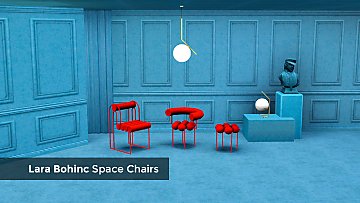
A collection of 3 dining chairs, designed by Lara Bohinc. more...
8
5.1k
18
-
by enable_llamas 16th Mar 2020 at 12:11pm
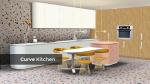
Clean, minimal style kitchen counters, cabinets, stovetop and two terrazzo patterns. more...
-
-
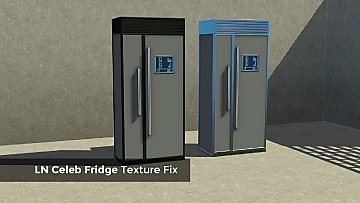
by enable_llamas 21st Jun 2020 at 9:32pm
A brand new, working specular override for the LN Celeb fridge. more...
-
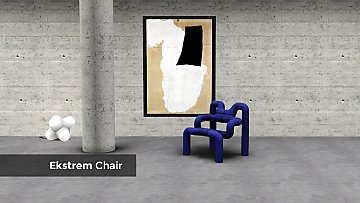
by enable_llamas 10th Jul 2020 at 7:44pm
The iconic Ekstrem chair, designed by Terje Ekstrom in 1984. more...
3
4.3k
18
-
by enable_llamas 23rd Dec 2020 at 7:56pm
A barstool add-on for the Velvet Swivel chair and pouf. more...
4
4.9k
19

