
 Sign in to Mod The Sims
 No Video Station Mod
 No Video Station Mod

.png?cb=1764782402)
.png?cb=1764782402)
.png?cb=1764782402)
No Video Station Mod.png - width=4416 height=2479
Untitled collage (5).png - width=2000 height=2000
Untitled collage (4).png - width=2000 height=2000
Untitled collage (6).png - width=2000 height=2000
Compatible with the 1.121.342.1030 Royalty & Legacy game patch.
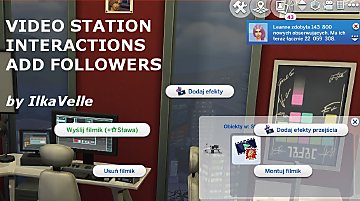
This mod overrides computers' tuning and adds video station inventory to all the computers. You can transfer videos from the mod's camera (also works with AEP's camera) or streaming drone, edit and upload them to the Web.
All the interactions are available under Media Studio>Video Editor Menu.
There will be specific interaction on the camera and streaming drone to transfer videos to the computer and not video station. This interaction marked with a computer icon. The videos will be transferred to the computer that is closest to the Sim and the camera/drone. You can also transfer videos on a community lot as long as your Sim has laptop they own with them.
After transferring the videos you can edit and upload them from the computer inventory, same way you would do it on a video station. All video station's interactions are still there, but computer's interactions are under Computer Menu.
To record videos you will need in-mod camera. With its help you can record all the videos that are available on video station. Just remember to use bb.moveobjects cheat and put table near the camera when you want to record Product Review. Otherwise, spawned objects will just float in the air.
INSTALLATION
Extract files from the .zip file and put all files into your Mods folder, no more than one subfolder deep.
Delete ksuihuh_NoVideoStationMod_Optional_NoShareableInventory file if you are already using NoShareableInventory mod from other creator!
| Filename | Type | Size |
|---|---|---|
| ksuihuh_NoVideoStation.zip | zip | |
| ksuihuh_NoVideoStationMod.package | package | 1973933 |
| ksuihuh_NoVideoStationMod.ts4script | ts4script | 6447 |
| ksuihuh_NoVideoStationMod_Optional_NoShareableInventory.package | package | 2115 |
|
ksuihuh_NoVideoStation.zip
Download
Uploaded: 11th Dec 2025, 1.84 MB.
1,788 downloads.
|
||||||||
| For a detailed look at individual files, see the Information tab. | ||||||||
Install Instructions
1. Download: Click the File tab to see the download link. Click the link to save the .rar or .zip file(s) to your computer.
Read the upload description for installation instructions. If nothing else is specified, do the following:
2. Extract: Use WinRAR (Windows) to extract the .package file(s) (if included, ts4script as well) from the .rar or .zip file(s).
3. Cut and paste the .package file(s) (if included, ts4script as well) into your Mods folder
- Windows XP: Documents and Settings\(Current User Account)\My Documents\Electronic Arts\The Sims 4\Mods\
- Windows Vista/7/8/8.1: Users\(Current User Account)\Documents\Electronic Arts\The Sims 4\Mods\
Need more information?
- Anyone can use both .rar and .zip files easily! On Windows, use WinRAR.
- If you don't have a Mods folder, just make one.
- Mod still not working? Make sure you have script mods enabled

Loading comments, please wait...

Uploaded: 11th Dec 2025 at 5:07 PM
Updated: 11th Feb 2026 at 4:19 PM
-
-
-
-
by gabeisafat 18th Nov 2020 at 1:41pm
 +1 packs
3 9k 22
+1 packs
3 9k 22 Get Famous
-

Get Famous from Running Your Restaurant
by uuqv 7th Oct 2021 at 3:08pm
+2 packs
13 21.2k 61 Get Famous
 Dine Out
-
by TearsofTyr updated 28th Nov 2022 at 5:52am
+1 packs
41 85k 63 High School Years
-
by BiscuitButt 5th Jul 2024 at 4:54pm
1
2.4k
2
-
by Cakebill12 2nd Feb 2025 at 12:33am
1
7.1k
7
-

-
Promotum: Realm of Magic Spell Mod!
by Keiyu updated 8th Apr 2026 at 11:21pm
+1 packs
2 6.1k 8 Realm of Magic


-
More Students At High School & Some Tweaks
by ksuihuh updated 6th Sep 2025 at 7:19pm
I was playing around with High School Expansion and my school was kind of empty. more...
+1 packs
37 360.1k 161 High School Years
-
.png)
