
 Sign in to Mod The Sims
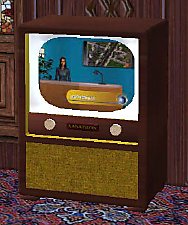
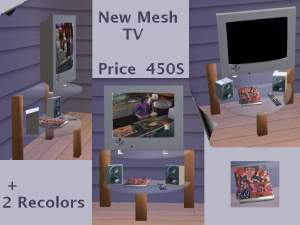
 New Simfantastic 2 Television Entertainment!
 New Simfantastic 2 Television Entertainment!


snapshot_8fff559d_1006802f.jpg - width=400 height=300
snapshot_8fff559d_7006800e.jpg - width=400 height=300
snapshot_8fff559d_10068041.jpg - width=400 height=300
snapshot_8fff559d_50068020.jpg - width=400 height=300
snapshot_8fff559d_50068096.jpg - width=400 height=300
snapshot_8fff559d_f0068089.jpg - width=400 height=300


(Note: This object requires the recolors that come with it in the package)
This is a new mesh, and means that it's a brand new self contained object that usually does not require a specific Pack (although this is possible depending on the type). It may have Recolours hosted on MTS - check below for more information.
|
S2 Television Entertainment.zip
Download
Uploaded: 11th Aug 2005, 523.2 KB.
7,796 downloads.
|
||||||||
| For a detailed look at individual files, see the Information tab. | ||||||||
Install Instructions
1. Download: Click the download link to save the .rar or .zip file(s) to your computer.
2. Extract the zip, rar, or 7z file.
3. Place in Downloads Folder: Cut and paste the .package file(s) into your Downloads folder:
- Origin (Ultimate Collection): Users\(Current User Account)\Documents\EA Games\The Sims™ 2 Ultimate Collection\Downloads\
- Non-Origin, Windows Vista/7/8/10: Users\(Current User Account)\Documents\EA Games\The Sims 2\Downloads\
- Non-Origin, Windows XP: Documents and Settings\(Current User Account)\My Documents\EA Games\The Sims 2\Downloads\
- Mac: Users\(Current User Account)\Documents\EA Games\The Sims 2\Downloads
- Mac x64: /Library/Containers/com.aspyr.sims2.appstore/Data/Library/Application Support/Aspyr/The Sims 2/Downloads
- For a full, complete guide to downloading complete with pictures and more information, see: Game Help: Downloading for Fracking Idiots.
- Custom content not showing up in the game? See: Game Help: Getting Custom Content to Show Up.
- If you don't have a Downloads folder, just make one. See instructions at: Game Help: No Downloads Folder.
Loading comments, please wait...


Uploaded: 11th Aug 2005 at 12:52 AM
Updated: 6th Jan 2009 at 1:58 PM by -Maylin-
-
-
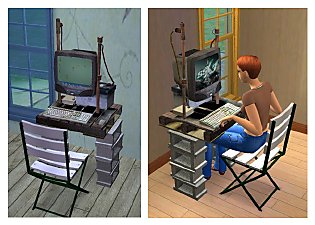
-
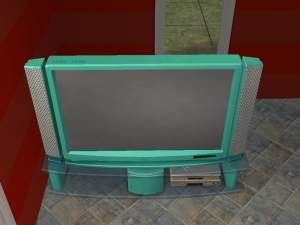
by teknakoleair 7th May 2005 at 4:15pm
 6
8.5k
4
6
8.5k
4
-
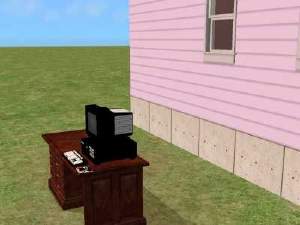
by cwirsing 4th Aug 2005 at 5:37pm
1
4.1k
-
-
by xolilree92ox 28th Jan 2006 at 8:39pm
5
7.6k
2
-
by -Maylin- 4th Mar 2006 at 3:55pm
16
22.1k
10
-
-
-
by CTNutmegger 14th Feb 2007 at 4:16pm
42
59.3k
102


-
Thanksgiving Objects! 4 meshes
by simfantastic2 18th Nov 2005 at 2:22am
I have been very busy lately with lots of things to do, but havent had a chance to make new more...
-
by simfantastic2 27th Nov 2005 at 2:43am
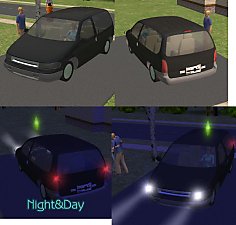
This is my first car ever. more...
+1 packs
28 29.4k 10 Nightlife
-

by simfantastic2 26th Mar 2005 at 11:00pm
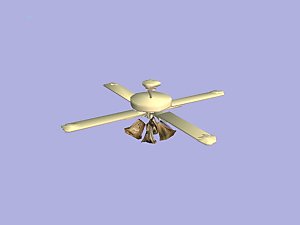
:beer: There were ceiling fans in the Sims 1, why aren't any in the Sims 2? Well know there is more...
119
70.3k
40
-
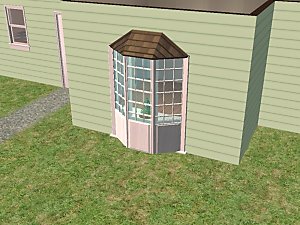
New Simfantastic 2 Ground Bay Window (Includes all roof recolors including uni!)
by simfantastic2 10th Dec 2005 at 11:35pm
Here is my latest creation! more...
70
83.9k
81
-
by simfantastic2 27th Mar 2005 at 5:05pm
Here is my new object. Happy easter! Sorry got to go... Found in Decorative-in Plants. Sorry about the small screen! more...
30
20.3k
-
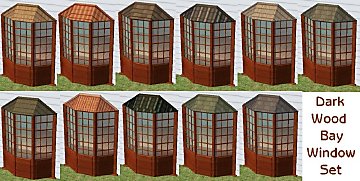
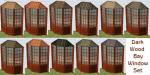
New Simfantastic 2 Bay Window Dark Wood Recolors!
by simfantastic2 11th Dec 2005 at 2:50pm
Here are recolors for the bay window i recently made. I hope you like them. more...
22
47k
26
-
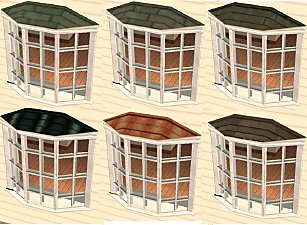
The New Simfantastic 2 Bay Window with all roof colors including Uni!
by simfantastic2 22nd Aug 2005 at 4:04pm
I have wanted bay windows forever so i decided to make one! more...
106
88.2k
64
-

New Beauty Hair Mesh (All Colors!)
by simfantastic2 27th Nov 2005 at 5:04pm
Hi everyone, this is the first hair mesh i ever made, i hope you like it! Enjoy! more...
-
by simfantastic2 27th Mar 2005 at 1:07am
Download this new Easter decoration. Enjoy... i hope you like it. more...
9
8.1k
2
-
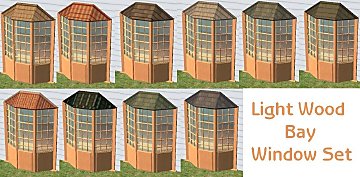
New Simfantastic 2 Bay Window Light Wood Recolors!
by simfantastic2 11th Dec 2005 at 2:45pm
Here are recolors for the bay window i recently made. I hope you like them. more...
21
41k
21

About Me
Most of all, enjoy. It is an honor and pleasure to see anyone that has used items from me or made recolors. I enjoy looking at them and it is a lot of fun.