
 Sign in to Mod The Sims
 New Mesh - Bald Tree
 New Mesh - Bald Tree


Comp.JPG - width=800 height=590
More.jpg - width=800 height=609
One.JPG - width=800 height=622
One3.JPG - width=817 height=763
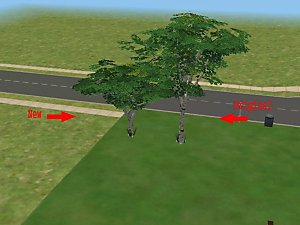
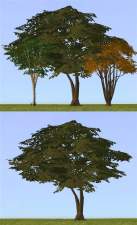
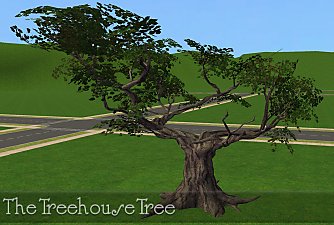
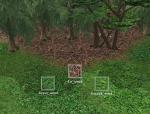
I made a tree, that looks a bit different from the other trees in game (turned out quite bald ^^)

It has its own GUID and is (hopefully) recolourable (didn't test it, but it should)
Hope you like it =)
Polygon Counts:
faces: 3274
vert.: 4359
Additional Credits:
max3d, SimPE
This is a new mesh, and means that it's a brand new self contained object that usually does not require a specific Pack (although this is possible depending on the type). It may have Recolours hosted on MTS - check below for more information.
|
tree_by_Enelya.rar
Download
Uploaded: 20th Sep 2007, 460.8 KB.
3,386 downloads.
|
||||||||
| For a detailed look at individual files, see the Information tab. | ||||||||
Install Instructions
1. Download: Click the download link to save the .rar or .zip file(s) to your computer.
2. Extract the zip, rar, or 7z file.
3. Place in Downloads Folder: Cut and paste the .package file(s) into your Downloads folder:
- Origin (Ultimate Collection): Users\(Current User Account)\Documents\EA Games\The Sims™ 2 Ultimate Collection\Downloads\
- Non-Origin, Windows Vista/7/8/10: Users\(Current User Account)\Documents\EA Games\The Sims 2\Downloads\
- Non-Origin, Windows XP: Documents and Settings\(Current User Account)\My Documents\EA Games\The Sims 2\Downloads\
- Mac: Users\(Current User Account)\Documents\EA Games\The Sims 2\Downloads
- Mac x64: /Library/Containers/com.aspyr.sims2.appstore/Data/Library/Application Support/Aspyr/The Sims 2/Downloads
- For a full, complete guide to downloading complete with pictures and more information, see: Game Help: Downloading for Fracking Idiots.
- Custom content not showing up in the game? See: Game Help: Getting Custom Content to Show Up.
- If you don't have a Downloads folder, just make one. See instructions at: Game Help: No Downloads Folder.
Loading comments, please wait...

Uploaded: 20th Sep 2007 at 9:42 AM
-

-
-
-
-
by stepehnguy 9th Jan 2006 at 3:37am
 +1 packs
19 16.1k 5
+1 packs
19 16.1k 5 University
-
by stepehnguy 9th Jan 2006 at 3:44am
12
15.9k
9
-
by morten8035 5th Jul 2006 at 8:38pm
14
16.5k
6
-
-
-
by mustluvcatz 10th Nov 2013 at 7:36pm
114
111k
600


-
-
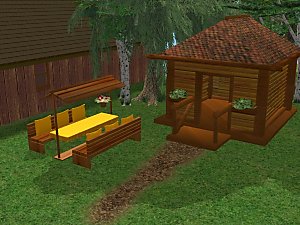
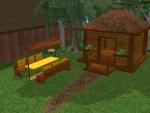
Garden set (table+bench+arbour)
by Enelya 24th Jul 2006 at 3:29pm
Hi I've recoloured a garden set made by Marilu. The meshes are included in the rar file. more...
-
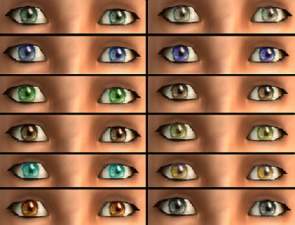
(realistic) eyes in 12 colours
by Enelya 16th Jun 2006 at 11:14pm
I hope you like the 12 different colours, they look realistic, at least in my opinion ^^ more...
-
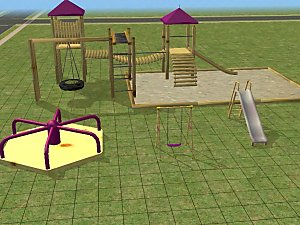
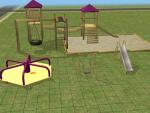
Playground set (3 new meshes + recolours)
by Enelya 18th Apr 2006 at 9:29pm
Hi I recoloured meshes for a playground made by Birgit43 from The meshes are included in the rar file. more...
-
-
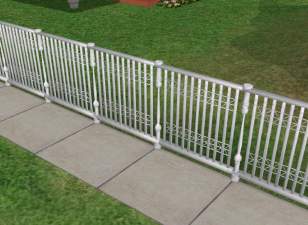
modern fence in two colours - new mesh
by Enelya 25th Aug 2007 at 5:47pm
Hi This is my first mesh I upload here, finally one that turned out quite good (in my opinion ^^). more...
10
21.5k
17
-
-
-
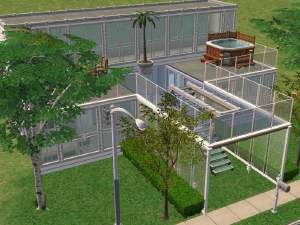
Birch Street - modern glass house, furnished
by Enelya 11th Nov 2007 at 12:55pm
Hi This is my attempt at building a modern house, it looks almost like a glass house. more...
+1 packs
3 28.4k 17 Nightlife
-

About Me
You can use my other stuff (such as skins) for your creations and upload them, just link back to the respective thread.