
 Sign in to Mod The Sims
 4 elements for all
 4 elements for all


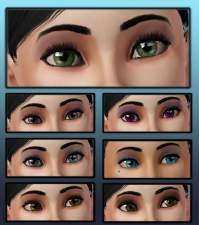
ScreenShot067.jpg - width=815 height=765
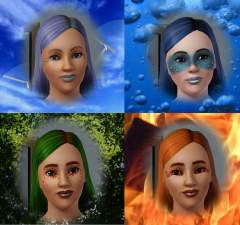
earth.jpg - width=491 height=425
fire.jpg - width=409 height=400
water.jpg - width=459 height=425
Wind.jpg - width=471 height=425
I hope you enjoy!
Please leave a comment.
Additional Credits:
Thanks Delphy
|
4Elements1 by kiara24.rar
Download
Uploaded: 5th Sep 2009, 368.3 KB.
3,458 downloads.
|
||||||||
| For a detailed look at individual files, see the Information tab. | ||||||||
Install Instructions
1. Click the download button, or the filename, to download the file to your computer.
2. Extract the zip, rar, or 7z file. Now you will have either a .package or a .sims3pack file.
For Package files:
1. Cut and paste the file into your Documents\Electronic Arts\The Sims 3\Mods\Packages folder. If you do not already have this folder, you should read the full guide to Package files first: Sims 3:Installing Package Fileswiki, so you can make sure your game is fully patched and you have the correct Resource.cfg file.
2. Run the game, and find your content where the creator said it would be (build mode, buy mode, Create-a-Sim, etc.).
For Sims3Pack files:
1. Cut and paste it into your Documents\Electronic Arts\The Sims 3\Downloads folder. If you do not have this folder yet, it is recommended that you open the game and then close it again so that this folder will be automatically created. Then you can place the .sims3pack into your Downloads folder.
2. Load the game's Launcher, and click on the Downloads tab. Find the item in the list and tick the box beside it. Then press the Install button below the list.
3. Wait for the installer to load, and it will install the content to the game. You will get a message letting you know when it's done.
4. Run the game, and find your content where the creator said it would be (build mode, buy mode, Create-a-Sim, etc.).
Extracting from RAR, ZIP, or 7z: You will need a special program for this. For Windows, we recommend 7-Zip and for Mac OSX, we recommend Keka. Both are free and safe to use.
Need more help?
If you need more info, see:
- For package files: Sims 3:Installing Package Fileswiki
- For Sims3pack files: Game Help:Installing TS3 Packswiki
Loading comments, please wait...

Uploaded: 5th Sep 2009 at 3:51 PM
-
-
by Kiara24 31st Aug 2009 at 3:18am
 20
23k
24
-
-
-
-
-
-
by Victor_tor updated 19th Feb 2012 at 8:27pm
9
27.4k
31
-
by Chibikinesis 24th Jan 2015 at 2:12pm
10
34.2k
150
-

-
-
by Kiara24 6th Sep 2010 at 3:57am
I love this hair in Sims2 and wanted to have it in Sims3. more...
39
113.7k
239
Hair » Male » Young Adult
-
by Kiara24 17th May 2010 at 12:35am
I really think that pregnant women need new clothes, I just can't stand that same dress...So I decided to make more...
30
81.3k
170
Female » Formal » Young Adult
-
by Kiara24 15th Jul 2016 at 6:50pm
Available in casual, party and formal (15 options) more...
 16
36.4k
175
Female » Mixed Sets » Child
-
-
by Kiara24 24th Oct 2014 at 12:06am
Available in casual, party and formal (teen to elder) 8 colors more...
19
39.7k
141
Female » Mixed Sets » Adult
-
Medieval Male Underwear CAS - Ye Olde Kingdom of Pudding
by The Merrye Makers 7th May 2012 at 1:12pm
Medieval male underwear for teens, adults, and elders made by Kiara24 for The Merrye Makers. Sleepwear and Swimwear. more...
7
50.9k
72
Male » Mixed Sets » Adult
-
by Kiara24 4th Jul 2009 at 1:36am
I made three t-shirts for baby boys with Disney babies. more...
19
49.5k
118
Male » Mixed Sets » Toddler
-
-
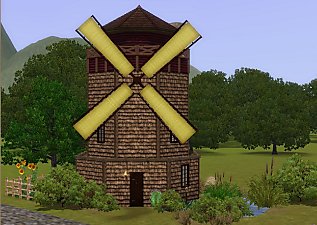
Medieval Windmill Home - Ye Olde Kingdom of Pudding
by The Merrye Makers 24th Apr 2012 at 5:24pm
Perfect starter home for a family of four, this repurposed medieval windmill has 2 bedrooms, 1 bathroom, pond and garden. more...
+5 packs
8 35.2k 52 World Adventures
 Ambitions
 Late Night
 Generations
 Pets


About Me
Subscribe to my channel.