
 Sign in to Mod The Sims
 Mod Update Checker – Central Update Notifications for Compatible Mods
 Mod Update Checker – Central Update Notifications for Compatible Mods


mod_update_checker_demeterio_1.png - width=1920 height=1080
Mod update available (Mod Update Checker - Demeterio)
mod_update_checker_demeterio_2.png - width=1920 height=858
Public registry (Mod Update Checker - Demeterio)
mod_update_checker_header.png - width=1200 height=630
Mod Update Checker - Demeterio
Mod Update Checker, or MUC, is a transparent update-notification framework for compatible script and tuning mods made for The Sims 4.
Instead of every compatible mod contacting its own website, MUC retrieves one signed public registry, validates it, and compares the available versions locally with declarations supplied by installed compatible mods.
MUC can then write a readable update report and display one optional in-game summary notification when updates are available.
IMPORTANT
MUC does nothing on its own.
Only install it when a mod creator specifically states that their mod supports Mod Update Checker. Without at least one compatible mod installed, MUC has nothing to check.
WHAT MUC DOES
MUC checks compatible installed mods against one central registry, compares versions locally, and can display an update summary with links to the creators’ official download pages.
It supports stable and prerelease versions and safely stops if the registry is unavailable or invalid.
WHAT MUC DOES NOT DO
MUC does not scan your Mods folder, upload your installed mods, download or install updates, collect analytics, or bypass security and privacy tools.
Only mods containing a valid MUC declaration are detected. All other mods are ignored.
DOWNLOADS
PLAYER folder: for players installing MUC normally.
MODDER folder: for mod creators. Includes the MUC installation files, declaration template, and access to the complete Modder Guide.
Install only one archive. Do not keep duplicate or mixed-version MUC files. Also, see section FOR MOD CREATORS below.
INSTALLATION
1. Extract the selected ZIP.
2. Place the `.ts4script` and `.package` files in: `Documents/Electronic Arts/The Sims 4/Mods`
3. Do not place the `.ts4script` more than one folder deep.
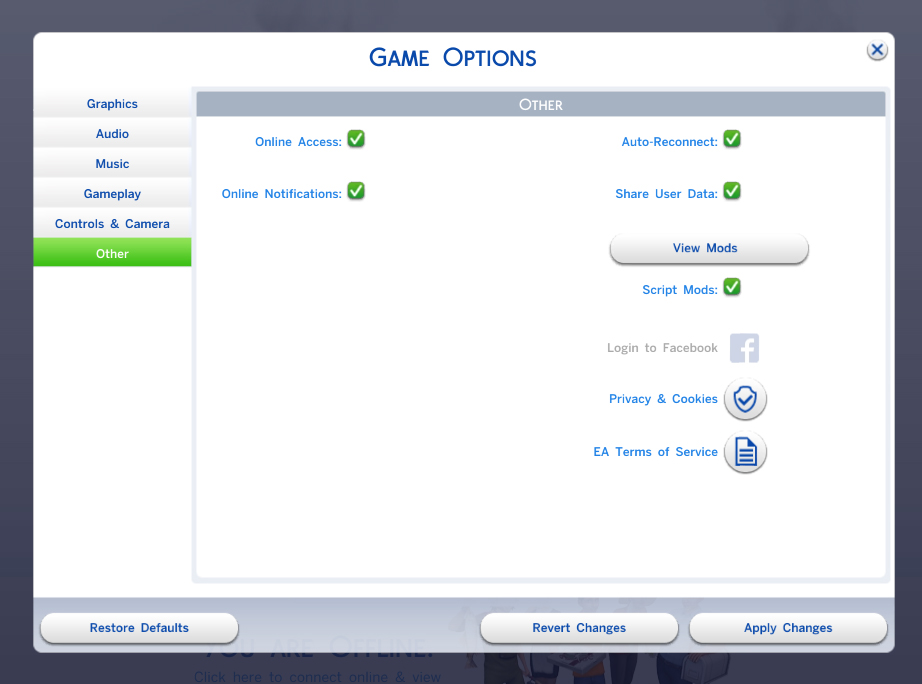
4. Enable Custom Content and Mods and Script Mods Allowed.
5. Restart the game.
6. For updates: remove the previous MUC files before updating. Deleting `localthumbcache.package` is recommended.
FIRST LAUNCH
MUC does not access the registry without player consent.
REQUIREMENTS
- The Sims 4 base game;
- Custom Content and Mods enabled;
- Script Mods Allowed enabled;
- the MUC script and Generic package from the same release;
- the declaration package from another Mod;
- no expansion, game, or stuff pack is required;
- network consent from the player before registry checks can occur.
GAME VERSION
Built and tested with The Sims 4 version: 1.124.63.1020
COMPATIBILITY
MUC does not override EA gameplay tuning or disable other update checkers or security tools.
ModGuard testing produced no warning or blocked action.
Privacy Protector may require the official MUC `.ts4script` to be added to its exceptions. Do not disable security tools globally.
PRIVACY AND SECURITY
MUC makes one fixed registry request after consent. Mod detection and version comparison remain local.
It does not send installed mod information, save data, EA account details, analytics, cookies, or credentials.
The registry contains public version information only and is verified before use.
FOR MOD CREATORS
Compatible mods use a small declaration package containing their ID, name, installed version, release channel, and official update page.
Supported update pages include GitHub Releases, Mod The Sims, and SimFileShare.
Modder Guide: https://github.com/Demeterio/Mod-Up...odder_Guide.pdf
The PDF can be read in the browser or downloaded using the icon in the upper-right corner.
SOURCE AND TRANSPARENCY
Public source: https://github.com/Demeterio/Mod-Up...r/tree/main/src
Public registry: https://github.com/Demeterio/Mod-Up...hecker_registry
| Filename | Type | Size |
|---|---|---|
| Demeterio_ModUpdateChecker_MODDER_v1.0.2.zip | zip | |
| Demeterio_ModUpdateChecker_Compatibility_v1.0.2.txt | txt | 8351 |
| Demeterio_ModUpdateChecker_Generic_v1.0.2.package | package | 13073 |
| Demeterio_ModUpdateChecker_Installation_v1.0.2.txt | txt | 10590 |
| Demeterio_ModUpdateChecker_Script_v1.0.2.ts4script | ts4script | 74529 |
| Demeterio_ModUpdateChecker_Modder_Guide_v1.1.txt | txt | 1813 |
| ModderName_ModName_ModUpdateChecker_v1.0.2.package | package | 1352 |
| Filename | Type | Size |
|---|---|---|
| Demeterio_ModUpdateChecker_PLAYER_v1.0.2.zip | zip | |
| Demeterio_ModUpdateChecker_Compatibility_v1.0.2.txt | txt | 8351 |
| Demeterio_ModUpdateChecker_Generic_v1.0.2.package | package | 13073 |
| Demeterio_ModUpdateChecker_Installation_v1.0.2.txt | txt | 10590 |
| Demeterio_ModUpdateChecker_Script_v1.0.2.ts4script | ts4script | 74529 |
|
Demeterio_ModUpdateChecker_PLAYER_v1.0.2.zip
Download
Uploaded: 6th Aug 2026, 90.3 KB.
281 downloads.
|
||||||||
|
Demeterio_ModUpdateChecker_MODDER_v1.0.2.zip
Download
Uploaded: 6th Aug 2026, 92.7 KB.
89 downloads.
|
||||||||
| For a detailed look at individual files, see the Information tab. | ||||||||
Install Instructions
1. Download: Click the File tab to see the download link. Click the link to save the .rar or .zip file(s) to your computer.
Read the upload description for installation instructions. If nothing else is specified, do the following:
2. Extract: Use WinRAR (Windows) to extract the .package file(s) (if included, ts4script as well) from the .rar or .zip file(s).
3. Cut and paste the .package file(s) (if included, ts4script as well) into your Mods folder
- Windows XP: Documents and Settings\(Current User Account)\My Documents\Electronic Arts\The Sims 4\Mods\
- Windows Vista/7/8/8.1: Users\(Current User Account)\Documents\Electronic Arts\The Sims 4\Mods\
Need more information?
- Anyone can use both .rar and .zip files easily! On Windows, use WinRAR.
- If you don't have a Mods folder, just make one.
- Mod still not working? Make sure you have script mods enabled
Loading comments, please wait...

Uploaded: 6th Aug 2026 at 4:26 PM
Updated: 6th Aug 2026 at 5:10 PM
-

by plasticbox updated 22nd Dec 2014 at 4:21pm
 192
295.6k
801
192
295.6k
801
-
by DrAnimaniac updated 26th Feb 2021 at 4:35pm
154
95.6k
299
-

by RobinKLocksley updated 15th Aug 2024 at 4:02pm
+1 packs
22 28.3k 80 City Living
-

by siriussimmer updated 30th Aug 2021 at 12:10am
+1 packs
66 140.7k 226 Cottage Living
-
by Simsonian Library 3rd Sep 2021 at 12:08am
+1 packs
52 209.3k 324 Realm of Magic
-

by Simsonian Library updated 12th Dec 2021 at 6:24pm
+7 packs
49 75.1k 192 Outdoor Retreat
 Cats and Dogs
 Seasons
Cottage Living
Seasons
Cottage Living
 Horse Ranch
 Jungle Adventure
Realm of Magic
Jungle Adventure
Realm of Magic
-
by SimmingWithP&J updated 30th Jun 2023 at 2:27am
12
17.7k
21
-

by TURBODRIVER updated 23rd Nov 2024 at 10:43am
9
23.6k
28
-
by tank updated 11th Jul 2025 at 10:49pm
5
14.6k
9
-

by Meep62 11th May 2026 at 7:29pm
2.6k
10


-


Modern Starter House (no CC, basegame)
by Demeterio updated 9th Jul 2022 at 2:11am
Requirements The Sims 4 is required, and, that's all! more...
2
5.4k
8
-

-


Notebook Injector — A Shared Framework for Custom Notebook Content
by Demeterio 7th Aug 2026 at 1:37pm
Notebook Injector, or NI, is a shared framework that allows compatible mods to add new content to the in-game Notebook more...
1.2k
2
-


New custom spell : Ghostify and Vade Retro Phantasma
by Demeterio updated 9th Jul 2022 at 3:15am
Requirements You need the Spellbook Injector mod V2 (https://modthesims.info/d/659933/spellbook-injector-v2.html) by Simsonian Library. The Sims 4 and Realm of Magic Game Pack (GP08) more...
+1 packs
22 16.3k 28 Realm of Magic

