
 Sign in to Mod The Sims
 Mod - Bold Thumbnail Frames
 Mod - Bold Thumbnail Frames


0.png - width=800 height=600
0-1.png - width=800 height=600
1.png - width=1603 height=949
1M.png - width=1603 height=949
2.png - width=1603 height=949
2M.png - width=1603 height=949
3.png - width=1603 height=949
3M.png - width=1603 height=949
4.png - width=1603 height=949
4M.png - width=1603 height=949
5.png - width=1603 height=949
5M.png - width=1603 height=949
6.png - width=1603 height=949
6M.png - width=1603 height=949
7.png - width=1603 height=949
7M.png - width=1603 height=949
8.png - width=1603 height=949
8M.png - width=1603 height=949
9.png - width=1603 height=949
9M.png - width=1603 height=949
10.png - width=1603 height=949
10M.png - width=1603 height=949
11.png - width=1603 height=949
11M.png - width=1603 height=949
12.png - width=1603 height=949
12M.png - width=1603 height=949
13.png - width=1603 height=949
13M.png - width=1603 height=949
14.png - width=1603 height=949
14M.png - width=1603 height=949


This project began when puffkins2000 asked me if I could make the arrow for the accessories category—part of an UI theme—stand out more. And I thought: I’ve always wanted to see better frames for walls, floors, terrain, and patterns ones.
I did some research and found more frames that I could modify.
Please choose only one package.
There are 4 zip files containing the packages:
- The "complete" one includes all the modifications shown in the images above for the EA theme.
- The "minimal" file includes the modifications made for the group of walls, floors, terrain, and patterns for the EA theme.
- There is one that is only for the frames of patterns for EA theme. This will be useful for JustMiha's CleanUI-1.3 theme (https://justmiha97.tumblr.com/post/...3-beta-release).
- Finally, there is the "universal" pack, which contains the same as the "minimal" pack but can be used for other themes. It has 7 coloured versions. It is possible to add more coloured versions in the future; please leave a comment.
Notes:
- These packages contain only images.
- Some images are used in multiple locations. I noticed that the frames for objects found in collections are affected by a modified frame included in the "universal" and "minimal" packs; this means they use the same image.
- It is not possible to use all images because EA developers joined several images into one. Making a lot of them incompatible with the appearence of other UI themes.
- It is possible to make versions for other UI themes. These will only be added in accordance with the creator’s Terms of Use (TOU) or upon obtaining their permission.
- The frames for pets and mermaid cas are included in the "complete" zip file.
- You can use any package without installed expansion packs.
Have fun 💕!
Installation:
- If you don't have an UI theme installed, you can install it in Documents\Electronic Arts\The Sims 3\Mods\Packages\.
- If you have an UI theme in the Packages Folder, you can install it in Documents\Electronic Arts\The Sims 3\Mods\Overrides\.
- If you have a UI theme in the Overrides folder, you will need to use the S3PE program to import and replace the images within that theme's package file. Don't forget to create a backup of the original theme file.
Programs used:
Paint.NET
S3PE by Peter L Jones
| Filename | Type | Size |
|---|---|---|
| BLUISH_mod_BoldThumbFrames_ThemeEA_complete.zip | zip | |
| BLUISH_mod_BoldThumbFrames_ThemeEA_complete.package | package | 697331 |
| BLUISH_mod_BoldThumbFrames_ThemeEA_complete_.png | png | 95997 |
| Filename | Type | Size |
|---|---|---|
| BLUISH_mod_BoldThumbFrames_ThemeEA_minimal.zip | zip | |
| 1M.png | png | 2411998 |
| 2M.png | png | 2469481 |
| 3M.png | png | 2346040 |
| 4M.png | png | 981850 |
| BLUISH_mod_BoldThumbFrames_ThemeEA_minimal.package | package | 24162 |
| Filename | Type | Size |
|---|---|---|
| BLUISH_mod_BoldThumbFrames_ThemeEA_only_patterns.zip | zip | |
| BLUISH_mod_BoldThumbFrames_ThemeEA_only_patterns.package | package | 15365 |
| BLUISH_mod_BoldThumbFrames_ThemeEA_only_patterns_.png | png | 981850 |
| Filename | Type | Size |
|---|---|---|
| BLUISH_mod_BoldThumbFrames_universal_packs.zip | zip | |
| 0-1.png | png | 80155 |
| 1M.png | png | 2411998 |
| 2M.png | png | 2469481 |
| 3M.png | png | 2346040 |
| 4M.png | png | 981850 |
| BLUISH_mod_BoldThumbFrames_universal_black.package | package | 20768 |
| BLUISH_mod_BoldThumbFrames_universal_blue.package | package | 20784 |
| BLUISH_mod_BoldThumbFrames_universal_brown.package | package | 20819 |
| BLUISH_mod_BoldThumbFrames_universal_green.package | package | 20801 |
| BLUISH_mod_BoldThumbFrames_universal_red.package | package | 20810 |
| BLUISH_mod_BoldThumbFrames_universal_white.package | package | 20690 |
| BLUISH_mod_BoldThumbFrames_universal_yellow.package | package | 20766 |
|
BLUISH_mod_BoldThumbFrames_ThemeEA_complete.zip
Download
Uploaded: Today, 759.3 KB.
6 downloads.
|
||||||||
|
BLUISH_mod_BoldThumbFrames_ThemeEA_minimal.zip
Download
Uploaded: Today, 7.81 MB.
1 downloads.
|
||||||||
|
BLUISH_mod_BoldThumbFrames_ThemeEA_only_patterns.zip
Download
Uploaded: Today, 940.1 KB.
1 downloads.
|
||||||||
|
BLUISH_mod_BoldThumbFrames_universal_packs.zip
Download
Uploaded: Today, 8.00 MB.
1 downloads.
|
||||||||
| For a detailed look at individual files, see the Information tab. | ||||||||
Install Instructions
Loading comments, please wait...

Uploaded: Today at 10:22 AM
Updated: Today at 11:05 AM
-
-


-
-
-
-

EA Debug Area Lights (Recategorized & Edited) V2
by Bluish updated 1st Jan 2026 at 10:03am
Hi =) ! This new override mod also adds the 12 EA Debug Lights to the Light category. more...
 5
5.4k
10
-


-


Unlocked Shell Doors from Into The Future Expansion
by Bluish 10th Apr 2026 at 7:37am
Good morning?! I created a mod that makes the 4 sliding shell doors from the Into the Future expansion appear in more...
+1 packs
1.3k 4 Into the Future
-

-
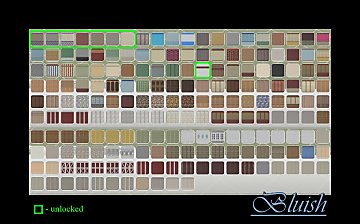
BG Walls (HIDER, RECATEGORIZER, and UNLOCKER)
by Bluish 26th Jul 2025 at 3:14pm
Hi ;)! I created a file that hides and recategorizes the presets from the Base Game walls a year ago. more...
3.3k
6


