
 Sign in to Mod The Sims
 JinjaNinja's Hillside Manor
 JinjaNinja's Hillside Manor


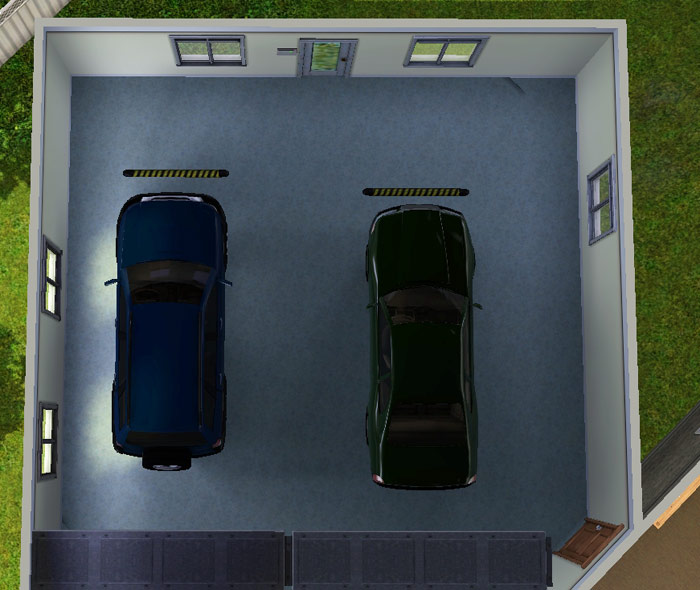

Screenshot.jpg - width=800 height=480
Screenshot-2.jpg - width=800 height=453
Screenshot-3.jpg - width=700 height=590
Screenshot-4.jpg - width=600 height=580
Screenshot-5.jpg - width=800 height=480
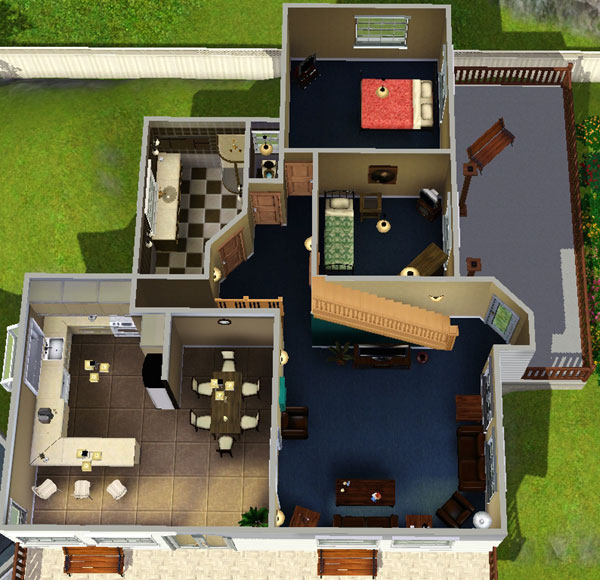
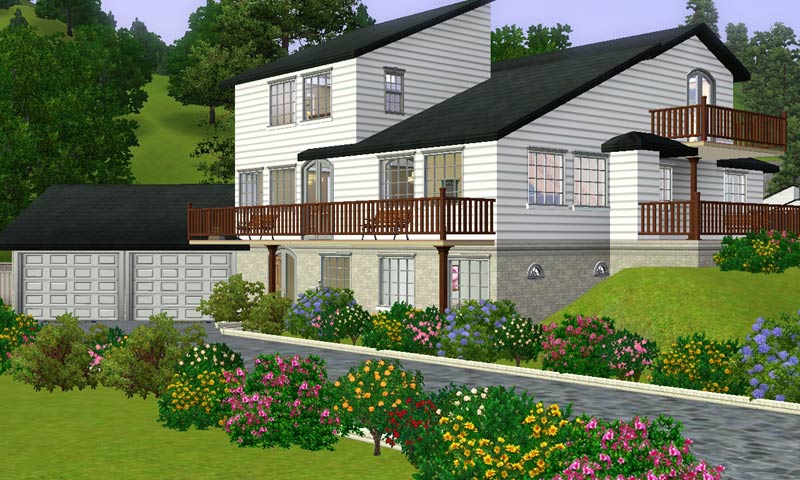
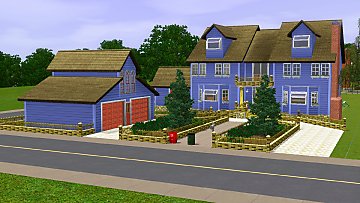
This large home is based on an actual home built in the 1970's, with modern renovations. Spanning 3 levels, this house is built into the side of a hill, and boasts the following features:
5 Bedrooms
2 Bathrooms
2 Living areas
Study
Large kitchen with separate dining.
3 outdoor living areas (some like to call them balconies)
2 Car garaging with large driveway.
Fully Landscaped yard with a fully fenced section.
Fully furnished, this home will set you back by approximately $127,000. Without the luxury furnishings, just $72,000.
As explained above, this home is based on a real life house, so I cannot take credit for design, however I was fully responsible for conversion to the Sims 3 World. There is no custom content.
**Note, it will say at the bottom: Lot Size=5x5. This is not accurate, this appears to be Sims 2 format**.
Happy Downloading!
Lot Size: 5x5
Lot Price: 72000 unfurnished
|
JinjaNinja's Hillside Manor.rar
| JinjaNinjas Hillside Manor
Download
Uploaded: 7th Jun 2009, 2.65 MB.
3,108 downloads.
|
||||||||
| For a detailed look at individual files, see the Information tab. | ||||||||
Install Instructions
1. Click the filename or the download button to download the file to your computer.
2. Extract the zip, rar, or 7z file.
2. Select the .sims3pack file you got from extracting.
3. Cut and paste it into your Documents\Electronic Arts\The Sims 3\Downloads folder. If you do not have this folder yet, it is recommended that you open the game and then close it again so that this folder will be automatically created. Then you can place the .sims3pack into your Downloads folder.
5. Load the game's Launcher, and click on the Downloads tab. Select the house icon, find the lot in the list, and tick the box next to it. Then press the Install button below the list.
6. Wait for the installer to load, and it will install the lot to the game. You will get a message letting you know when it's done.
7. Run the game, and find your lot in Edit Town, in the premade lots bin.
Extracting from RAR, ZIP, or 7z: You will need a special program for this. For Windows, we recommend 7-Zip and for Mac OSX, we recommend Keka. Both are free and safe to use.
Need more help?
If you need more info, see Game Help:Installing TS3 Packswiki for a full, detailed step-by-step guide!
Loading comments, please wait...
Uploaded: 7th Jun 2009 at 6:34 PM
-
by Trienak_Jayan 11th Feb 2010 at 12:15am
 +1 packs
3 7.1k 3
+1 packs
3 7.1k 3 World Adventures
-
-
by Bchbch Walk 22nd Jul 2011 at 10:05pm
+4 packs
5 28.1k 14 World Adventures
 Ambitions
 Late Night
 Generations
-
by Johnny_Bravo 2nd Apr 2013 at 5:36pm
+9 packs
15 18.5k 34 World Adventures
 High-End Loft Stuff
Ambitions
High-End Loft Stuff
Ambitions
 Fast Lane Stuff
Late Night
Fast Lane Stuff
Late Night
 Outdoor Living Stuff
 Pets
Pets
 Showtime
 Seasons
-
-
-
-
by emo_princess 23rd Jun 2017 at 11:10pm
+7 packs
6.4k 13 Ambitions
Late Night
Outdoor Living Stuff
Generations
Pets
Seasons
 University Life
-
by Mspigglypooh 30th Jan 2022 at 11:26am
+12 packs
2 6.4k 17 World Adventures
High-End Loft Stuff
Ambitions
Late Night
Generations
Pets
Showtime
 Supernatural
Seasons
University Life
Supernatural
Seasons
University Life
 Island Paradise
 Into the Future
-
by VanCleveHomes 18th Mar 2023 at 11:22pm
+1 packs
1 3.1k 4 Ambitions


