
 Sign in to Mod The Sims
 Logo Me Up!
 Logo Me Up!


logomeup.jpg - width=700 height=747
set1.jpg - width=557 height=569
Abercrombie / Aeropostale
set2.jpg - width=800 height=569
American Eagle / Hollister 1 / Hollister 2
comparison.jpg - width=272 height=590

I was doing some back-to-school closet cleaning when I stumbled upon one of my favorite t-shirts! I remember the "Logo Shirt" fad like it was yesterday, so I decided that my Mini-Me should join in on all the name brand fun

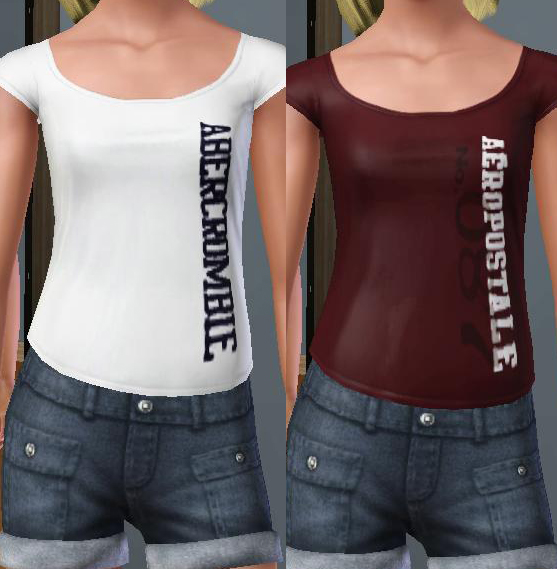
There are five t-shirts in total, both for teen females and adult/YAs as well. All five are found under everyday wear.
These aren't made with stencils, they're made using RGB masks. Which means that both the t-shirt, t-shirt sleeves and the letters/logos are 100% recolorable. Leaving you with endless t-shirt possibilities!
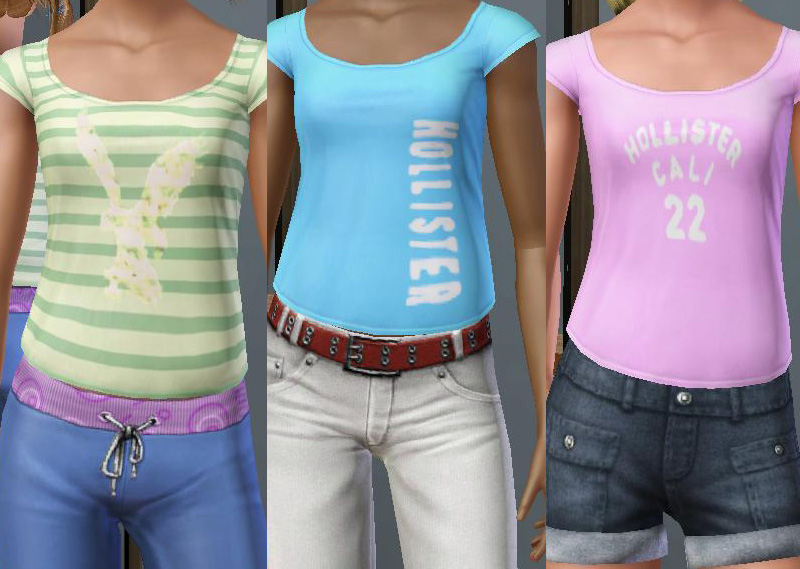
I stuffed them all into one package so they'll only take up one scrolly-box in CAS. If you absolutely positively can't live with having them all in one package, I'll consider breaking them into separate files...but only by request...
Usually I'm very lenient with my redistribution policies...but... these actually took a lot of work so I ask that you (1) not upload to the exchange or paysites, (2) Don't claim these as your own. You may, however, modify these to you hearts content
Enjoy

Additional Credits:
Delphy's CTU Afturburn's Sims 3 Clothing Alignment Pack
|
Logo Me Up.rar
Download
Uploaded: 24th Jul 2009, 258.0 KB.
5,469 downloads.
|
||||||||
| For a detailed look at individual files, see the Information tab. | ||||||||
Install Instructions
1. Click the download button, or the filename, to download the file to your computer.
2. Extract the zip, rar, or 7z file. Now you will have either a .package or a .sims3pack file.
For Package files:
1. Cut and paste the file into your Documents\Electronic Arts\The Sims 3\Mods\Packages folder. If you do not already have this folder, you should read the full guide to Package files first: Sims 3:Installing Package Fileswiki, so you can make sure your game is fully patched and you have the correct Resource.cfg file.
2. Run the game, and find your content where the creator said it would be (build mode, buy mode, Create-a-Sim, etc.).
For Sims3Pack files:
1. Cut and paste it into your Documents\Electronic Arts\The Sims 3\Downloads folder. If you do not have this folder yet, it is recommended that you open the game and then close it again so that this folder will be automatically created. Then you can place the .sims3pack into your Downloads folder.
2. Load the game's Launcher, and click on the Downloads tab. Find the item in the list and tick the box beside it. Then press the Install button below the list.
3. Wait for the installer to load, and it will install the content to the game. You will get a message letting you know when it's done.
4. Run the game, and find your content where the creator said it would be (build mode, buy mode, Create-a-Sim, etc.).
Extracting from RAR, ZIP, or 7z: You will need a special program for this. For Windows, we recommend 7-Zip and for Mac OSX, we recommend Keka. Both are free and safe to use.
Need more help?
If you need more info, see:
- For package files: Sims 3:Installing Package Fileswiki
- For Sims3pack files: Game Help:Installing TS3 Packswiki
Loading comments, please wait...


Uploaded: 24th Jul 2009 at 6:00 AM
-
-
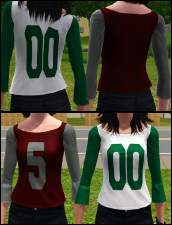
Numbered Shirts for Young Adult/Adult Females
by DBZMerciter2005 18th Jul 2009 at 9:17am
-
-
-
by Kiara24 24th Feb 2010 at 9:01pm
 18
40.7k
105
18
40.7k
105
-
-
-
-
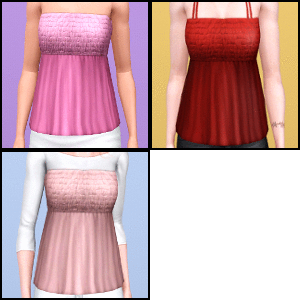
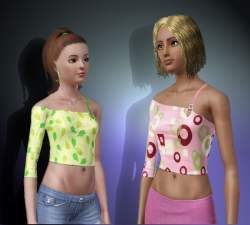
Sweet Scent Tops ~ Three Styles, for Teen-to-Adult
by Anubis360 10th Feb 2011 at 3:36pm
41
142.4k
457
-

-

-

Teen/Elder Amusement Park Careers!
by daluved1 updated 30th Apr 2009 at 4:02am
Announcement (6-15-09): I'd like to solicit some help! more...
 18
36.5k
38
18
36.5k
38
-
The Medieval Kitchen Part 2 - Ye Olde Kingdom of Pudding
by The Merrye Makers 9th Jan 2012 at 6:02pm
Medieval Hot Beverage Barrel, Shelves, and two Cupboards (one tall and one short) made for The Merrye Makers by Hekate999. more...
13
72.3k
170
-
-
Medieval Armoury Part 2 - Ye Olde Kingdom of Pudding
by The Merrye Makers 16th Dec 2011 at 10:17am
A selection of decorative weapons in the medieval style more...
15
54.7k
144
-
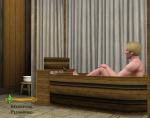
Medieval Plumbing - Ye Olde Kingdom of Pudding
by The Merrye Makers 18th Dec 2011 at 11:18pm
A chamber pot (toilet), shower, and bathtub for the bladder and hygiene needs of Ye Olde Kingdom of Pudding residents. more...
14
74.1k
183
-
-
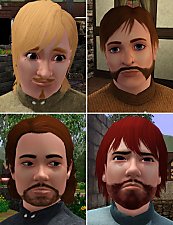
Medieval Beards - Ye Olde Kingdom of Pudding
by The Merrye Makers 9th Dec 2011 at 8:33pm
Hairy men?! 16 beards for the men in the forest. more...
30
59.5k
146
-
-



About Me
Because my policy is really inconsistent on my uploads, I've decided to make an official policy! So whatever you see here on my profile is my current policy. You may disregard any ''policy'' information you see on the actual upload itself.
-You may use my creations with sims
-You may use my objects with lots.
-You may retexture my meshes.
-You may include my meshes with retextures.
-You may NOT upload my creations with sims
-You may NOT upload my objects with lots.
-You may NOT upload my creations to paysites.
-You may NOT upload my creations to the exchange.
-Always credit me with a link
-I do NOT take requests!