
 Sign in to Mod The Sims
 Oak Corner
 Oak Corner


front.jpg - width=1000 height=673
top.jpg - width=800 height=683
back.jpg - width=900 height=515
backyard.jpg - width=800 height=549
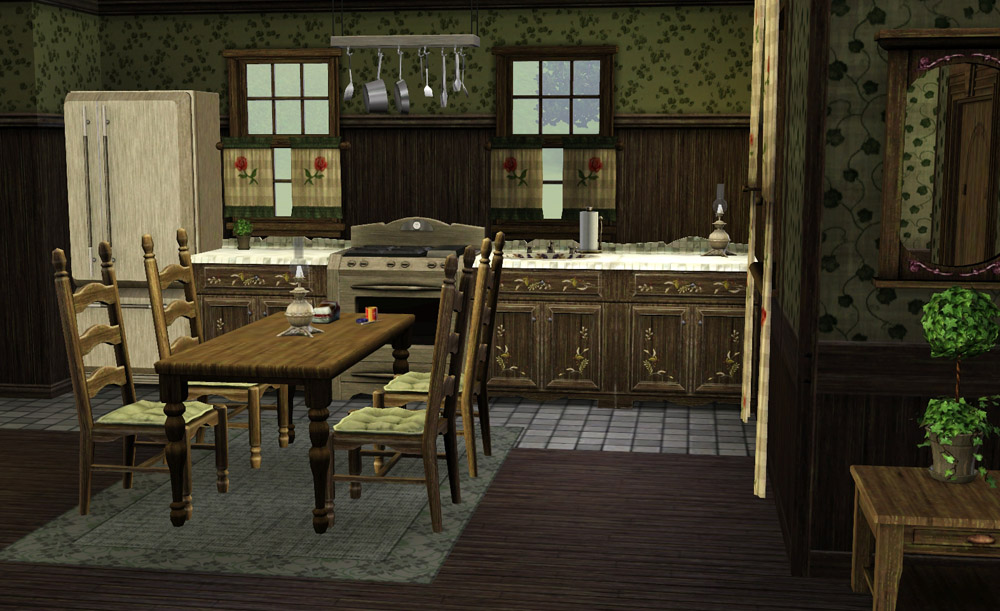
kitchen.jpg - width=1000 height=611
interior.jpg - width=1000 height=624
floor1.jpg - width=800 height=569
floor2.jpg - width=800 height=676
It is on a 30x20 size lot, which means the front is facing the longer side. If you don't have that kind of empty lot, place it on a 30x30 instead so you can turn it to face the street. Play tested, should work with no issues, but let me know if you find any.
The only custom content in the house is 4 patterns that I made ("Violet", "Grape", "Ivy" and "Vine"), you can find them here.

Lot Size: 3x2
Lot Price: F: 40132 UF: 26003
|
Oak Corner.rar
Download
Uploaded: 13th Aug 2009, 2.26 MB.
3,831 downloads.
|
||||||||
| For a detailed look at individual files, see the Information tab. | ||||||||
Install Instructions
1. Click the filename or the download button to download the file to your computer.
2. Extract the zip, rar, or 7z file.
2. Select the .sims3pack file you got from extracting.
3. Cut and paste it into your Documents\Electronic Arts\The Sims 3\Downloads folder. If you do not have this folder yet, it is recommended that you open the game and then close it again so that this folder will be automatically created. Then you can place the .sims3pack into your Downloads folder.
5. Load the game's Launcher, and click on the Downloads tab. Select the house icon, find the lot in the list, and tick the box next to it. Then press the Install button below the list.
6. Wait for the installer to load, and it will install the lot to the game. You will get a message letting you know when it's done.
7. Run the game, and find your lot in Edit Town, in the premade lots bin.
Extracting from RAR, ZIP, or 7z: You will need a special program for this. For Windows, we recommend 7-Zip and for Mac OSX, we recommend Keka. Both are free and safe to use.
Need more help?
If you need more info, see Game Help:Installing TS3 Packswiki for a full, detailed step-by-step guide!
Loading comments, please wait...

Uploaded: 13th Aug 2009 at 12:25 AM
Updated: 1st Oct 2009 at 1:24 PM
http://linna.modthesims.info/download.php?t=355631
-
-
-
-
-
by iiNs0mNiiA 24th Mar 2013 at 11:18am
 +2 packs
2 9.1k 13
+2 packs
2 9.1k 13 Ambitions
 Generations
-
by plasticbox updated 2nd Sep 2014 at 10:11pm
2
10.5k
51
-
by plasticbox 2nd Oct 2014 at 1:33am
9
14.9k
52
-
by plasticbox 2nd Oct 2014 at 1:49am
7
12k
55
-
-
by Random2491 14th Mar 2025 at 3:31pm
+2 packs
2 3.2k 8 Ambitions
 Supernatural


-
by lemoncandy 5th Jul 2009 at 4:55am
My first attempt at making a custom pattern, this is the traditional "Fleur de lis" design. more...
7
22k
27
-

by lemoncandy 5th Sep 2009 at 1:06pm
This time I bring you a small glass vase with a red rose and another with some palm leaves, to more...
52
68.5k
129
-


-
by lemoncandy 26th Jul 2009 at 1:38am
My take on a mediterranean residence...thought I'd try something with earth colors, worn and old-timey feel. more...
22
24.3k
29
-


by lemoncandy 3rd Aug 2009 at 2:36am
I've had a lot of fun playing with the Object Cloner, I recolored several items, it's great for making paintings more...
56
92.4k
159
-
-
by lemoncandy 15th Jun 2009 at 5:50pm
Your pretty sim has just rolled out of the creator screen and is looking for a place to live. more...
6
10.1k
5
-

-

by lemoncandy 18th Aug 2009 at 5:06pm
To answer public demand, I present one more set of clutter objects. You even get a trash pile this time! more...
91
122.4k
195
-
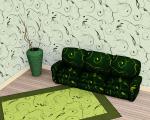
Can't see the forest - 6 leafy patterns
by lemoncandy 6th Jul 2009 at 12:26am
Perhaps your gardening sims will like more plants around the house... more...
14
18.2k
22

About Me
IMPORTANT
I haven't touched any of this work for over a year, so please consider it all as unsupported. I guess most of it won't be working with the game's new expansions and patches. Sorry.