
 Sign in to Mod The Sims
 Cigarette Accessory
 Cigarette Accessory


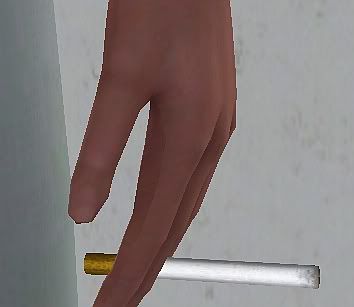
CigaretteDetail1.jpg - width=354 height=307
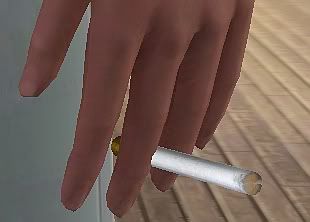
CigaretteDetail2.jpg - width=310 height=222
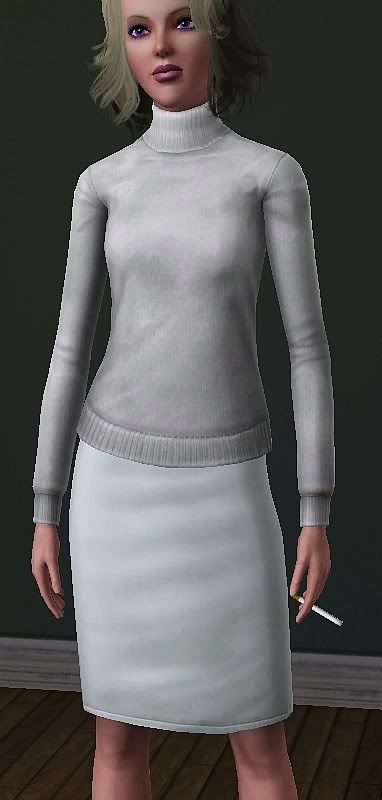
CigaretteFar.jpg - width=382 height=800
CigarClose.jpg - width=758 height=704
CigarFar.jpg - width=387 height=704
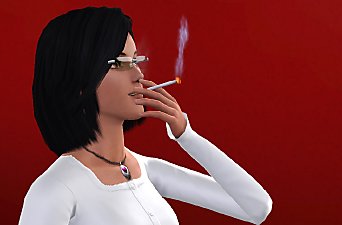
It's a cigarette accessory. It has no animations, and your sims can't actually smoke it, but it does give the illusion of smoking. Every time your sim's hand moves the cigarette moves with it. When your sim picks something up, they will have a cigarette in their hand as long as you chose to give them one in CAS screen.
This is wearable by both genders teen through elder. Found in accessories and Everyday, Formal, Sleep, Swim, Athletic, as well as valid for random townies.
The cigarette has 2 recolorable channels. First channel is the cigarette, second channel is the filter.
I've actually heard that sims packaged with this and put on the exchange, will get you a warning, lol. That really amuses me.
Mesh Details:
LOD 1:
Poly Count:
78
Vertex Count:
87
LOD 2:
Poly Count:
52
Vertex Count:
61
Polygon Counts:
78
This is a new mesh, and means that it's a brand new self contained object that usually does not require a specific Pack (although this is possible depending on the type). It may have Recolours hosted on MTS - check below for more information.
|
Cigarette_jimTNW.zip
Download
Uploaded: 25th Apr 2010, 105.3 KB.
35,410 downloads.
|
||||||||
| For a detailed look at individual files, see the Information tab. | ||||||||
Install Instructions
1. Click the download button, or the filename, to download the file to your computer.
2. Extract the zip, rar, or 7z file. Now you will have either a .package or a .sims3pack file.
For Package files:
1. Cut and paste the file into your Documents\Electronic Arts\The Sims 3\Mods\Packages folder. If you do not already have this folder, you should read the full guide to Package files first: Sims 3:Installing Package Fileswiki, so you can make sure your game is fully patched and you have the correct Resource.cfg file.
2. Run the game, and find your content where the creator said it would be (build mode, buy mode, Create-a-Sim, etc.).
For Sims3Pack files:
1. Cut and paste it into your Documents\Electronic Arts\The Sims 3\Downloads folder. If you do not have this folder yet, it is recommended that you open the game and then close it again so that this folder will be automatically created. Then you can place the .sims3pack into your Downloads folder.
2. Load the game's Launcher, and click on the Downloads tab. Find the item in the list and tick the box beside it. Then press the Install button below the list.
3. Wait for the installer to load, and it will install the content to the game. You will get a message letting you know when it's done.
4. Run the game, and find your content where the creator said it would be (build mode, buy mode, Create-a-Sim, etc.).
Extracting from RAR, ZIP, or 7z: You will need a special program for this. For Windows, we recommend 7-Zip and for Mac OSX, we recommend Keka. Both are free and safe to use.
Need more help?
If you need more info, see:
- For package files: Sims 3:Installing Package Fileswiki
- For Sims3pack files: Game Help:Installing TS3 Packswiki
Loading comments, please wait...
Uploaded: 25th Apr 2010 at 9:28 PM
Updated: 29th Jun 2010 at 2:19 AM
-
by ailivina 10th Sep 2009 at 2:33pm
 19
48.5k
73
19
48.5k
73
-
by newone08 3rd Nov 2009 at 12:31am
33
104.8k
233
-
by joninmobile 31st Aug 2010 at 4:12pm
4
30.7k
53
-
-
by Chicken0895 14th Mar 2011 at 5:09am
14
28.7k
32
-
by CloudWalkerNZ 16th Apr 2011 at 12:59am
34
74.3k
104
-
-
by cmomoney 7th Jul 2012 at 8:20pm
1.4k
1.3m
3.2k
-
by san3sawayaka3kumi 21st Aug 2014 at 3:53pm
11
14.8k
35
-
Dusty Peepers Aviators As Accessory (M & F; T+)
by Destrospean updated 17th Jun 2025 at 4:18pm
1.4k
4


-
Green skin and Purple skin for alien sims
by joninmobile 23rd Oct 2007 at 5:47pm
Since ya'll seemed to like my blue skin for alien sims, I decided to make green skin and purple skin more...
-
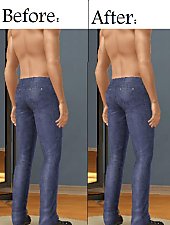
More Bootylicious Men In The Sims 3 (Butt Enhancement for Goth Jeans)
by joninmobile 14th Oct 2009 at 10:25pm
I've made a butt enhancement for the male goth jeans. more...
-
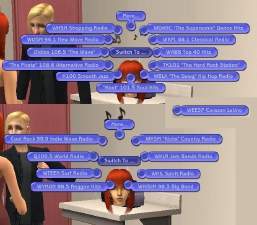
More Realistic Names For Radio Stations
by joninmobile 6th Jul 2009 at 2:05am
I've renamed some of the Maxis radio stations. more...
 22
45.7k
46
22
45.7k
46
-
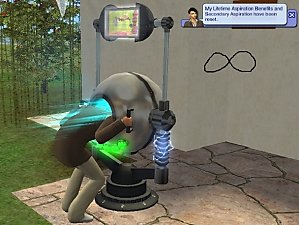
Unlimited Uses for RenuYuSenso Orb
by joninmobile 3rd Apr 2009 at 9:00pm
Maxis only allows for 5 uses of the RenuYuSenso Orb. Now you can use it 9,999 times. more...
+1 packs
6 28.7k 42 Nightlife
-
by joninmobile 24th Oct 2007 at 4:23pm
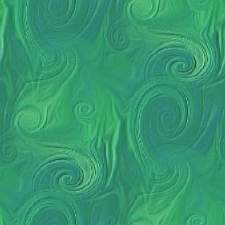
Here is a poured floor I call "Tealy Swirled".I hope ya'll enjoy it! more...
4
7.8k
6
-
by joninmobile 24th Jul 2010 at 3:20pm
Wow I haven't made floors in a very long time! more...
7
11.8k
14
-
Loungin' Dudes Undies for YA and Adult male
by joninmobile 29th Apr 2009 at 9:36pm
These are recolors of the base game white A-shirt with blue more...
-
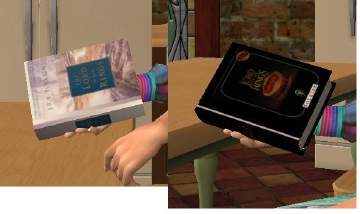
2 The Lord of The Rings Defualt Replacement Sci Fi Books Simlish/English Only Download One File
by joninmobile updated 30th Apr 2009 at 12:09am
Super Close White English Super Close Black Simlish Player more...
+1 packs
14 18.7k 18 Free Time
-
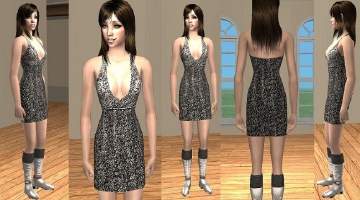
Ultra Modern Silver Dress with Boots
by joninmobile 27th Apr 2009 at 2:16am
I finally got around to uploading this after a few days in creator feedback, and I more...
-
NPC maid outfit unlocked (custom install instructions)
by joninmobile updated 19th Apr 2009 at 10:32pm
Here is the NPC maid outfit, normally only for NPC maid, now for your playable characters as well! more...
22
55.5k
42


About Me
I hope you enjoy all the downloads I've brought to you over the years. It's been fun. Being a part of The Sims community has had it's ups and downs for me, but I keep on truckin' nonetheless. Lots and lots of drama, lots of pain and sorrow, but lots of laughs, and good times too. Made so many new friends over the years, and it all started by uploading to MTS way back in 2006. Have fun with my creations, that's what they're here for!
~ Jon