Sign in to Mod The Sims
 Elevated Train Shelf: Derailed with 3 Slots
 Elevated Train Shelf: Derailed with 3 Slots


shelfmain.jpg - width=872 height=630
shelfFull.jpg - width=648 height=503
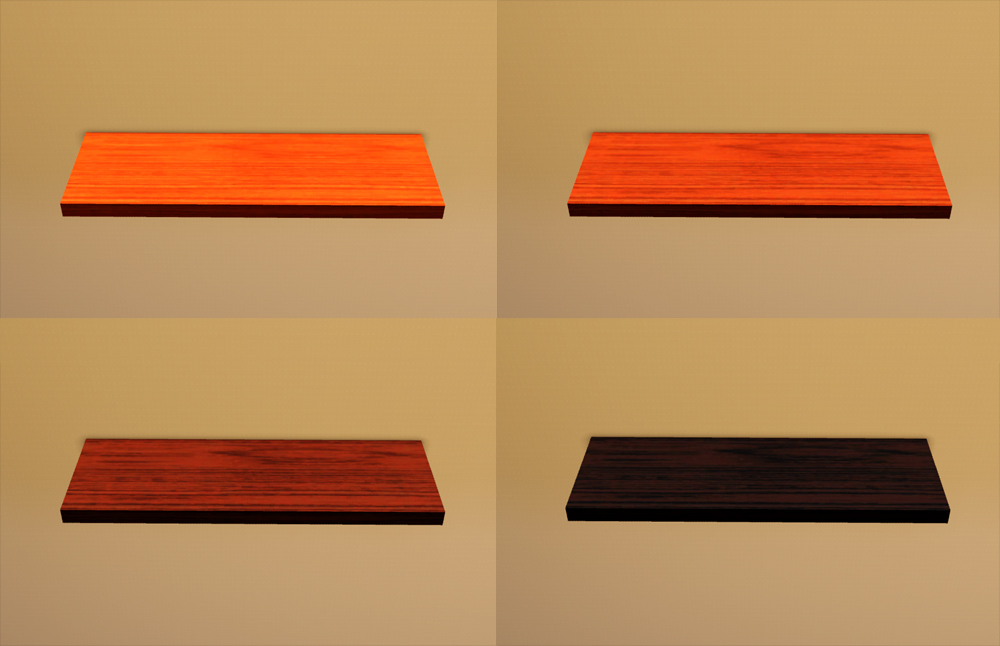
shelfColors.jpg - width=1000 height=646
shelfBA.jpg - width=1000 height=377

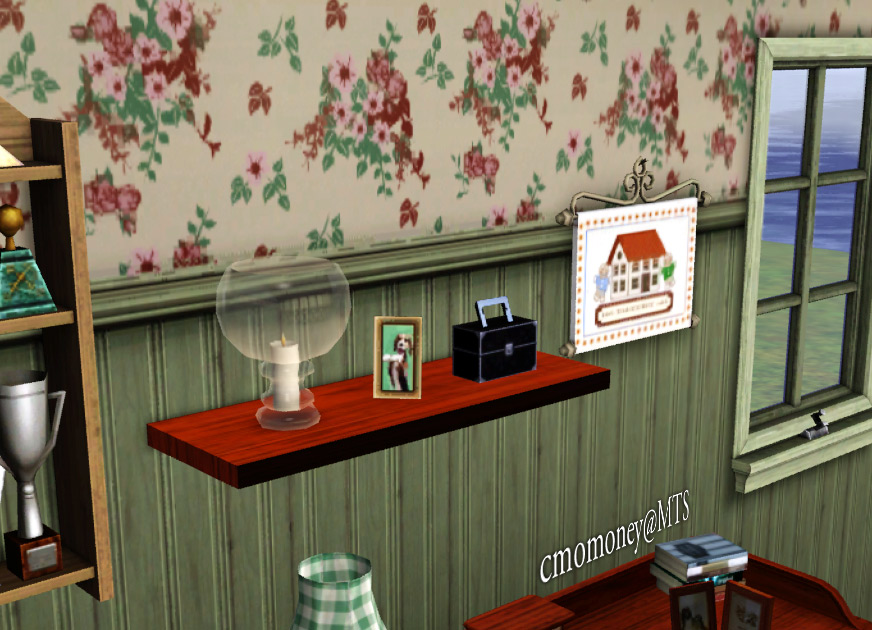
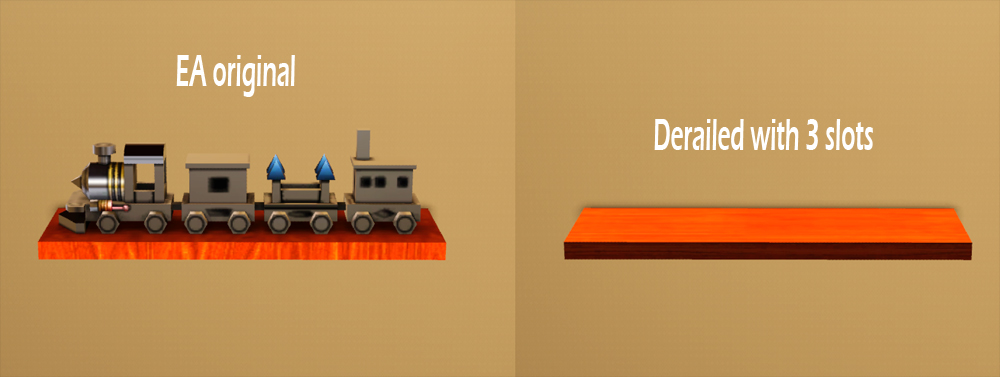
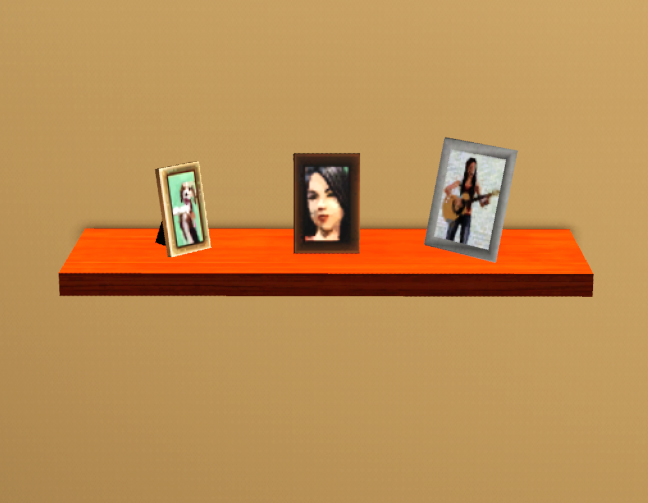
Did you know there was a shelf in the game (actually more than one)? If you did, you probably also know the there is not much you can do with it. If you didn't know, it's probably because there is not much you can do with it. So I derailed the train, changed the pattern(why did they use horizontal wood?), and added three slots. It can be found in Surfaces/Misc. Comes in 4 colors and cost 85.
Issues:
Furniture can be placed under the shelf, but only before you place anything on it (but a filled shelf can be placed over funiture).
Additional Credits:
Thanks to Wes Howe, Inge Jones and PLJones, Ceixari, and Delphy for the tools.
|
cmomoney_SculptureWallShelf.rar
Download
Uploaded: 26th Apr 2010, 37.1 KB.
17,363 downloads.
|
||||||||
| For a detailed look at individual files, see the Information tab. | ||||||||
Install Instructions
1. Click the download button, or the filename, to download the file to your computer.
2. Extract the zip, rar, or 7z file. Now you will have either a .package or a .sims3pack file.
For Package files:
1. Cut and paste the file into your Documents\Electronic Arts\The Sims 3\Mods\Packages folder. If you do not already have this folder, you should read the full guide to Package files first: Sims 3:Installing Package Fileswiki, so you can make sure your game is fully patched and you have the correct Resource.cfg file.
2. Run the game, and find your content where the creator said it would be (build mode, buy mode, Create-a-Sim, etc.).
For Sims3Pack files:
1. Cut and paste it into your Documents\Electronic Arts\The Sims 3\Downloads folder. If you do not have this folder yet, it is recommended that you open the game and then close it again so that this folder will be automatically created. Then you can place the .sims3pack into your Downloads folder.
2. Load the game's Launcher, and click on the Downloads tab. Find the item in the list and tick the box beside it. Then press the Install button below the list.
3. Wait for the installer to load, and it will install the content to the game. You will get a message letting you know when it's done.
4. Run the game, and find your content where the creator said it would be (build mode, buy mode, Create-a-Sim, etc.).
Extracting from RAR, ZIP, or 7z: You will need a special program for this. For Windows, we recommend 7-Zip and for Mac OSX, we recommend Keka. Both are free and safe to use.
Need more help?
If you need more info, see:
- For package files: Sims 3:Installing Package Fileswiki
- For Sims3pack files: Game Help:Installing TS3 Packswiki
Loading comments, please wait...


Uploaded: 26th Apr 2010 at 6:06 PM
-
Bookshelf Revisited: Emptied with 21 Slots *Updated 7-8-12
by cmomoney 22nd Apr 2010 at 7:23pm
 38
72.8k
219
38
72.8k
219
-
-
-
-
by granthes 2nd Dec 2010 at 5:39pm
58
127.3k
388
-
by Lisen801 14th Jan 2011 at 5:32pm
41
91.7k
320
-
Shiftable shelf for Windows and Walls
by Lisen801 13th Jun 2012 at 4:54pm
+1 packs
25 77.8k 386 Generations
-
-
by TheJim07 15th Apr 2016 at 9:01pm
6
21.8k
93
-


-

-

-

Margarita Tiki Bar set Recolours by Cmomoney
by cmomoney 8th Jul 2009 at 9:45am
Here are some recolours for my Margarita Tiki Bar . more...
 9
18.2k
18
9
18.2k
18
-
-

-
"Castillo" Style Patio Set By Cmomoney
by cmomoney 7th Apr 2009 at 3:52am
This set includes a lounge chair, table, and matching shade umbrella. more...
-
*Updated* Dining Table Clutter
by cmomoney updated 25th Jan 2010 at 3:56am
This set includes a placemat, silverware, plates, and salt and pepper shakers. more...
-
Born Free Pose Pack for Horses
by cmomoney 2nd May 2012 at 12:50am
5 action poses for horses. more...
+1 packs
12 52.4k 68 Pets
Pets
-
-

Back2School Bookshelf: Emptied with 15 slots *Updated 7-8-12
by cmomoney 21st Apr 2010 at 1:01am
Running out of places to put your stuff? Bookshelves shouldn't be just for books. more...
82
154.1k
271