Sign in to Mod The Sims
 Large screen TV works with or without EP packs
 Large screen TV works with or without EP packs


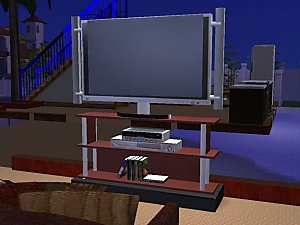
JRM Largest screen tv.jpg - width=600 height=450
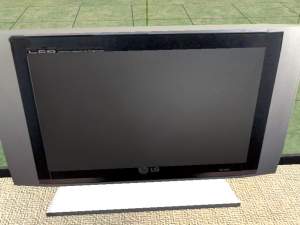
snapshot_af0c163c_2f0c16a8.jpg - width=400 height=300
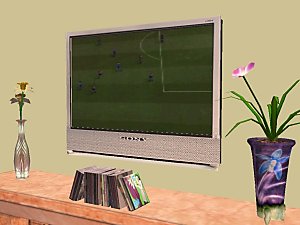
snapshot_af0c163c_8f0c163f.jpg - width=400 height=300
snapshot_af0c163c_ef0c166d.jpg - width=400 height=300
Just finnished testing with Nightlife and it works fine,
Hi all,
Here is my first successful object created with the Sims2Mesh tool
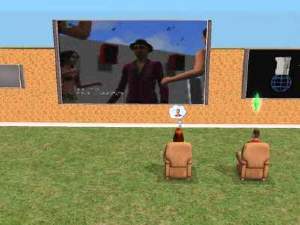
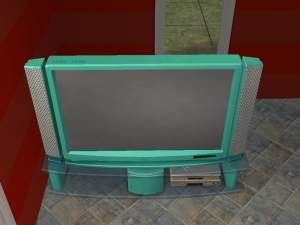
It is a Large screen TV.
I have tested it and it works fine,
UPDATED with corrected Grids
With special thanks to “ fireflies “ For correcting the grid problem.
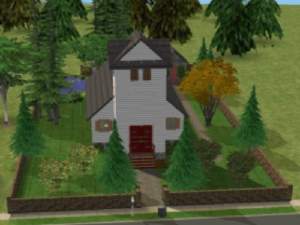
I have tested it again and it no longer replace the original one. Both show up as you can see in the photos.
Please test this and let me know if any problems.
Thank you.
To Install put in download folder
To uninstall remove from down load folder (and the Original one will return)
Enjoy
This is a new mesh, and means that it's a brand new self contained object that usually does not require a specific Pack (although this is possible depending on the type). It may have Recolours hosted on MTS - check below for more information.
|
JRM UPDATED LARGEST TV.zip
Download
Uploaded: 2nd Feb 2005, 88.6 KB.
19,802 downloads.
|
||||||||
| For a detailed look at individual files, see the Information tab. | ||||||||
Install Instructions
1. Download: Click the download link to save the .rar or .zip file(s) to your computer.
2. Extract the zip, rar, or 7z file.
3. Place in Downloads Folder: Cut and paste the .package file(s) into your Downloads folder:
- Origin (Ultimate Collection): Users\(Current User Account)\Documents\EA Games\The Sims™ 2 Ultimate Collection\Downloads\
- Non-Origin, Windows Vista/7/8/10: Users\(Current User Account)\Documents\EA Games\The Sims 2\Downloads\
- Non-Origin, Windows XP: Documents and Settings\(Current User Account)\My Documents\EA Games\The Sims 2\Downloads\
- Mac: Users\(Current User Account)\Documents\EA Games\The Sims 2\Downloads
- Mac x64: /Library/Containers/com.aspyr.sims2.appstore/Data/Library/Application Support/Aspyr/The Sims 2/Downloads
- For a full, complete guide to downloading complete with pictures and more information, see: Game Help: Downloading for Fracking Idiots.
- Custom content not showing up in the game? See: Game Help: Getting Custom Content to Show Up.
- If you don't have a Downloads folder, just make one. See instructions at: Game Help: No Downloads Folder.
Loading comments, please wait...

Uploaded: 1st Feb 2005 at 9:17 PM
Updated: 18th Dec 2008 at 9:09 PM by -Maylin-
-
-
by teknakoleair 7th May 2005 at 4:15pm
 6
8.5k
4
6
8.5k
4
-
by Brasstex 13th May 2005 at 6:09am
35
43.3k
18
-
by Grapholina 29th Nov 2005 at 11:08pm
23
28.9k
8
-
by jcbratt 21st Mar 2006 at 7:01pm
5
12.7k
2
-
by JohnBrehaut1 22nd May 2006 at 8:42am
31
45.6k
20
-
-
by JohnBrehaut1 24th Jun 2006 at 11:49am
29
99.8k
41
-
-
by CTNutmegger 14th Feb 2007 at 4:16pm
42
59.3k
102