Sign in to Mod The Sims
 A set of 9 Egyptian Paintings
 A set of 9 Egyptian Paintings


Tahera_Egypt_Wall_Hangings_Colored_1.jpg - width=1200 height=747
Tahera_Egypt_Wall_Hangings_Colored_2.jpg - width=1200 height=747
Tahera_Egypt_Wall_Hangings_Colored_3.jpg - width=1200 height=747
The paintings are shiftable and should be basegame compatible. They can not be recolored!
Additional Credits:
Template by Club Crimsyn: http://club-crimsyn.dreamwidth.org/
Brushes: http://myphotoshopbrushes.com/
TSR Workshop
|
Tahera_Egypt_Wall_Decorations_colored.zip
Download
Uploaded: 17th Nov 2011, 926.3 KB.
4,757 downloads.
|
||||||||
| For a detailed look at individual files, see the Information tab. | ||||||||
Install Instructions
1. Click the download button, or the filename, to download the file to your computer.
2. Extract the zip, rar, or 7z file. Now you will have either a .package or a .sims3pack file.
For Package files:
1. Cut and paste the file into your Documents\Electronic Arts\The Sims 3\Mods\Packages folder. If you do not already have this folder, you should read the full guide to Package files first: Sims 3:Installing Package Fileswiki, so you can make sure your game is fully patched and you have the correct Resource.cfg file.
2. Run the game, and find your content where the creator said it would be (build mode, buy mode, Create-a-Sim, etc.).
For Sims3Pack files:
1. Cut and paste it into your Documents\Electronic Arts\The Sims 3\Downloads folder. If you do not have this folder yet, it is recommended that you open the game and then close it again so that this folder will be automatically created. Then you can place the .sims3pack into your Downloads folder.
2. Load the game's Launcher, and click on the Downloads tab. Find the item in the list and tick the box beside it. Then press the Install button below the list.
3. Wait for the installer to load, and it will install the content to the game. You will get a message letting you know when it's done.
4. Run the game, and find your content where the creator said it would be (build mode, buy mode, Create-a-Sim, etc.).
Extracting from RAR, ZIP, or 7z: You will need a special program for this. For Windows, we recommend 7-Zip and for Mac OSX, we recommend Keka. Both are free and safe to use.
Need more help?
If you need more info, see:
- For package files: Sims 3:Installing Package Fileswiki
- For Sims3pack files: Game Help:Installing TS3 Packswiki
Loading comments, please wait...
Uploaded: 17th Nov 2011 at 12:30 AM
#"theme-Ancient, #world", #"Ancient, #world", #"theme", #"Egypt", #"Wall, #Hangings", #"Paintings"
-
by Ewelina20 2nd Dec 2009 at 6:28pm
 21
40.7k
70
21
40.7k
70
-
by Ewelina20 12th Dec 2009 at 11:06am
18
46.2k
79
-
by Tahera 11th Nov 2011 at 5:35pm
6
27.6k
44
-
-
by hudy777DeSign 23rd Nov 2011 at 12:17pm
9
34.5k
56
-
-
-

-
by allison731 22nd Jan 2012 at 11:09am
-
Halloween Paintings - 14 Different Designs - Shiftable
by marydehoyos 11th Oct 2024 at 8:25am
7
1.5k
10




-
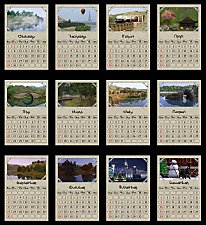
Sims 3 Landscape Calendars 2012
by Tahera 25th Nov 2011 at 1:58pm
Even the Sims need a calendar to organize units of time to satisfy their needs. more...
13
23.7k
30
-
-