Sign in to Mod The Sims
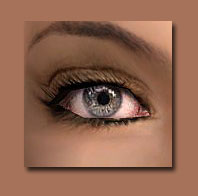
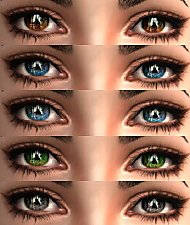
 Realistic Eyes Series (ShigureSohma)
 Realistic Eyes Series (ShigureSohma)


colors.jpg - width=486 height=492
All colors
brown.jpg - width=582 height=715
dkblue.jpg - width=579 height=683
ltblue.jpg - width=562 height=682
green.jpg - width=584 height=701
gray.jpg - width=583 height=701
cover.jpg - width=584 height=512
Cover Page
Created Using PaintToolSai.
It all looks like this.


I HOPE YOU LIKE IT! ALREADY TESTED IN-GAME, AND IT WORKS!
ShigureSohma
CLICK THE SCREENSHOTS AREA FOR CLEARER VIEW
Additional Credits:
-Shady- (http://www.modthesims.info/member.php?u=1603428)
-Shady- 's Default layout which I edited (http://www.modthesims.info/download.php?t=306892)
The Sims 2
Electronic Arts
Maxis
Microsoft Paint
Microsoft Snipping Tool SimPE PaintToolSai
|
ShigureSohma.mts.info.2DEFAULTS!.rar
| DEFAULT REPLACEMENTS
Download
Uploaded: 6th Aug 2012, 26.0 KB.
1,069 downloads.
|
||||||||
| For a detailed look at individual files, see the Information tab. | ||||||||
Install Instructions
1. Download: Click the download link to save the .rar or .zip file(s) to your computer.
2. Extract the zip, rar, or 7z file.
3. Place in Downloads Folder: Cut and paste the .package file(s) into your Downloads folder:
- Origin (Ultimate Collection): Users\(Current User Account)\Documents\EA Games\The Sims™ 2 Ultimate Collection\Downloads\
- Non-Origin, Windows Vista/7/8/10: Users\(Current User Account)\Documents\EA Games\The Sims 2\Downloads\
- Non-Origin, Windows XP: Documents and Settings\(Current User Account)\My Documents\EA Games\The Sims 2\Downloads\
- Mac: Users\(Current User Account)\Documents\EA Games\The Sims 2\Downloads
- Mac x64: /Library/Containers/com.aspyr.sims2.appstore/Data/Library/Application Support/Aspyr/The Sims 2/Downloads
- For a full, complete guide to downloading complete with pictures and more information, see: Game Help: Downloading for Fracking Idiots.
- Custom content not showing up in the game? See: Game Help: Getting Custom Content to Show Up.
- If you don't have a Downloads folder, just make one. See instructions at: Game Help: No Downloads Folder.
Loading comments, please wait...

Uploaded: 6th Aug 2012 at 1:04 AM
Updated: 18th Aug 2012 at 8:17 AM - Screenshots - Too Many Inline Images
-
-

-
-
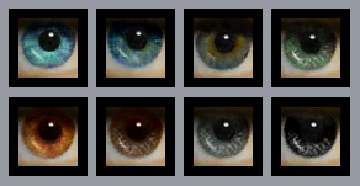
Clear Realistic Eyes by *icedmango*
by icedmango 7th Jul 2006 at 1:08am
-
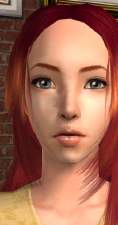
Realistic Eyes by MissSimGameFan
by MissSimGameFan 30th Oct 2006 at 5:10am
-
-
-
-
-
Some Peepers :) *defaults added*
by dragonmandy 21st Mar 2008 at 4:03pm