Sign in to Mod The Sims
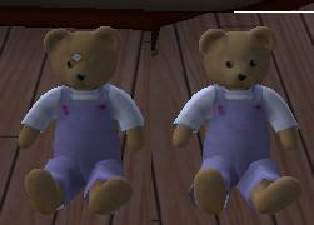
 testers wanted :[ EP ready] yellow,red,purple,orange bunnybears
 testers wanted :[ EP ready] yellow,red,purple,orange bunnybears


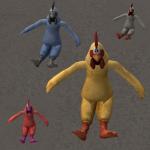
yellowbunnybear.jpg - width=400 height=300
3bunnybears.JPG - width=400 height=300

i have been waiting to recolour this since the maxis 1 came out
but i have downloaded Numenors one and recoloured that
they are red orange purple and yellow
goes in Downloads,
credits for the Bunny Bear mesh go to Maxis, credits for all the other features (colour-enabling, the 2 additional recolours and the "worn" feature) go to Numenor
 and the credits for these recolours go to me.
you need the 1st file so the link is below
http://modthesims2.com/showthread.p...7622#post337622 CEP may or may not be needed,,,im not sure..sorry! :confused:
please please please reply with thoughts, wether they work in your game and thoughts for fututre recolours PLEASE
:D*added* red orange and purple*
if you want these in .zip, i wil convert them for you
if you want these on your site ONLY, credit the above (Numeno,Maxis and me)
enjoy!
|
OrangeBunnyBear.rar
Download
Uploaded: 31st Mar 2005, 57.9 KB.
1,438 downloads.
|
||||||||
|
PurpleBunnyBear.rar
Download
Uploaded: 31st Mar 2005, 59.5 KB.
1,523 downloads.
|
||||||||
|
RedBunnyBear.rar
Download
Uploaded: 31st Mar 2005, 64.0 KB.
1,494 downloads.
|
||||||||
|
YellowBunnyBear.rar
Download
Uploaded: 30th Mar 2005, 58.4 KB.
1,680 downloads.
|
||||||||
| For a detailed look at individual files, see the Information tab. | ||||||||
Install Instructions
1. Download: Click the download link to save the .rar or .zip file(s) to your computer.
2. Extract the zip, rar, or 7z file.
3. Place in Downloads Folder: Cut and paste the .package file(s) into your Downloads folder:
- Origin (Ultimate Collection): Users\(Current User Account)\Documents\EA Games\The Sims™ 2 Ultimate Collection\Downloads\
- Non-Origin, Windows Vista/7/8/10: Users\(Current User Account)\Documents\EA Games\The Sims 2\Downloads\
- Non-Origin, Windows XP: Documents and Settings\(Current User Account)\My Documents\EA Games\The Sims 2\Downloads\
- Mac: Users\(Current User Account)\Documents\EA Games\The Sims 2\Downloads
- Mac x64: /Library/Containers/com.aspyr.sims2.appstore/Data/Library/Application Support/Aspyr/The Sims 2/Downloads
- For a full, complete guide to downloading complete with pictures and more information, see: Game Help: Downloading for Fracking Idiots.
- Custom content not showing up in the game? See: Game Help: Getting Custom Content to Show Up.
- If you don't have a Downloads folder, just make one. See instructions at: Game Help: No Downloads Folder.
Loading comments, please wait...

Uploaded: 30th Mar 2005 at 4:14 PM
Updated: 7th Nov 2008 at 12:35 AM by Canoodle
-
by callum91 24th Dec 2004 at 3:27pm
 9
7.9k
1
9
7.9k
1
-
by natrobo 8th May 2005 at 11:08pm
42
28.7k
8
-
by natrobo 16th May 2005 at 5:49pm
34
26.2k
24
-
by CoralCrumbs 18th Jul 2005 at 9:35am
9
7.1k
2
-
by audhumble 3rd Oct 2005 at 11:04am
14
12.5k
3
-
by OoGaBbErZiCkEoO 3rd Dec 2005 at 10:55pm
24
22.1k
6
-
by OoGaBbErZiCkEoO 4th Dec 2005 at 3:46am
71
56k
19
-
by ByDemonsBeDriven 4th Apr 2006 at 6:43pm
20
10.1k
2
-
-


-
-
-
-
-
-
-
-
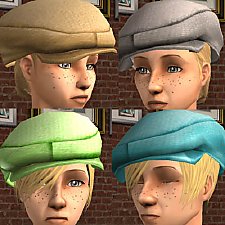
**FIXED ! redownload** Hip Fat Hat
by callum91 10th Apr 2006 at 10:51am
Hey My 1st accessory, so please be nice :P It is basically the maxis hat, but i really wanted more...
59
65k
30
-
-