
 Sign in to Mod The Sims
 3 NEW City Skyline Replacements
 3 NEW City Skyline Replacements


City Skyline REPLACEMENT_Thumb.jpg - width=1600 height=1440
City Skylines: Paris, LA, Seattle Thumb
City Skyline REPLACEMENT_NewCrest.jpg - width=1600 height=1440
City Skylines: Paris, LA, Seattle in New Crest
 If you want to know where you can find these new City skylines in Willow Creek and New Crest and how they look in game (>> At Night Time! <<), please watch my Youtube Video:
Bakies The Sims 4 Custom Content: 3 New City Skyline Replacements (it's only 1.26 minutes long)
If you want to make your own City Skyline Replacements or other backdrop replacements, please watch my Youtube Tutorial Video:The Sims 4 Tutorial: How to make your own City Skyline (Backdrop) Replacements (it's only 9.09 minutes long)

3 City Skyline Replacements
This download contains 3 new Backdrops that appear instead of the City Skyline on both Willow Creek and New Crest. If any future neighbourhoods will use the same backdrops, then they will be replaced too.
You can use only one mod at the same time and you can choose between:
1. Paris, France
2. Los Angeles, USA
3. Seattle, USA
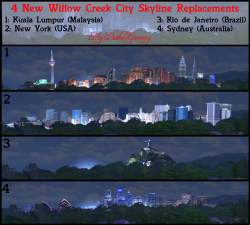
All 3 city skyline replacements were requests from people who also downloaded my first 4 city skyline replacements, which can be downloaded right here: 4 New City Skyline Backdrop Replacements.
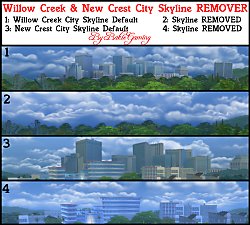
Another request was a city skyline remover, this mod can be downloaded here: City Skyline REMOVER
So if you want to see something else as backdrop replacement, you can just ask and I will see if I can make it that way.
If you want to see how these new city skylines will look at night, please watch my video (It looks very nice!
 )
)Object information:
You won't find these backdrops in build mode or whatsoever, as it's a World object override that can be found in Willow Creek and New Crest when staring into the distance. To easely find these backdrops, watch my youtube video by clicking on the first link at the top of this page.
You can make some yourself, watching the second link at the top of this page.
This download is a resource override, this means that it will totally replace all the City Skylines into one of the three new ones.
You can only use ONE MOD at the same time. So don't put all 3 packages in your Mods folder, just select the one you want to see in your game.
If you want to have the original default city skyline back in your game, just remove the package file from your Mods folder.
This override may conflicts with overrides that are using the same resource: matteGCW_Backdrop_City_01 0000000000002cc5
Some other City Skyline Backdrop Replacements that I made, can be downloaded right here:
4 new City Skyline Replacements (Pack 1)
3 New City Skyline Replacement (Pack 3)
City Skyline Backdrop Remover
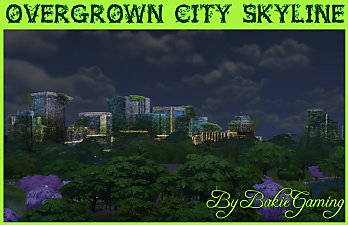
Apocalyptic City Skyline Replacement
Burning City Skyline Replacement
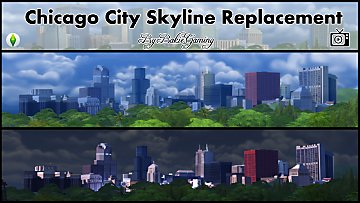
Chicago City Skyline Replacement
Each of them also got a video showing how they will look in game at day- and nighttime.
Game Requirements:
The Sims 4 Full Game
I Hope you like it and will give me some credit if used in videos or screenshots!
You may share my creations, but always give me credit and don't upload my creations anywhere else. Just link back to this page.
Additional Credits:
Thanks to Sims 4 Studio
Thanks Adobe for making Photoshop
|
City Skyline Replacement.rar
| 3 New City Skyline Replacements
Download
Uploaded: 9th Oct 2015, 705.6 KB.
4,538 downloads.
|
||||||||
| For a detailed look at individual files, see the Information tab. | ||||||||
Install Instructions
1. Download: Click the File tab to see the download link. Click the link to save the .rar or .zip file(s) to your computer.
Read the upload description for installation instructions. If nothing else is specified, do the following:
2. Extract: Use WinRAR (Windows) to extract the .package file(s) (if included, ts4script as well) from the .rar or .zip file(s).
3. Cut and paste the .package file(s) (if included, ts4script as well) into your Mods folder
- Windows XP: Documents and Settings\(Current User Account)\My Documents\Electronic Arts\The Sims 4\Mods\
- Windows Vista/7/8/8.1: Users\(Current User Account)\Documents\Electronic Arts\The Sims 4\Mods\
Need more information?
- Anyone can use both .rar and .zip files easily! On Windows, use WinRAR.
- If you don't have a Mods folder, just make one.
- Mod still not working? Make sure you have script mods enabled

Loading comments, please wait...


Uploaded: 9th Oct 2015 at 1:59 PM
Updated: 27th Jan 2017 at 2:03 PM
#Sims 4, #Backdrop, #City Skyline, #Replacement, #Replacements, #Willow Creek, #New Crest, #Recolor, #Recolors, #Paris, #France, #Los Angeles, #Seattle, #USA, #Tutorial, #Bakie, #BakieGaming
-
by plasticbox updated 17th Dec 2014 at 1:29am
-
-
-
-
-
-
-
-
-

-
-
Animated - Placeable Reptiles - Sea Turtles
by Bakie updated 5th Nov 2021 at 4:07pm
Invisible object spawning Sea Turtles more...
 24
40.3k
97
24
40.3k
97
-
-
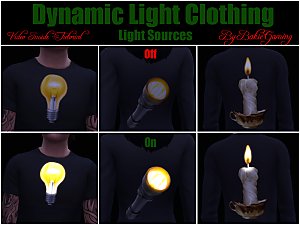
Dynamic Light - Light Source Clothing
by Bakie 13th Nov 2015 at 4:36pm
Clothing with light source images flashing dynamic light on and off. more...
13
10.6k
27
-

-
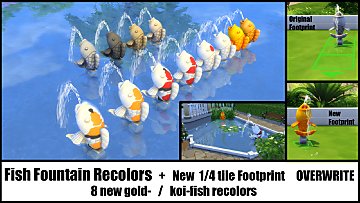
Fish Fountain Recolor + Changed Footprint
by Bakie updated 17th Sep 2021 at 1:49pm
8 new gold- / koi-fish fish fountain recolors. Overwrite, but includes original 4 colors too + changed footprint. more...
24
18.4k
95
-
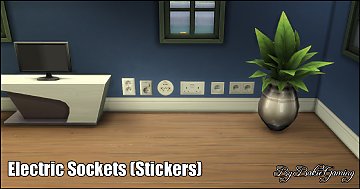
Electric Sockets Wall Stickers (StandAlone object)
by Bakie 30th Dec 2014 at 3:55pm
This package file contains one wall sticker with 6 different Electric Sockets to choose from. more...
41
42.7k
147
-
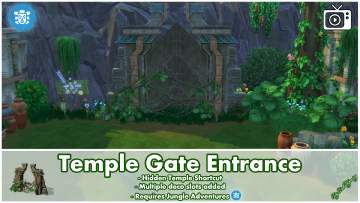
Hidden Temple Gate Entrance - Shortcut
by Bakie 23rd Mar 2018 at 3:33pm
This mod will provide a shortcut to the Hidden Temple. more...
+1 packs
14 14k 48 Jungle Adventure
-
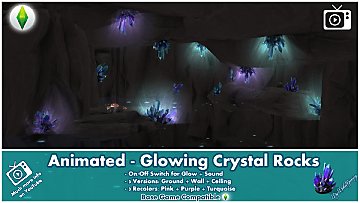
Animated - Glowing Crystal Rocks - Updated 19-07-2019
by Bakie updated 19th Jul 2019 at 12:27pm
Crystal Rocks that can be switched on for glow and sound. 3 Different versions, 3 recolors. more...
25
51.3k
159
-


About Me
Nice to see you're curious about what mods I made so far for The Sims 4!
As I would like to see more awesome stuff for The Sims 4 from other creators too, I make easy to follow step by step video tutorials on my BakieGaming YouTube channel. So if you would like to learn how to mod yourself too, that's the place to go! You can also find videos about most of the mods I made and an Effect Player series on my channel.
If you like my mods and videos and want to give me some extra support, please take a look at my BakieGaming Patreon page.
If you use CurseForge, a few of my mods are also available on there and more will be added in the future. To go to my projects page, clikc here: BakieGaming CurseForge page.
Policy
You may share my creations, but always give me credit and link back to the original object's description page either here on MTS, Patreon or CurseForge.
You may not upload my content to any other distribution sites (i.e. sites similar to ModTheSims4) unless you acquire my explicit permission to do so.