
 Sign in to Mod The Sims
 No More Agoraphobia open air starter home
 No More Agoraphobia open air starter home


Screenshot-60.jpg - width=1024 height=768
Screenshot-61.jpg - width=1024 height=768
Screenshot-62.jpg - width=1024 height=768
Screenshot-63.jpg - width=1024 height=768
Screenshot-64.jpg - width=1024 height=768
Screenshot-65.jpg - width=1024 height=768
Screenshot-66.jpg - width=1024 height=768
Screenshot-67.jpg - width=1024 height=768
Screenshot-69.jpg - width=1024 height=768
Screenshot-68.jpg - width=1024 height=768


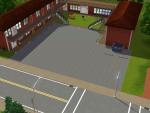
From the front this house looks like a plain white townhome. Once you cross through the front door, you are magically transported to a different world. Not really,just back outside.
This house was designed for an artist who looks forward to changing the space around them. All the walls are plain white, waiting for you to hang your own art, with alcoves for sculptures.
When we say open floor plan we really mean it.Part of the home only hint at walls, and there is enough room that the brave can even make a studio style sleeping area.
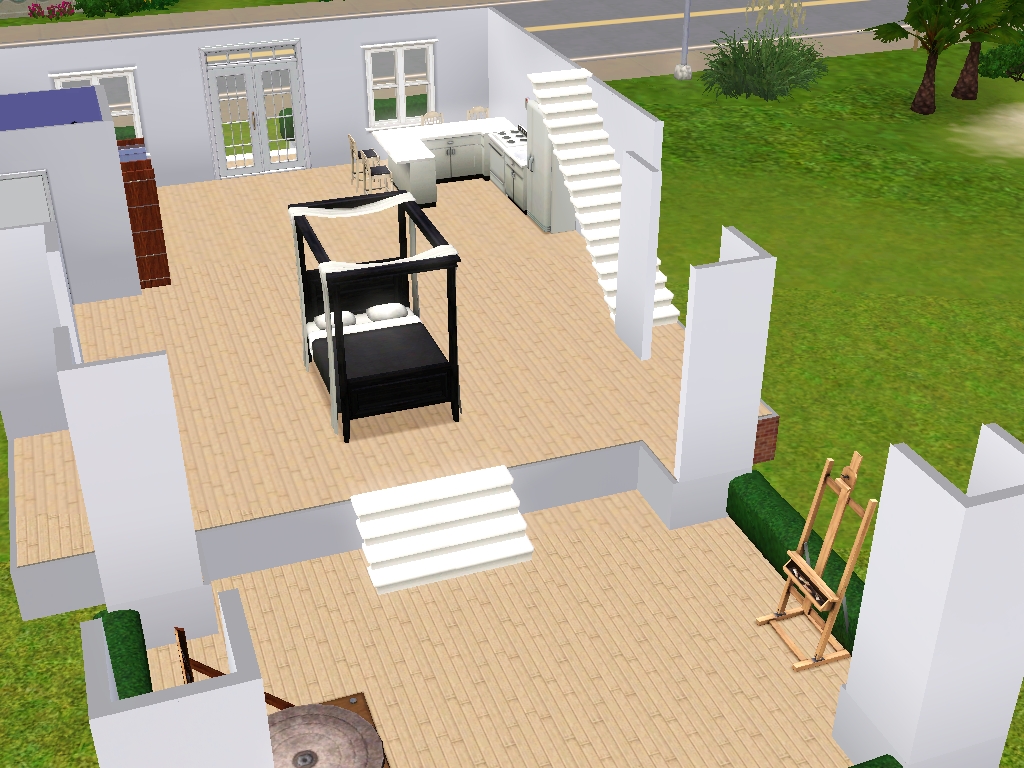
Note this bed is not in the furnished version, just a fun example for the exhibisionest sim. There is a lightly furnished bedroom upstairs. Also note some of these pictures are before the recolor.
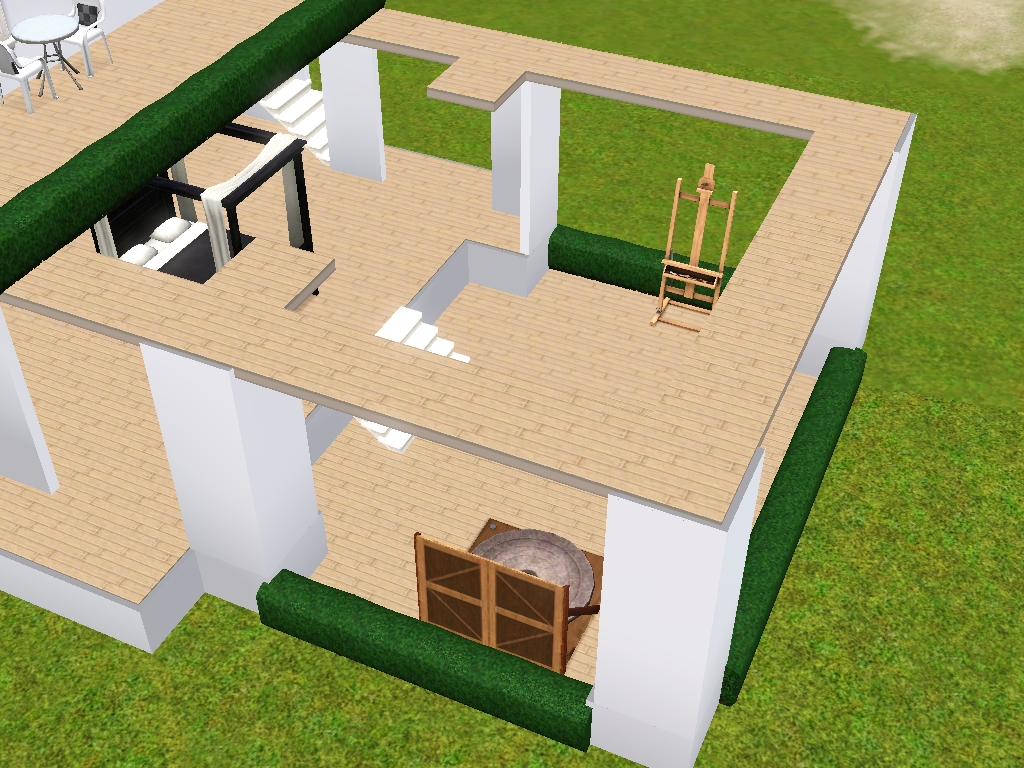

Pictured but not included:
- Downstairs bed
- sculpting station
- drafting table
There is a ground level where a sim can perform their favorite methods of art. I had my sim doing sculptures and and painting, and I set up a drafting table inside closer to the door.
For best gameplay, I would not play this in a world with seasons. There really is only 3 fully enclosed rooms.
Lot Size: 20x30
Lot Price (furnished): 19,911
Lot Price (unfurnished): 15,959
|
No More agoriphobia.7z
Download
Uploaded: 7th Sep 2018, 1,009.1 KB.
132 downloads.
|
||||||||
| For a detailed look at individual files, see the Information tab. | ||||||||
Install Instructions
1. Click the filename or the download button to download the file to your computer.
2. Extract the zip, rar, or 7z file.
2. Select the .sims3pack file you got from extracting.
3. Cut and paste it into your Documents\Electronic Arts\The Sims 3\Downloads folder. If you do not have this folder yet, it is recommended that you open the game and then close it again so that this folder will be automatically created. Then you can place the .sims3pack into your Downloads folder.
5. Load the game's Launcher, and click on the Downloads tab. Select the house icon, find the lot in the list, and tick the box next to it. Then press the Install button below the list.
6. Wait for the installer to load, and it will install the lot to the game. You will get a message letting you know when it's done.
7. Run the game, and find your lot in Edit Town, in the premade lots bin.
Extracting from RAR, ZIP, or 7z: You will need a special program for this. For Windows, we recommend 7-Zip and for Mac OSX, we recommend Keka. Both are free and safe to use.
Need more help?
If you need more info, see Game Help:Installing TS3 Packswiki for a full, detailed step-by-step guide!
Loading comments, please wait...


 View with Names
Uploaded: 7th Sep 2018 at 11:22 AM
-
-
by Sleepy89 13th Jun 2009 at 2:50pm
 18
19.6k
9
18
19.6k
9
-
by Sakynfoss 3rd Jul 2009 at 5:05pm
8
21.7k
7
-
-
-
by Arnica 18th Dec 2009 at 4:18am
2
10k
-
by armiel 31st Jan 2010 at 6:49pm
8
14.7k
11
-
by Ashleigh825 17th Jun 2010 at 4:07pm
+2 packs
3 8.2k World Adventures
 Ambitions
-
-
by Black Zekrom 3rd Aug 2013 at 10:42pm
+2 packs
5 10.7k 19 Ambitions
 Late Night






Packs Needed
| Expansion Pack | |
|---|---|
| Ambitions |
| Late Night |
| Island Paradise |