
 Sign in to Mod The Sims
 Nakagin Mini
 Nakagin Mini


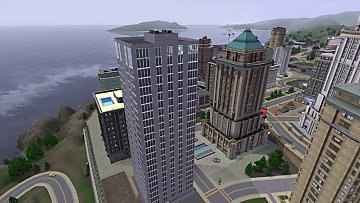
NakaginMini_cover.jpg - width=408 height=358
NakaginMini_ground.jpg - width=1360 height=768
NakaginMini_overview.jpg - width=1360 height=768
NakaginMini_lobby.jpg - width=1360 height=768
NakaginMini_room_ext.jpg - width=1360 height=768
NakaginMini_room.jpg - width=1360 height=768
NakaginMini_bathroom.jpg - width=1360 height=768
NakaginMini_1.jpg - width=1360 height=768
NakaginMini_2.jpg - width=1360 height=768
NakaginMini_3.jpg - width=1360 height=768
NakaginMini_4.jpg - width=1360 height=768
NakaginMini_5.jpg - width=1360 height=768
NakaginMini_roof.jpg - width=1360 height=768


Currently, unit 408 on level 4 is available, equipped with the most basic necessities for a single tenant.
Additional units can be unhidden and furnished as required.
This is a packaged lot and must be placed into %documents%\Electronic Arts\The Sims 3\Library folder.
This lot uses expansion packs:
- University life (mini-fridge)
- Into the future (big round windows)
This lot uses custom content:

- Shiftable televisions by celtysims - optional - the TV is still usable but will revert to default height if you attempt to move it
Sometimes, this lot may cause route failures due to limited space (and extensive use of moveobjects command). However, they usually occur when using the "go to floor" elevator interaction; resident(s) are able to route normally with "go here", "ring bell", and "go home" interactions. All service NPCs routed normally during playtesting. In any other cases, just redo the failed interaction.
Lot Size: 20x20
Lot Price (furnished): 10710
Lot Price (unfurnished): 5268
Custom Content by Me:
- Residential lot, 1 playable unit
Additional Credits:
Filipe Magalhães & Ana Luisa Soares: The Metabolist routine
Kirsten Dirksen: Nakagin: 140 plug n' play capsules float in metabolist tower
|
scoundrel_NakaginMini.7z
Download
Uploaded: 6th Jun 2019, 1.93 MB.
539 downloads.
|
||||||||
| For a detailed look at individual files, see the Information tab. | ||||||||
Install Instructions
1. Click the filename or the download button to download the file to your computer.
2. Extract the zip, rar, or 7z file.
2. Select the .sims3pack file you got from extracting.
3. Cut and paste it into your Documents\Electronic Arts\The Sims 3\Downloads folder. If you do not have this folder yet, it is recommended that you open the game and then close it again so that this folder will be automatically created. Then you can place the .sims3pack into your Downloads folder.
5. Load the game's Launcher, and click on the Downloads tab. Select the house icon, find the lot in the list, and tick the box next to it. Then press the Install button below the list.
6. Wait for the installer to load, and it will install the lot to the game. You will get a message letting you know when it's done.
7. Run the game, and find your lot in Edit Town, in the premade lots bin.
Extracting from RAR, ZIP, or 7z: You will need a special program for this. For Windows, we recommend 7-Zip and for Mac OSX, we recommend Keka. Both are free and safe to use.
Need more help?
If you need more info, see Game Help:Installing TS3 Packswiki for a full, detailed step-by-step guide!
Loading comments, please wait...


 View with Names
Uploaded: 6th Jun 2019 at 11:18 PM
-
by lemoncandy 15th Jun 2009 at 5:50pm
 6
10.1k
5
6
10.1k
5
-
-

by lukyzade 2nd Sep 2009 at 12:52am
2
9.6k
3
-
by lukyzade 5th Sep 2009 at 9:14pm
4
12.8k
9
-
-
-
-
-
-


Packs Needed
| Expansion Pack | |
|---|---|
| Late Night |
| University Life |
| Into the Future |